Video is powerful, but it can also be painfully slow to create.
A simple blog post can be written, edited, and published in a few hours. A good video may need scripting, footage, editing, music, subtitles, B-roll, thumbnails, exports and revisions. That is why many bloggers and creators know they should make more videos, but still avoid the work.
This is where AI video tools are becoming useful.
In 2026, creators can generate short video clips from prompts, animate still images, clean up footage, test ad ideas, create visual concepts and repurpose written content faster than before. The tools are not perfect, but they are changing the video workflow.
Runway ML is one of the biggest names in that shift.
But the real question is not whether Runway looks impressive in demos. The real question is whether it is useful for bloggers, creators, marketers, freelancers and small business owners who need practical video assets without building a full production team.
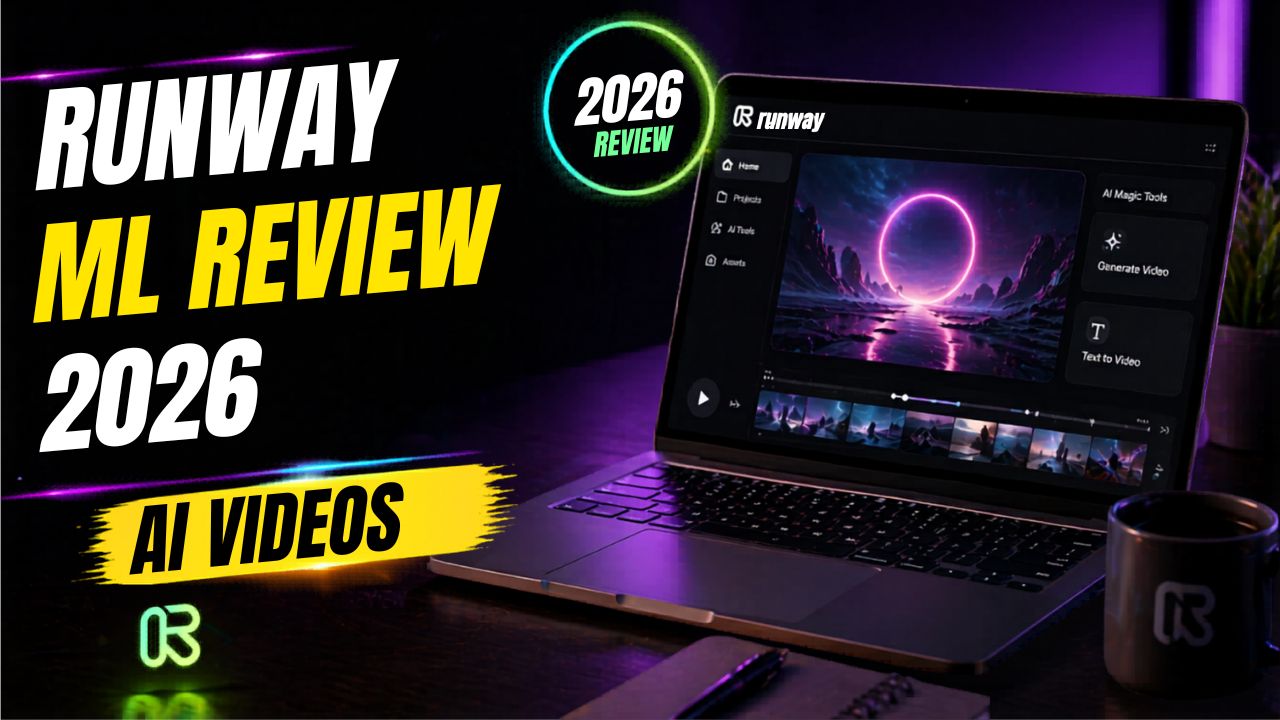
In this Runway ML review 2026, we will look at what Runway does, how it works, its most useful AI video features, pricing structure, pros and cons, best use cases, alternatives, and whether it is worth using this year.
Runway ML Review 2026: What Is Runway ML?
Runway ML is an AI-powered creative platform for generating, editing, and transforming video, image, and audio content.
It is not just a simple video maker. Tools like Pictory and InVideo AI are often easier for turning a script or blog post into a template-based video. Runway is different. It is closer to an AI creative studio where you can generate video clips, animate images, edit existing footage, experiment with visual styles, and test cinematic ideas.
In simple words, Runway helps you do things like:
- Create short AI video clips from prompts
- Animate images into moving video scenes
- Edit existing footage with AI tools
- Remove or change visual elements
- Test creative ad concepts
- Create B-roll ideas for YouTube or social media
- Build visual assets for campaigns, tutorials, and content projects
That makes Runway powerful, but it also means it is not the simplest tool for every beginner. If you only want quick blog-to-video content, you may prefer a more guided tool. If you want creative control and AI-generated visuals, Runway becomes much more interesting.
Why Runway ML Matters in 2026
Runway matters because video creation is becoming more AI-first.
Creators no longer need to begin every project with a blank editing timeline or a long stock footage search. AI tools can now help create the first visual version of an idea much faster.
For bloggers and affiliate marketers, this is important because one article is rarely enough anymore. The same idea may need to become a blog post, YouTube video, short-form clip, Pinterest pin, LinkedIn post, newsletter, and ad creative.
Runway helps with the visual layer of that system.
A blogger can use Runway to create short visual clips for a video intro. A YouTuber can generate B-roll ideas. A freelancer can offer AI-assisted video editing. A marketer can test ad concepts before paying for full production. A small business owner can create social visuals without hiring a full video team.
That is why this Runway ML review 2026 focuses on workflow value, not just flashy AI demos.
If your main goal is comparing beginner-friendly blog-to-video tools, you may also like this Pictory AI review. If you are interested in avatar-style business videos, this Synthesia AI review is a useful next read.
How Runway ML Works
Runway works through a web-based creative workspace. You do not need to install heavy desktop editing software to start testing its AI tools.
The basic workflow looks like this:
- Create or log in to your Runway account.
- Choose a creative tool or video model.
- Upload an image, upload a video, or write a prompt.
- Generate or edit the output.
- Review the result.
- Refine the prompt, settings, or input.
- Export the final asset when it is ready.
Some Runway workflows start with text. Some start with an image. Some start with existing footage. This flexibility is the reason many advanced creators like Runway.
The learning curve comes from quality control.
AI video generation is still experimental. You may need to test prompts, regenerate clips, change the image input, adjust the camera language, or finish the edit in another video editor. Runway can save time, but it is not one-click magic.
10 Powerful Runway ML Features for AI Video Editing
The biggest reason creators pay attention to Runway is its feature set. Here are the most important features for this Runway ML review 2026.
1. Text-to-Video Generation
Text-to-video lets you describe a visual scene and generate a short video clip from that prompt.
For example, you could describe a futuristic office, a product concept, a cinematic city shot, or an abstract background for a tech video. Runway then tries to create a moving clip based on your instruction.
This is useful when you need custom visuals but do not want to spend hours searching stock footage.
The limitation is that AI video can still produce odd motion, strange details, or results that only partially match your prompt. Text-to-video works best as a creative starting point. For polished work, you may still need human review and extra editing.
2. Image-to-Video Generation
Image-to-video is one of the most practical Runway features for bloggers and creators.
You can upload an image and use Runway to add motion. This could be a blog featured image, product mockup, AI-generated artwork, thumbnail concept, or campaign visual.
For example, if you create a static image in Canva or another design tool, you can animate it with Runway and turn it into a short clip for YouTube Shorts, Instagram Reels, Pinterest, or a video intro.
This is easier than starting with a blank video timeline.
3. Gen-4 Video Models
Runway’s Gen-4 video tools are designed for more controllable and flexible video generation. Runway’s official help documentation explains that Gen-4 creates short videos from an input image and text prompt, and that Gen-4 Turbo is built for faster iteration at lower credit usage.
For normal users, the important point is simple: the model you choose affects quality, speed, and credit cost.
If you are experimenting, a faster model can help you test ideas without wasting too many credits. If you are working toward a more polished clip, a higher-quality model may be worth using once the concept is clearer.
4. Aleph for Editing Existing Footage
Runway is not only about generating new video from scratch. Its paid plan pages also list Aleph as a video editing feature.
This matters because many creators already have footage. They do not always need a fully AI-generated scene. They need to change, clean, or transform a video they already recorded.
AI-assisted footage editing is one of the most interesting parts of Runway because it points toward a future where creators can edit video with natural language instructions, visual references, and generative tools instead of doing every change manually.
5. Background and Object Editing
Runway is useful for visual changes that would usually take time in traditional editing software.
For example, a creator may want to remove a distracting object, test a different visual mood, or change an element inside a scene. AI editing tools can make those experiments faster.
The quality is not always perfect. Some edits look clean. Others need several attempts or final cleanup in another editor. But for concept testing and social content, this can still save serious time.
6. Creative Video Effects
Runway is strong when you want experimental visuals, stylized clips, cinematic ideas, and creative effects.
This is where it feels different from basic blog-to-video tools. Runway is less about filling a template and more about creating scenes, motion, style, and atmosphere.
That makes it useful for music videos, short films, ad concepts, social media clips, brand visuals, YouTube B-roll, and creative campaign ideas.
7. Cloud-Based Creative Workflow
Runway runs through the web, so you do not need a powerful local editing computer just to start testing AI video ideas.
This is helpful for creators who do not own a high-end editing machine.
The tradeoff is that cloud tools depend on internet access, platform availability, plan limits, export options, and credit usage. If you generate a lot of video, you need to watch your credits carefully.
8. Image and Audio Tools
Runway is not limited to video only. Current Runway pricing pages also show access to generative image and audio tools depending on the plan.
This matters because modern content creation rarely uses only one format. A campaign may need images, voice, sound, video clips, thumbnails, short clips, and longer edits.
Having multiple creative tools inside one workspace can make the workflow smoother, especially for creators who are building social campaigns or content systems.
9. Team and Workspace Features
Runway can also fit team workflows.
For agencies, marketers, and production teams, the value is not only one AI generation. The value is faster creative testing. Teams can try different visual concepts, compare outputs, and move promising ideas into final production.
Solo bloggers may not need all of this on day one, but freelancers and agencies can benefit from a more organized creative workspace.
10. Fast Concept Testing
This may be Runway’s most underrated benefit.
Traditional video concept testing can be expensive. You may need filming, stock footage, animation, or editing before you know whether an idea works.
Runway lets you test visual directions faster. A creator can try several short clips, compare moods, and choose the strongest direction before investing more time.
For marketers, this can help with ad concepts. For YouTubers, it can help with B-roll ideas. For bloggers, it can help turn written ideas into visual assets.
Runway ML Pros and Cons
No Runway ML review 2026 should ignore the tradeoffs. Runway is powerful, but it is not perfect for everyone.
| Pros | Cons |
|---|---|
| Strong AI video generation features | Higher learning curve than simple AI video tools |
| Useful for creative editing and visual experiments | Credits can run out quickly during testing |
| Cloud-based workflow | Generated clips may need multiple attempts |
| Good fit for creators, marketers, and agencies | Not the easiest choice for complete beginners |
| Supports video, image, and audio workflows | Final polish may still need another video editor |
The biggest benefit is creative power. The biggest drawback is that Runway requires testing, patience, and some visual judgment.
Runway ML Pricing in 2026
Runway uses a plan and credit system. Credits are spent when you generate or process creative outputs, and the amount depends on the model and workflow.
According to Runway’s official pricing and help pages, the Free plan is designed for people who want to explore the platform before upgrading. It includes a limited one-time credit allocation. Runway also notes that free-plan videos include a watermark, and users need a paid plan for watermark removal and broader generation access.
Paid plans add monthly credits, access to more models and tools, higher export options, more storage, and the ability to buy more credits depending on the plan. Runway’s pricing page lists Standard, Pro, Unlimited, and Enterprise-style options, but details can change, so always check the live pricing page before buying.
For beginners, the key question is not only the monthly price. It is how many attempts you will need.
AI video often takes testing. One final clip may require several generations. If you are experimenting with prompts, camera motion, image inputs, or different models, credits can disappear faster than expected.
Before paying, ask yourself:
- Do I need watermark-free exports?
- Am I creating casual experiments or client-ready work?
- How many clips do I need each month?
- Will I use Runway alone or with another editor?
- Do I understand how credits are counted?
For this Runway ML review 2026, the safest advice is to test the free plan first, learn the workflow, then upgrade only when you know Runway fits your creative process.
That is also why this Runway ML review 2026 avoids treating the cheapest plan as the automatic best choice. The right plan depends on how many clips you create, how often you regenerate, and whether you need watermark-free exports.
Try Runway for AI Video Editing
If you want to test AI video generation, image-to-video, and creative video workflows, start with Runway directly and see how it fits your content style.
Is Runway ML Beginner-Friendly?
Runway is beginner-accessible, but it is not the easiest AI video tool for complete beginners.
A beginner can create an account, choose a model, upload an image, write a prompt, and generate a short clip. That part is simple enough.
The challenge starts when you want consistent, professional-looking results.
You may need to learn prompt writing, camera language, image selection, model differences, credit usage, and how to combine AI clips with regular editing.
If you are a blogger who simply wants to turn articles into simple videos, Pictory or InVideo AI may feel easier. If you want cinematic AI visuals, creative B-roll, or experimental video scenes, Runway is more useful.
The honest answer is this: Runway is not the easiest AI video tool, but it is one of the most powerful creative AI video tools.
Runway ML vs Traditional Video Editing Tools
Can Runway replace Premiere Pro, Final Cut Pro, or DaVinci Resolve?
Sometimes, but not completely.
Runway can replace traditional tools for certain AI-specific tasks, such as generating visual clips, animating images, testing concepts, or making creative edits. But traditional editors are still better for precise timeline control, long-form editing, audio mixing, color grading, subtitles, multi-camera projects, and final delivery.
| Task | Runway ML | Traditional Editor |
|---|---|---|
| Generating AI video clips | Strong | Not built for this by default |
| Fast concept testing | Excellent | Slower |
| Long-form YouTube editing | Limited | Better choice |
| Creative AI edits | Strong | Depends on plugins and manual skill |
| Final professional polish | May need another editor | Better choice |
For many creators, the best workflow is not Runway or traditional editing. It is Runway plus traditional editing.
Use Runway to create or transform assets. Use a regular editor to assemble and polish the final video.
Runway ML vs Other AI Video Tools
Runway is not the only AI video tool available. The best choice depends on what you are trying to create.
Runway ML vs Pictory
Pictory is easier for turning blog posts and scripts into simple videos. It is a better starting point for bloggers who want quick content repurposing.
Runway is better for creative AI video generation, visual effects, image-to-video, and experimental editing.
Runway ML vs Synthesia
Synthesia is focused on AI avatar videos. It works well for training videos, tutorials, explainers, and business communication.
Runway is better for visual creativity, generated scenes, cinematic clips, and editing existing footage.
Runway ML vs InVideo AI
InVideo AI is more beginner-friendly for creating social videos, marketing videos, and script-to-video workflows.
Runway is more advanced and better for creators who want deeper creative control.
Runway ML vs Canva AI
Canva AI is better for static visuals, blog graphics, thumbnails, and social posts.
Runway is stronger for video generation and motion-based creative work. Many bloggers may use both: Canva for images and Runway for video experiments.
Best Use Cases for Runway ML
Runway is strongest when you use it for the right type of project.
Content Creators
Creators can use Runway for short clips, intros, background visuals, B-roll ideas, and social media experiments.
YouTubers
YouTubers can use Runway for visual storytelling, AI B-roll, cinematic scenes, and concept clips that support their main footage.
Bloggers
Bloggers can use Runway to repurpose written ideas into short videos, create AI visuals for YouTube, or add motion to blog graphics.
Affiliate Marketers
Affiliate marketers can create product explainer visuals, ad concepts, comparison clips, and short-form promotional content. The key is to keep claims honest and avoid misleading product visuals.
Freelancers
Freelancers can use Runway to offer AI-assisted video editing, concept visuals, social media clips, and creative content packages.
Agencies
Agencies can use Runway to test creative directions before committing to full production. This can be useful for ads, campaigns, and client mockups.
How Bloggers Can Use Runway ML
Runway may not be the first tool every blogger needs, but it becomes useful once your content system is working.
A blogger can use Runway to:
- Create short AI clips from blog ideas
- Animate featured images for social posts
- Generate YouTube B-roll for AI tool reviews
- Create visual concepts for product comparison videos
- Test ad visuals for affiliate campaigns
- Create motion assets for Pinterest, Instagram, or Shorts
This is especially useful if your blog is about AI tools, video marketing, online business, creative software, or content creation.
If you are building an AI tools blog, your website is still the long-term asset. Social videos can bring attention, but your blog gives you SEO traffic, affiliate placements, email capture, and content ownership.
Build Your AI Video Tools Blog
If you want to review AI video tools, publish tutorials, and build affiliate content around creative software, start with a reliable WordPress blog.
How to Make Money With Runway ML
Runway does not automatically make money for you. But it can support income paths if you connect it to a real business model.
Freelance AI Video Editing
You can offer AI-assisted video editing, short-form video creation, visual concept clips, and social media video packages for clients.
YouTube Content
You can use Runway to create B-roll, intros, concept visuals, and short clips that make your videos feel more polished.
Affiliate Content
You can review AI video tools, compare alternatives, publish tutorials, and create video examples that support your affiliate articles.
Agency Services
Agencies can use Runway to create ad concepts, campaign assets, mockups, and early creative directions for clients.
Social Media Content
Short-form video still matters. Runway can help create attention-grabbing visual clips that stand out more than plain text posts.
Need AI Video Editing Help?
If you do not want to learn Runway from scratch, you can hire freelancers for AI video editing, prompts, short-form clips, and creative workflow setup.
Who Should Use Runway ML?
Runway is a good fit for people who want more than simple video templates.
It is best for:
- Content creators who want AI-generated visuals
- YouTubers who need creative B-roll
- Marketers testing ad concepts
- Filmmakers exploring scene ideas
- Agencies creating visual mockups
- Advanced bloggers creating video content
- Freelancers offering AI video services
If you enjoy experimenting and improving creative outputs, Runway can be exciting.
Who Should Skip Runway ML?
Runway is not the best fit for every user.
You may want to skip it if:
- You only need simple slideshow videos
- You want a tool that does everything with templates
- You do not want to learn prompting or visual direction
- You have no patience for testing multiple generations
- You need precise long-form timeline editing
- You are on a tight budget and need unlimited output
For complete beginners, Runway may feel powerful but slightly overwhelming. If your main goal is simple content repurposing, start with easier tools first and come back to Runway when you want more creative control.
Is Runway ML Legit?
Yes, Runway ML is a legitimate AI video and creative platform.
Runway has official product pages, pricing pages, help documentation, model guides, and developer documentation. Its official pages list video models, image tools, audio tools, plans, credits, and free-plan limitations.
But being legit does not mean every output will be perfect.
AI video generation is still unpredictable. You may need multiple attempts, prompt changes, better source images, and extra editing before you get a clip you would actually publish.
The honest view is this: Runway is legit, but it works best for creators who understand that AI video creation is a creative process, not a guaranteed one-click result.
Recommended Resource Before the Verdict
Want a Faster AI Video Workflow?
If Runway feels advanced, start with a simple workflow checklist for prompts, image-to-video, short clips, content repurposing and credit-safe testing before spending credits randomly.
Access the AI Video Creator Starter Kit
Recommended Book for AI Creators
If you want to understand how AI is changing creative work, a useful book to explore is Co-Intelligence: Living and Working with AI by Ethan Mollick.
It is not a Runway tutorial, but it can help creators think about AI as a working partner instead of treating it like a shortcut. That mindset matters with tools like Runway because the best results usually come from human direction, review and refinement.
Recommended Reading
If you are building AI-assisted creative workflows, this book can help you think more clearly about working with AI tools.
Final Words: Is Runway ML Worth It in 2026?
After researching this Runway ML review 2026, my honest verdict is that Runway is worth exploring if you want advanced AI video creation and editing features.
It is not the simplest AI video tool. It is not the cheapest tool for heavy experimentation. It is not a full replacement for traditional editing in every workflow.
But it is one of the strongest creative AI video platforms for creators who want to generate visuals, animate images, edit footage, test ideas, and create more experimental content.
Runway is best for creators, marketers, filmmakers, agencies, freelancers, and advanced bloggers who want creative control.
It is less ideal for complete beginners who only want fast template-based videos. If you want blog-to-video automation, start with Pictory or InVideo AI. If you want avatar videos, consider Synthesia. If you want creative AI video generation and visual experimentation, Runway is a strong choice.
Start Testing Runway ML
If you want to explore AI video generation and creative editing, start with small experiments, track your credit usage, and only upgrade when the workflow helps your content.
Frequently Asked Questions
Is Runway ML free?
Runway has a Free plan with limited access and a one-time credit allocation. According to Runway’s help center, the Free plan is designed for users who want to explore the platform before upgrading. Free-plan videos include a Runway watermark.
Is Runway ML beginner-friendly?
Runway is beginner-accessible, but it has a learning curve. It is easier to start than traditional editing software, but harder than simple template-based AI video tools.
Can Runway ML create videos from text?
Yes. Runway supports text-to-video workflows through its generative video models. Results depend on the model, prompt quality, input quality, settings, and the number of attempts.
Can Runway ML animate images?
Yes. Runway supports image-to-video workflows where you provide an image and prompt to generate a moving video clip.
Can Runway ML replace traditional video editing tools?
Runway can replace traditional tools for some AI video generation and creative editing tasks. However, traditional editors are still better for precise long-form editing, audio control, color grading, and final professional polish.
Is Runway ML better than Pictory?
Runway is better for advanced AI video generation and creative visual editing. Pictory is usually easier for turning blog posts and scripts into simple videos.
Is Runway ML good for YouTube creators?
Yes, Runway can be useful for YouTube creators who need B-roll, visual effects, cinematic clips, intros, or creative video concepts. It may still need another editor for final YouTube production.
Can I make money with Runway ML?
Yes, Runway can support freelance video services, YouTube content, agency creative work, affiliate content, and social media assets. Income depends on your skill, niche, clients, traffic, offer, and consistency.
Does Runway ML require editing skills?
You do not need advanced editing skills to start, but basic visual judgment helps. The better you understand prompts, composition, pacing, and editing goals, the better your results will usually be.
Conclusion
This Runway ML review 2026 shows that AI video editing is moving quickly.
Runway is not the simplest tool, but it is one of the most powerful AI video platforms for creators who want more creative control. It can help generate videos, animate images, edit footage, test ideas, and create visual assets faster than many traditional workflows.
Still, it is not perfect. Beginners should expect a learning curve, credit limits, and some trial and error. AI-generated video can look impressive, but it often needs human review and final polish.
If you want easy blog-to-video automation, start with a simpler tool. If you want advanced AI visuals and creative editing power, Runway is worth exploring.
For creators, bloggers, marketers, and freelancers, the best approach is to use Runway as part of a bigger content system. Use it for visual creation, use your website for long-term SEO, and use freelancers when you need expert help.
How We Checked This Review
Before updating this review, we checked Runway’s official website, pricing page, free-plan help documentation, Gen-4 video guide, Gen-4 prompting guide, and subscription guidance. This helps keep the article practical and safer for readers comparing AI video tools.
- Runway official website
- Runway pricing
- Runway Help: Free plan details
- Runway Help: Creating with Gen-4 Video
- Runway Help: Gen-4 Video Prompting Guide
- Runway Help: Managing your subscription
Affiliate Disclosure
As an Amazon Associate, I earn from qualifying purchases. Some links in this article are affiliate links, which means I may earn a commission at no extra cost to you if you buy through them. I only recommend tools, books, and services that may help beginners, creators, and online business owners create better content or grow their work more effectively.