Hostinger Horizons Review 2026: Can Beginners Build Web Apps Without Coding?

Hostinger Horizons Review

Building a web app used to feel impossible for most beginners.

You needed a developer, a budget, a server, a database, a design plan, and enough technical knowledge to explain what you wanted without getting lost in the details.

That is why many small business ideas never got built.

A blogger wanted a simple calculator for readers. A freelancer wanted a client portal. A local business wanted a booking tool. A creator wanted a small paid resource app. The idea was useful, but the technical gap was too big.

This is where vibe coding enters the picture.

Vibe coding means building software by describing what you want in plain language and letting AI generate the app, website, or prototype. It does not mean every app becomes perfect. It means the starting point becomes much easier.
 

Hostinger Horizons Review


In this Hostinger Horizons review, we will look at whether Hostinger’s vibe coding platform is actually useful for beginners, bloggers, affiliate marketers, freelancers, and small business owners who want to build simple web apps without writing code.

The honest answer is this: Hostinger Horizons is a promising beginner-friendly option for turning ideas into working websites and apps faster, but it still requires clear thinking, testing, and caution when your project involves customer data, payments, or logins.

Hostinger Horizons Review 2026: What Is Hostinger Horizons?

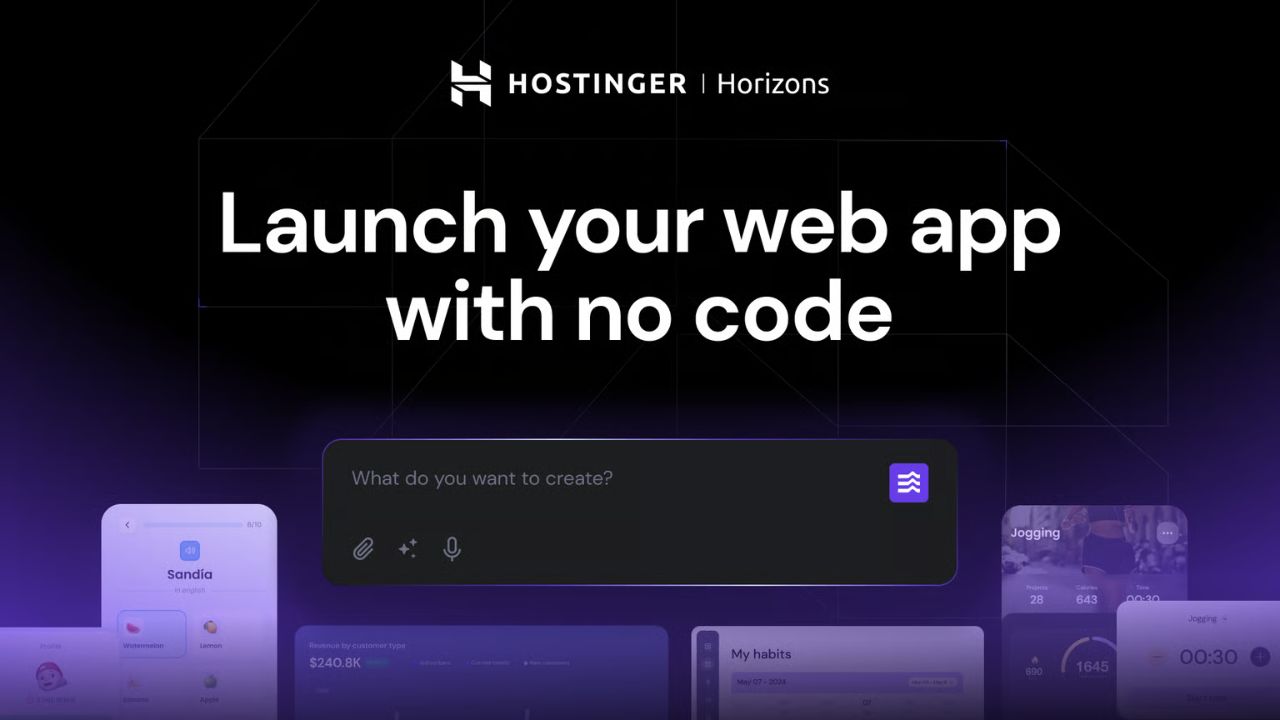
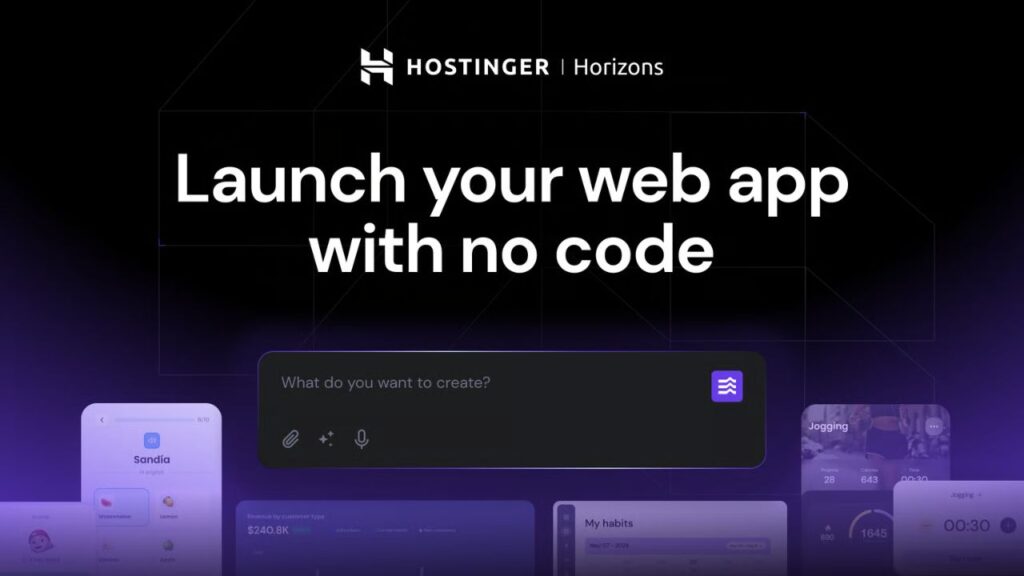
Hostinger Horizons is an AI-powered website and app builder from Hostinger.

Instead of starting with code, you describe what you want to build. Horizons then helps generate the website or web app and gives you a path to launch it online.

Hostinger positions Horizons as a no-code AI partner for launching ideas. According to its official page, users can build websites, apps, online stores, and AI apps by describing what they want. The platform also includes hosting, domain support, email, SEO optimization, backend features, user accounts, file storage, and integrations depending on the plan.

That makes this Hostinger Horizons review different from a normal hosting review.

Hostinger Horizons is not only about hosting a website. It is about creating something with AI first, then launching it with hosting and related infrastructure connected.

For AI Sage Labs readers, the practical question is simple:

Can a blogger or beginner use Hostinger Horizons to build useful tools, lead magnets, small apps, or business ideas without hiring a developer from day one?

That is the lens we will use in this review.

What Is Vibe Coding?

Vibe coding is the trend of building software with natural language prompts instead of manually writing every line of code.

You describe the app idea, workflow, page, form, dashboard, or feature you want. The AI generates the code or app structure. Then you review, test, refine, and launch.

In simple words:

Vibe coding lets non-developers explain what they want to build and use AI to create a working version faster.

This does not remove the need for judgment.

You still need to know the problem you are solving. You still need to test the output. You still need to understand what happens if the app handles user accounts, payments, forms, customer data, or business-critical workflows.

But it changes the starting point.

Instead of waiting months or paying thousands before testing an idea, a beginner can create a prototype, landing page, internal tool, calculator, or simple web app much faster.

Why Hostinger Horizons Matters in 2026

Hostinger’s May 29, 2026 vibe coding article makes one thing clear: vibe coding is not only a developer trend anymore.

The article says 63% of vibe coding tool users are not developers. It describes users such as business owners, freelancers, designers, creators, local businesses, and people who have never professionally written code.

That matters because the biggest market for vibe coding may not be technical founders.

It may be people with small practical problems:

  • A fitness coach who needs a booking tool
  • A freelancer who needs a client portal
  • A blogger who wants a niche calculator
  • A local shop owner who wants an inventory tracker
  • An affiliate marketer who wants a comparison tool
  • A creator who wants a simple paid resource app

The Hostinger article also says nearly 70% of Hostinger Horizons users are building businesses or ecommerce stores. That is important because it shows the tool is being framed around real business use, not just AI experiments.

This is why a Hostinger Horizons review belongs on AI Sage Labs.

It connects directly with blogging, affiliate marketing, online business, AI tools, and beginner-friendly execution.

This Hostinger Horizons review is therefore focused on practical use cases, not only feature names.

What Can You Build With Hostinger Horizons?

Hostinger Horizons is most interesting when you think beyond a normal website.

Yes, you can build business sites, landing pages, portfolios, blogs, and online stores. But the more exciting use case is building simple apps that solve a specific problem.

Examples include:

  • Appointment scheduler
  • Invoice generator
  • Cashflow calculator
  • Lead tracker
  • Client portal
  • Product comparison tool
  • Affiliate offer tracker
  • Content calendar
  • AI prompt library
  • Simple ecommerce store
  • Membership-style resource hub

For bloggers, this opens a useful content strategy.

Instead of only writing articles, you can create small tools that support your articles.

For example:

  • A hosting comparison calculator inside a hosting review site
  • An affiliate disclosure checklist for beginner marketers
  • A content score checklist for AI bloggers
  • A YouTube thumbnail prompt generator
  • A simple ROI calculator for AI tools

These are not huge SaaS products.

But they can make your blog more useful, increase time on site, capture emails, and support affiliate conversions.

Hostinger Horizons Key Features

A practical Hostinger Horizons review should focus on the features that matter for beginners and online business users.

1. Prompt-Based Website and App Building

The core feature is simple: describe what you want, and Horizons helps build it.

This is useful for non-developers because it reduces the blank-page problem. You do not need to start by choosing a framework, database, hosting stack, or deployment process.

You start with the business idea.

For example, a blogger could prompt:

Create a simple affiliate link tracker where I can add tool name, affiliate program, link, commission type, category, and update date. Include a dashboard summary and search filter.

This is the type of small internal tool that can save time every week.

2. One-Click Launch

Hostinger says Horizons lets users go live with one click under a custom domain.

This matters because building the app is only one part of the process. Launching is often where beginners get stuck.

Traditional deployment can involve hosting setup, DNS, domains, SSL, backend configuration, and environment variables. Hostinger tries to simplify that path by connecting the builder with hosting infrastructure.

3. Integrated Backend

Hostinger’s Horizons page says the platform includes databases, user accounts, and file storage without needing external tools.

This is a major point for beginners.

Many no-code or AI app builders can create front-end screens, but apps become more serious when they need user accounts, stored data, and file uploads.

The integrated backend makes Horizons more useful for business tools, dashboards, client portals, and member-style apps.

Still, this is also where testing becomes important. If your app stores sensitive data, do not treat the first AI-generated version as production-ready without review.

4. Built-In AI Features

Horizons also promotes built-in AI features such as chatbots and smart search, depending on plan and setup.

For bloggers and creators, this could be useful for:

  • FAQ-style support assistants
  • Searchable content hubs
  • Lead magnet tools
  • Simple recommendation assistants
  • Interactive niche guides

This gives creators a way to make content more interactive without starting from a full custom development project.

5. Ecommerce and Payment Support

Hostinger’s page mentions support for tools like Stripe, PayPal, Google AdSense, online store integration, subscriptions, physical products, and digital products depending on the plan.

This is where the business angle becomes stronger.

A beginner could use Horizons to test:

  • A digital product store
  • A paid template library
  • A small subscription resource
  • A niche micro-tool
  • A service booking page

But payments also increase responsibility. If money and customer data are involved, test carefully and understand the platform’s limits.

6. SEO-Optimized Projects

Hostinger says Horizons projects are SEO optimized and can be found by Google and AI tools.

This is helpful for bloggers because discoverability matters.

However, built-in SEO does not replace content strategy. You still need useful pages, clear titles, good copy, internal links, fast loading, and a reason for people to visit.

Think of SEO support as a foundation, not a guarantee.

7. Templates and Remixable Projects

Horizons includes templates and the ability to start from existing projects. Hostinger also mentions remixable templates and commissions when someone purchases Horizons through a published template.

This is interesting for creators because it creates a possible monetization angle.

If you create a useful template for a specific audience, such as a booking page for fitness coaches or an affiliate tracker for bloggers, it may become more than a personal tool.

It can become a resource others reuse.

Hostinger Horizons Pricing in 2026

Hostinger Horizons pricing can change, so always check the official page before buying.

At the time I checked the official Hostinger Horizons page in June 2026, the plans were listed around these discounted monthly prices on annual billing:

Plan Listed Discount Price AI Credits Best For
Explorer $6.99/month 30 AI credits/month Testing one simple website or app
Starter $13.99/month 70 AI credits/month Most beginners building several projects
Hobbyist $39.99/month 200 AI credits/month Creators building more apps or templates
Hustler $79.99/month 400 AI credits/month Advanced users who want higher limits


The Starter plan appears to be the most practical starting point for many beginners because it includes more projects, a free domain for one year, more AI credits, priority support, subscriptions, ecommerce features, analytics, image and voice prompting, and collaboration features.

The Explorer plan may be enough if you only want to test one simple idea.

The Hobbyist and Hustler plans make more sense for users who are building multiple projects, want code editing, duplicate projects as templates, or need higher credit limits.

Hostinger also lists a 30-day money-back guarantee, with a condition that it applies to accounts with fewer than 30 credits used. Check the current terms before buying because refund conditions matter.

Want to Try Vibe Coding With Hostinger?

If you want to test a simple app, landing page, store, or internal business tool without coding, Hostinger Horizons is worth exploring.

Try Hostinger Horizons here

Who Should Use Hostinger Horizons?

Hostinger Horizons is best for people who have a clear idea but do not want to start with code.

It is a good fit for:

  • Small business owners who need a simple app or store
  • Freelancers who want client portals or calculators
  • Bloggers who want interactive tools for readers
  • Affiliate marketers who want comparison tools or trackers
  • Creators testing digital product ideas
  • Non-technical founders building MVPs
  • Agencies creating quick prototypes for clients

The strongest use case is fast validation.

If you have an idea and want to see whether people care before hiring a developer, Horizons can help you move faster.

Who Should Skip Hostinger Horizons?

Hostinger Horizons is not the right tool for every project.

You may want to skip or limit it if:

  • You need a complex SaaS with advanced custom logic
  • You need full control over every technical layer
  • You are building a highly regulated product
  • Your app handles sensitive customer data and needs deep security review
  • You already have a developer team and custom architecture
  • You want to learn professional software engineering from the ground up

Horizons is best for practical beginner-friendly projects, prototypes, business tools, and early MVPs.

It is not a magic replacement for engineering judgment.

Hostinger Horizons for Bloggers and Affiliate Marketers

This is where the platform becomes especially interesting for AI Sage Labs readers.

Bloggers and affiliate marketers usually think in terms of articles. But small tools can support articles and improve conversions.

Examples:

  • A tool comparison quiz for AI writing tools
  • A hosting cost calculator for new bloggers
  • An affiliate review checklist generator
  • A blog post idea tracker
  • A lead magnet delivery page
  • A prompt library for affiliate marketers
  • A simple client intake form for AI services

These tools can help your blog feel more useful than a normal content site.

For example, if you write a Hostinger review, you could add a simple “blog launch cost calculator.” If you write about affiliate reviews, you could add an “affiliate review checklist” app. If you write about AI automation, you could add a workflow planner.

This is the real opportunity: not building random apps, but building small tools that support your existing content and affiliate offers.

If your goal is an AI affiliate blog, this guide on AI affiliate marketing for beginners connects well with this workflow.

Can You Make Money With Hostinger Horizons?

Yes, Hostinger Horizons can support money-making workflows, but it does not guarantee income.

The tool helps you build faster. The business still depends on your idea, audience, traffic, offer, pricing, and execution.

Possible monetization paths include:

1. Build Micro Tools for Your Blog

Create calculators, checklists, planners, or comparison tools that support affiliate content.

Example: an AI writing tool selector that recommends a tool based on budget, content type, and publishing frequency.

2. Create Lead Magnets as Web Apps

Instead of only offering a PDF, create a small interactive tool.

Example: an affiliate review scorecard that gives readers a checklist and asks for an email before sending results.

3. Sell Simple Templates

If Hostinger’s remixable template system fits your workflow, you may create useful project templates for specific niches.

Examples: landing page template, local booking tool, niche calculator, client portal, or small business dashboard.

4. Offer Freelance Setup Services

Some business owners will not want to learn vibe coding themselves.

You could offer setup services for simple apps, prototypes, landing pages, or business tools.

5. Prototype a SaaS Idea

Use Horizons to test an idea before investing in custom development.

This is not the same as launching a full enterprise SaaS, but it can help validate whether a problem is worth solving.

If you want broader income ideas, read this guide on how to make money with AI tools.

Where Vibe Coding Can Go Wrong

This section is important.

Vibe coding can make beginners move fast, but speed can create risk.

Hostinger’s vibe coding article mentions a cautionary case involving Moltbook, a social networking platform built through vibe coding. Security researchers reportedly found exposed authentication tokens and email addresses because of a misconfigured database.

The lesson is not “avoid vibe coding.”

The lesson is: if your app handles sensitive data, payments, user accounts, or business-critical workflows, testing and security review matter.

Be careful with:

  • User logins
  • Payment systems
  • Customer data
  • Email addresses
  • Database permissions
  • Admin dashboards
  • Public/private data rules
  • Backups and recovery

Hostinger says Horizons users do not manage their own databases or server configurations, which may reduce some beginner mistakes. That is a useful advantage.

But you should still test your app carefully and get technical help for serious products.

Hostinger Horizons vs Hiring a Developer

Hostinger Horizons and hiring a developer solve different problems.

Option Best For Main Strength Main Limitation
Hostinger Horizons Beginners, prototypes, simple apps Fast idea-to-launch workflow Less control than custom development
Hiring a developer Complex apps, custom systems, serious products Deeper technical control Costs more and takes longer
Hybrid approach MVP first, developer review later Fast validation plus safer scaling Still needs planning and budget

The hybrid approach may be the smartest path for many beginners.

Use Horizons to build and test the first version. If the idea gets users, sales, or serious interest, hire a developer or technical expert to review the app before scaling.

Need a Developer to Review Your Vibe-Coded App?

If your app handles logins, payments, customer data, or business workflows, a technical review can save you from painful mistakes.

Find app developers on Fiverr

Hostinger Horizons Pros and Cons

No Hostinger Horizons review should pretend the tool is perfect.

Pros Cons
Beginner-friendly prompt-based app building Complex apps may still need developers
Hosting, domain, email, and launch flow connected AI credits can limit experimentation
Integrated backend for data, users, and storage Security still needs careful testing
Useful for MVPs and business prototypes Pricing can rise as you need more credits and projects
Can help bloggers create interactive tools Not a replacement for product strategy

Best Hostinger Horizons Use Cases

Here are the strongest beginner-friendly use cases:

Small Business Website or Store

A local business can create a basic website, store, or booking page without hiring a developer first.

Internal Business Tool

A freelancer or small team can create a dashboard, tracker, calculator, or client management tool.

Blog Lead Magnet App

A blogger can create an interactive checklist, calculator, quiz, or prompt generator to collect emails and support affiliate content.

MVP for a SaaS Idea

A non-technical founder can test whether a product idea is useful before investing in full custom development.

Client Prototype

A freelancer can quickly show a client what an app or landing page could look like before building the final version.

Best Way to Use Hostinger Horizons

Do not start with a huge idea.

Start with one small problem.

Use this workflow:

  1. Choose one practical problem.
  2. Write a simple app description.
  3. List the pages or screens you need.
  4. List the data the app should store.
  5. Build the first version with Horizons.
  6. Test every button, form, login, and payment flow.
  7. Ask real users to try it.
  8. Fix the confusing parts.
  9. Launch only when the workflow is clear.
  10. Get technical review if the app handles sensitive data.

A good starter prompt might be:

Create a simple web app for affiliate bloggers to track product reviews. It should include fields for product name, affiliate program, category, publish date, update date, affiliate link, CTA location, and notes. Add a dashboard summary and search filter. Keep the design clean and beginner-friendly.

This is specific enough to guide the AI, but still simple enough for a beginner project.

Recommended Resource Before the Verdict

Want a Vibe Coding App Idea Checklist?

A checklist can help you choose a simple app idea, write better prompts, test your workflow, and decide when you need technical review.

Access the AI Sage Labs vibe coding app idea checklist.

Recommended Book for Vibe Coding Beginners

If you want to understand how AI changes creative and technical work, a useful book to explore is Co-Intelligence: Living and Working with AI by Ethan Mollick.

It is not a Hostinger Horizons tutorial, but it can help beginners think about AI as a working partner instead of a magic button.

Check Co-Intelligence on Amazon

Hostinger Horizons Review Verdict: Is It Worth Trying?

My honest verdict is that Hostinger Horizons is worth considering if you are a beginner, blogger, freelancer, small business owner, or non-technical founder who wants to build simple websites and web apps faster.

The biggest value is not that it magically replaces developers.

The biggest value is that it lowers the starting barrier.

You can move from idea to prototype faster. You can test small business tools. You can create interactive blog resources. You can build a landing page, store, portal, tracker, or calculator without starting from code.

The main limitation is that serious apps still need serious review.

If your project involves customer data, payments, user accounts, or business-critical workflows, do not assume the first version is safe just because it works. Test it. Review it. Get help if needed.

For simple ideas and beginner-friendly app building, Hostinger Horizons fits the vibe coding movement very well.

For complex software products, treat it as an MVP builder or starting point, not the final engineering team.

That is the balanced answer in this Hostinger Horizons review.

Try Hostinger Horizons here

FAQs About Hostinger Horizons

What is Hostinger Horizons?

Hostinger Horizons is an AI-powered website and app builder that lets users describe what they want to build and create websites, apps, stores, and AI-powered projects without writing code manually.

Is Hostinger Horizons good for beginners?

Yes, Hostinger Horizons is designed for beginners and non-technical users. It is especially useful for simple websites, business tools, prototypes, stores, and early app ideas.

Can I build a web app with Hostinger Horizons?

Yes. Hostinger Horizons is positioned as an AI app builder that can create web apps, websites, online stores, and AI apps from plain-language prompts.

Is Hostinger Horizons safe?

Hostinger says Horizons includes safeguards such as integrated backend and managed infrastructure. However, any app that handles customer data, payments, user accounts, or private information should still be tested carefully and reviewed before serious use.

How much does Hostinger Horizons cost?

At the time of checking in June 2026, Hostinger Horizons plans were listed from about $6.99/month on discounted annual billing, with higher plans offering more AI credits and features. Always check the official pricing page because prices and terms can change.

Can bloggers use Hostinger Horizons?

Yes. Bloggers can use Hostinger Horizons to build calculators, checklists, comparison tools, prompt libraries, lead magnets, and small apps that support their content and affiliate offers.

Can I make money with Hostinger Horizons?

Hostinger Horizons can support income ideas such as micro tools, client projects, templates, lead magnets, stores, and MVPs. It does not guarantee income. Results depend on your idea, audience, traffic, offer, and execution.

Is Hostinger Horizons better than hiring a developer?

Hostinger Horizons may be better for testing simple ideas quickly. Hiring a developer is better for complex apps, advanced custom systems, and projects that need deep technical control or security review.

Conclusion

Vibe coding is not just hype anymore.

It is becoming a practical way for non-developers to build websites, apps, tools, stores, and prototypes faster than before.

Hostinger Horizons is one of the more beginner-friendly examples of that shift because it combines AI app building with hosting, launch tools, backend features, and business-focused use cases.

For AI Sage Labs readers, the opportunity is clear.

You can use tools like Horizons to create interactive resources that support your blog, affiliate content, lead magnets, freelance services, and small business ideas.

Just keep the right mindset.

Use vibe coding for leverage, not blind trust. Build small. Test carefully. Get technical review when the stakes are higher.

If you do that, Hostinger Horizons can be a useful tool for turning business ideas into working web apps faster.

Start building with Hostinger Horizons

Hire an app developer on Fiverr

Learn how to work better with AI

How We Checked This Review

Before writing this review, we checked Hostinger’s official Horizons page, Hostinger’s May 29, 2026 article about vibe coding, and related security/source references mentioned in that article. Pricing, credits, and plan features can change, so check Hostinger’s official page before buying.

Affiliate Disclosure

As an Amazon Associate, I earn from qualifying purchases. Some links in this article are affiliate links, which means I may earn a commission at no extra cost to you if you buy through them. I only recommend tools, books, and services that may help beginners build better blogs, improve their affiliate content, or grow their online work more effectively.
Hostinger Review 2026: Is It the Best Hosting for AI Bloggers?

Hostinger Review 2026

A good AI blog does not fail because the writer used the wrong AI tool. It usually fails because the foundation is weak.

You can use ChatGPT for research, Canva for visuals, Pictory for video, Rank Math for SEO, and automation tools for promotion. But if your WordPress site is slow, confusing, insecure, or difficult to manage, every other tool is working on top of a shaky base.

That is why hosting matters more than many beginners realize.

AI blogs are often heavier than normal personal blogs. They may include long-form reviews, comparison tables, screenshots, affiliate buttons, lead forms, video embeds, tracking scripts, and custom design blocks. A cheap host may look fine on day one, but once you start publishing seriously, poor hosting can hurt speed, user experience and conversions.


Hostinger Review 2026


In this Hostinger review 2026, we will look at whether Hostinger is a good web host for AI bloggers, affiliate marketers and beginner WordPress site owners who want a practical balance of price, speed, features and ease of use.

This is not a perfect hosting company for every website. But for many new and growing AI blogs, Hostinger is one of the most practical starting points.

Hostinger Review 2026: Is It Worth It for AI Bloggers?

Yes, Hostinger is worth considering for AI bloggers in 2026, especially if you are starting or growing a WordPress blog and do not want expensive managed hosting yet.

The main reason is simple: Hostinger gives beginners a strong mix of affordable pricing, managed WordPress features, LiteSpeed performance, free SSL, free migration, backups, CDN on stronger plans and AI website tools.

For AI Sage Labs readers, that combination matters because most beginners need a hosting setup that helps them publish faster without getting stuck in technical details.

Hostinger is best for:

  • Beginner bloggers
  • AI tool review sites
  • Affiliate marketers
  • Small content teams
  • Creators launching a WordPress blog
  • Bloggers who want affordable hosting with AI tools

Hostinger is not best for:

  • Very large publisher websites
  • Heavy WooCommerce stores with large traffic
  • Complex membership platforms
  • Advanced developers who want deep server control
  • Sites that already need premium enterprise-level WordPress hosting

For most new AI bloggers, the Business WordPress hosting plan is the most practical option because it gives more room to grow than the entry plan.


🤖
Premium AI Tools
Save 80% on ChatGPT, Canva, Claude AI + 132+ Tools


💬 Order Now on WhatsApp

✓ Instant Delivery • 24/7 Support

Start Your AI Blog With Hostinger

If you want to launch an AI blog, affiliate site, or tool review website, Hostinger is a beginner-friendly WordPress hosting option with AI website tools, free SSL, backups, and simple setup.

Get Hostinger at a Discount

Why Hosting Matters for AI Bloggers

Many beginners think hosting is only the place where their website lives. Technically, that is true. But for bloggers who want traffic and income, hosting affects much more than storage.

Your hosting affects page speed. Page speed affects user experience. User experience affects whether readers stay, scroll, click, subscribe or leave.

Your hosting also affects how easy your website is to manage. If backups are confusing, WordPress updates break things, migration is stressful, or support is hard to reach, you lose time that should be spent on content and strategy.

For AI bloggers, this matters even more because the publishing workflow is usually faster. You may create more tool reviews, more comparison posts, more screenshots, more tables and more updates than a traditional blogger.

The ideal hosting for AI bloggers should be:

  • Fast enough for long-form SEO content
  • Simple enough for beginners
  • Affordable while income is still growing
  • Secure enough for affiliate and email workflows
  • Flexible enough for future niche projects
  • Reliable enough to keep posts online during traffic spikes

Hostinger fits the beginner-to-growth stage well, especially for WordPress bloggers who want a clean starting point.

If you are still comparing hosting choices, this related guide on best web hosting for AI blogs can help you understand the broader options.

What Is Hostinger?

Hostinger is a web hosting company that offers web hosting, managed WordPress hosting, cloud hosting, VPS hosting, domains, email, and website building tools.

For bloggers, the most relevant product is managed WordPress hosting. This is where Hostinger handles much of the technical foundation so you can focus more on building content, traffic, and monetization.

Hostinger’s WordPress hosting can include beginner-friendly setup, free SSL, free website migration, backups, LiteSpeed servers, caching, security tools and AI website features. On Business and Cloud plans, Hostinger also promotes Kodee, its AI Agent for WordPress.

That AI direction is one reason this Hostinger review 2026 is relevant for AI bloggers. Hostinger is not only trying to be low-cost hosting. It is also adding AI tools that can help beginners launch and manage WordPress sites faster.

According to Hostinger’s official WordPress hosting pages, key features may include:

  • Managed WordPress hosting
  • Free SSL
  • Free website migration
  • 30-day money-back guarantee
  • LiteSpeed servers and caching
  • AI website builder tools
  • AI Agent for WordPress on eligible plans
  • Weekly or daily backups depending on plan
  • CDN on stronger plans
  • 99.9% uptime guarantee

Always check the live Hostinger plan page before buying because pricing, discounts, and plan details can change.

Hostinger Pricing in 2026

Pricing is one of the biggest reasons people read a Hostinger review 2026 before buying, because the promotional price and renewal price can be very different.

Hostinger pricing changes depending on the promotion, plan type and subscription length. Hosting companies regularly update discounts, so exact prices should always be checked on the official website before buying.

At the time of checking Hostinger’s pricing page, the main web hosting plans were positioned around Premium, Business, and Cloud Startup tiers, with long-term promotional pricing and higher renewal pricing.

Plan Best For Why It Matters
Premium Very new bloggers Good for launching a basic WordPress site at the lowest starting cost
Business Most AI bloggers Better value for serious blogs because it adds more resources, daily backups, CDN, and AI tools
Cloud Startup Growing sites More power, more scaling room, and priority support for larger projects


The important thing is not only the first-month price. You should also check renewal pricing, plan length, included email, backups, storage, CDN, and whether the features you want are included on your chosen plan.

For most AI bloggers, the Business plan is the strongest value because it gives more room for serious publishing without jumping straight into premium managed hosting.

Best Hostinger Plan for AI Bloggers

A useful Hostinger review 2026 should not only say whether Hostinger is good. It should also explain which plan makes the most sense for a real blogger.

For most AI bloggers, the best Hostinger plan is the Business WordPress hosting plan.

The Premium plan can work if you are only testing a blog idea. But AI bloggers often need more than the bare minimum. You may publish long posts, upload screenshots, create comparison tables, build lead magnets, test landing pages and add multiple plugins.

The Business plan gives more room to grow.

Useful Business features for AI bloggers may include:

  • More website capacity for future niche projects
  • NVMe storage
  • Daily and on-demand backups
  • Free CDN
  • WordPress staging
  • AI website builder support
  • AI Agent for WordPress
  • Managed WordPress features

The staging feature is especially useful. It lets you test changes before pushing them live. If you are experimenting with WordPress themes, affiliate boxes, comparison tables or homepage layouts, staging can prevent messy mistakes on your live blog.

Daily backups also matter. Bloggers often ignore backups until something breaks. A plugin update, layout change, or bad import can damage a site. Having backups makes recovery easier.

Hostinger Features That Matter Most for AI Bloggers

This Hostinger review 2026 focuses on features that matter for bloggers, not just hosting spec sheets.

1. Easy WordPress Setup

Hostinger is beginner-friendly. You do not need to understand servers, databases, or manual WordPress installation to get started.

For AI bloggers, this is important because your energy should go into the business, not technical confusion. You want to move quickly from idea to live site.

If your goal is to publish tool reviews, build topical authority, and start affiliate monetization, you need a host that does not slow you down during setup.

Hostinger’s dashboard is cleaner than many traditional hosting dashboards. Beginners can usually find WordPress, domains, email, backups and performance tools without feeling lost.

2. AI Website Builder and WordPress AI Tools

Hostinger is leaning strongly into AI website creation. Its AI website builder can help create a starter website quickly, and its WordPress AI tools can support site setup and management.

Hostinger also promotes Kodee, its AI Agent for WordPress, on Business and Cloud hosting. The idea is to manage parts of your WordPress site through chat-style instructions.

For non-technical bloggers, that can reduce friction.

This does not replace strategy. You still need to choose your niche, write helpful posts, build trust, and understand your audience. But AI setup tools can help you launch faster.

Income mechanism: faster launch means you can start publishing affiliate content sooner.

Best use case: beginners who want a WordPress blog online quickly without hiring a developer.

Real limitation: AI setup tools help with speed, but they do not create a strong content strategy for you.

3. LiteSpeed Performance

Hostinger uses LiteSpeed servers and caching features, which is one reason it is often attractive for WordPress bloggers at a low price point.

Speed matters because AI blogs often use content-heavy pages. A review post may include screenshots, pricing tables, affiliate boxes, YouTube embeds, FAQs, related content blocks and email forms.

Each extra element can make your page heavier.

A fast hosting foundation helps keep the experience smoother, especially when combined with a lightweight theme, compressed images, clean plugins and proper caching settings.

Income mechanism: faster pages can improve user experience and support better affiliate conversions.

Best use case: long-form review posts and comparison articles with images and tables.

Real limitation: hosting is only one part of speed. Bad themes, oversized images, and too many plugins can still slow your site down.

4. Free SSL and Security Basics

SSL is no longer optional. A blog without SSL looks untrustworthy and trust matters when you are asking readers to click affiliate links, download lead magnets or join an email list.

Hostinger includes free SSL and security features depending on the plan.

For AI bloggers, these basics are enough to start. You should still use strong passwords, enable two-factor authentication where possible, keep plugins updated and avoid installing random nulled themes or plugins.

Income mechanism: trust and security support affiliate conversions.

Best use case: affiliate blogs, email signup pages, and AI tool review sites.

Real limitation: you still need good WordPress security habits.

5. Backups

Backups are boring until they save your site.

Hostinger’s lower plans may include weekly backups, while Business and higher plans can include daily and on-demand backups. For bloggers publishing regularly, daily backups are worth having.

If you are updating old posts, changing affiliate links, testing new layouts, or adding plugins, backups give you a recovery path.

Income mechanism: backups protect your content asset from mistakes and downtime.

Best use case: bloggers who publish or edit content every week.

Real limitation: always check backup frequency on the exact plan before buying.

6. Free Migration

If you already started your blog somewhere else, Hostinger offers migration support. That is useful for bloggers who began with a weaker host and now want better performance or easier management.

Migration is one of those tasks that looks simple but can become stressful if you are not technical. Having hosting support reduces risk.

Income mechanism: you can move to better hosting without losing days of content work.

Best use case: bloggers unhappy with slow or confusing hosting.

Real limitation: migration timing and complexity can vary depending on your current setup.

Hostinger Pros and Cons

No hosting company is perfect, so this Hostinger review 2026 should be clear about both strengths and limitations.

Pros

  • Affordable starting price for new bloggers
  • Beginner-friendly dashboard
  • Managed WordPress hosting features
  • Free SSL and migration support
  • Good performance for the price
  • LiteSpeed servers and caching
  • AI website builder and WordPress AI tools
  • Business plan can include daily backups and CDN
  • Good fit for affiliate blogs and AI tool review sites
  • 30-day money-back guarantee

Cons

  • Renewal prices are higher than promotional prices
  • Cheapest plan may feel limited once your blog grows
  • Support is mostly chat or email based
  • Advanced high-traffic sites may eventually need premium managed hosting
  • AI tools help with setup but do not replace content strategy

Hostinger vs Bluehost vs SiteGround vs Cloudways vs Kinsta

One reason this Hostinger review 2026 matters is that beginners often compare Hostinger with bigger names before choosing a web host.

Hostinger is not the only good hosting option. But it may be the best fit for the average AI blogger starting in 2026.

Host Best For Main Strength Main Limitation
Hostinger Beginner and growing AI bloggers Affordable, fast, AI-friendly WordPress hosting Renewal prices increase after promo period
Bluehost WordPress beginners Beginner-friendly and widely known Add-ons and renewals can increase cost
SiteGround Bloggers who value support Reliable WordPress performance and support Usually costs more than Hostinger
Cloudways Growing sites needing more control Cloud performance and scalability More technical learning curve
Kinsta Premium WordPress sites Excellent managed WordPress performance Expensive for beginners


If your blog is new, Hostinger is the practical choice. If your blog is already profitable and traffic is growing fast, Cloudways or Kinsta may become worth considering later.

Most AI bloggers do not need to start with premium managed hosting. They need a stable, affordable foundation and a good publishing system.

How Hostinger Helps AI Bloggers Make Money

Hostinger does not make money for you directly. No hosting company does.

But good hosting supports the activities that do make money.

For AI bloggers, those activities include:

  • Publishing SEO blog posts
  • Creating affiliate review pages
  • Building comparison articles
  • Collecting email subscribers
  • Hosting lead magnets
  • Displaying ads
  • Creating landing pages
  • Testing CTAs and layouts
  • Repurposing content into videos and social posts

Hostinger helps by making the technical foundation cheaper and easier.

That means you can spend more time on content, keyword research, affiliate strategy, and updates. Those are the tasks that actually grow revenue.

The practical income mechanism is:

Fast affordable hosting + consistent AI-assisted publishing + affiliate offers + SEO traffic = monetization foundation.

Hostinger is not the whole business. But it is a strong foundation for the business.

If your goal is income, also read this guide on how to make money with AI.

Recommended Hostinger Setup for AI Bloggers

The best part of this Hostinger review 2026 is that the setup does not need to be complicated.

If you are starting an AI blog in 2026, this is the setup I would consider:

  • Hosting: Hostinger Business WordPress hosting
  • CMS: WordPress
  • Theme: GeneratePress, Kadence or Astra
  • SEO plugin: Rank Math or Yoast SEO
  • Image optimization: ShortPixel, Imagify, or WebP conversion
  • Caching: Hostinger and LiteSpeed caching features
  • Email capture: MailerLite, ConvertKit or Hostinger Reach
  • Affiliate link management: Pretty Links or ThirstyAffiliates
  • Analytics: Google Search Console and Google Analytics
  • Content tools: ChatGPT, Canva, Grammarly and an SEO workflow

This stack is enough to build a serious AI tool review or affiliate blog without overcomplicating the setup.

Who Should Use Hostinger?

Hostinger is a good fit if:

  • You are starting your first AI blog
  • You want WordPress hosting without technical headaches
  • You care about price but still want solid performance
  • You plan to publish AI tool reviews or affiliate content
  • You want free SSL, backups, and migration support
  • You want AI website setup features
  • You may create more than one niche site later

Hostinger may not be the best fit if:

  • You already run a high-traffic media site
  • You need advanced server control
  • You want premium managed WordPress support at any cost
  • You run a complex WooCommerce store with heavy traffic
  • You prefer phone support over chat or email support

When to Hire Help for Blog Setup

Hostinger makes WordPress easier, but some beginners still prefer help with setup.

You may want a freelancer if you need:

  • WordPress installation
  • Theme customization
  • Logo and brand setup
  • Speed optimization
  • Affiliate box design
  • Rank Math setup
  • Email signup forms
  • Basic automation workflows

Need Help Setting Up Your AI Blog?

If you do not want to handle WordPress setup, speed optimization, logo design or affiliate blog formatting alone, hiring a freelancer can save time.

Find WordPress and blog setup freelancers on Fiverr

Recommended Book for AI Bloggers

Hosting is only the foundation. To grow an AI blog, you also need to understand how AI changes content, work, and decision-making.

One useful book for that is Co-Intelligence: Living and Working with AI by Ethan Mollick. It is a good fit for bloggers and creators who want to use AI thoughtfully instead of only chasing tools.

Recommended Reading for AI Bloggers

If you want to understand how to work better with AI while building your blog, this book is a useful next step.

Check Co-Intelligence on Amazon

Final Verdict: Is Hostinger the Best Hosting for AI Bloggers?

For most beginner and growing AI bloggers, yes, Hostinger is one of the best hosting choices in 2026.

It gives you the core things that matter: affordable starting pricing, easy WordPress setup, solid performance for the price, free SSL, backups, migration support, CDN on stronger plans and AI tools that match the direction blogging is moving.

The Business plan is the best fit for serious AI bloggers because it gives daily backups, more capacity, staging, CDN and WordPress AI features without jumping into expensive managed hosting too early.

The honest limitation is that Hostinger is still budget-friendly hosting. If your AI blog becomes a large media brand, you may eventually upgrade to Cloudways, Kinsta, or another premium setup.

But that is a good problem to have.

For starting and growing an AI blog, Hostinger gives you a strong foundation at a price that makes sense.

Final rating: 4.6/5

Best plan: Business WordPress hosting

Best for: AI bloggers, affiliate marketers and beginner WordPress site owners

Start Your AI Blog With Hostinger

Before AI writing tools, design tools and SEO tools can help you make money, you need a reliable WordPress blog where your content can live, rank and convert.

Get Hostinger at a Discount

Frequently Asked Questions

Is Hostinger good for AI bloggers?

Yes. Hostinger is a strong choice for AI bloggers because it is affordable, beginner-friendly and built around WordPress. Its AI website tools, LiteSpeed performance, free SSL, backups, and simple dashboard make it useful for bloggers who want to launch quickly and focus on content.

Which Hostinger plan is best for bloggers?

The Business WordPress hosting plan is the best choice for most bloggers. It gives you more resources than the entry plan and can include useful features like daily backups, CDN, staging and WordPress AI tools. The Premium plan is fine for testing, but Business is better for serious blogging.

Can I make money with a blog hosted on Hostinger?

Yes, but Hostinger itself does not create income. It gives you the website foundation. You still need to publish helpful content, target keywords, promote affiliate offers, build trust and improve posts over time.

Is Hostinger better than Bluehost for AI bloggers?

Hostinger may be better for AI bloggers who want lower starting pricing, strong WordPress performance, and AI website tools. Bluehost is also beginner-friendly and well known, but Hostinger often offers strong value for cost-conscious bloggers.

Is Hostinger fast enough for affiliate blogs?

Yes, Hostinger is fast enough for most new and growing affiliate blogs, especially when you use a lightweight theme, compressed images, caching and a clean plugin setup. Very large blogs may eventually need cloud or premium managed hosting.

Does Hostinger include a free domain?

Hostinger often includes a free domain for the first year on eligible annual plans. Always check the live plan details before buying because promotions can change.

Does Hostinger have a money-back guarantee?

Yes. Hostinger advertises a 30-day money-back guarantee on its hosting plans. Check the terms before purchasing because domain names and certain add-ons may have different refund rules.

Conclusion

This Hostinger review 2026 comes down to one practical point: beginner AI bloggers need hosting that is simple, affordable, fast enough and ready for WordPress growth.

Hostinger checks those boxes well.

It is not the most advanced hosting platform for massive publishers and it is not a replacement for content strategy. But if you are starting an AI blog, affiliate site, or tool review website, it gives you the foundation you need without forcing you into premium pricing too early.

Start with the right plan, keep your WordPress setup clean, compress images, avoid unnecessary plugins and publish helpful content consistently.

That is how Hostinger becomes more than hosting. It becomes the base layer for your AI blogging business.

Affiliate Disclosure

As an Amazon Associate, I earn from qualifying purchases. Some links in this article are affiliate links, which means I may earn a commission at no extra cost to you if you buy through them. I only recommend tools, books and services that may help beginners build better blogs, improve their affiliate content or grow their online work more effectively.
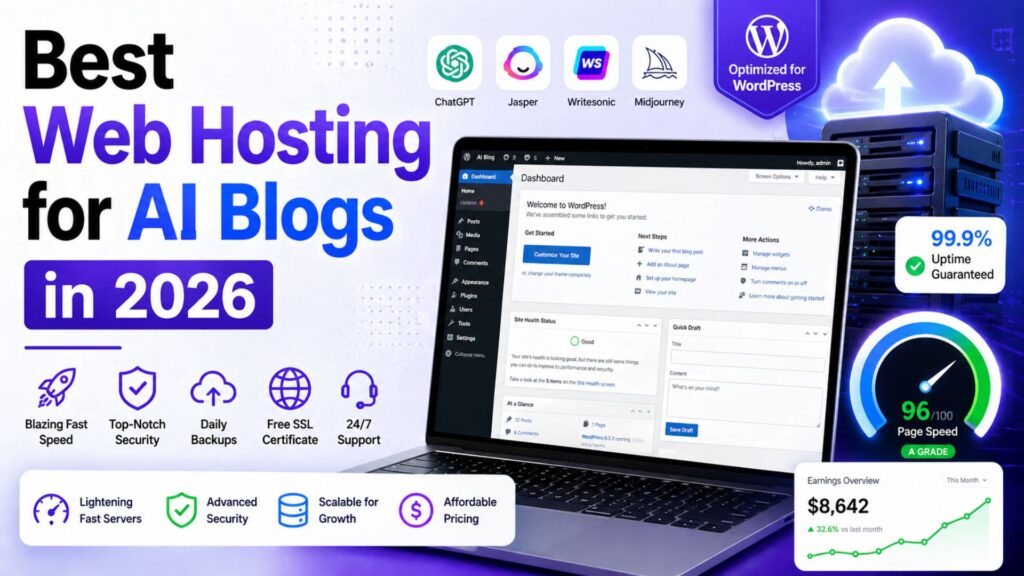
Best Web Hosting for AI Blogs in 2026: 7 Fast Hosts for Bloggers Using AI Tools

Best Web Hosting for AI Blogs

Choosing web hosting used to feel like a boring technical decision. In 2026, it is a business decision.

If you are building an AI blog, your website is not just a place to publish articles. It is the foundation for affiliate reviews, AI tool comparisons, email capture, ad revenue, digital products, Pinterest traffic, YouTube embeds, comparison tables and long-form SEO content.

That means your hosting affects more than uptime. It affects how fast readers can open your posts, how smoothly your WordPress dashboard works, how safely you can update plugins, how well your pages handle traffic spikes, and how professional your blog feels when someone is deciding whether to trust your recommendation.

The wrong host can make blogging feel slow and frustrating before your content even has a chance to work.


Best Web Hosting for AI Blogs


The right host gives you a clean foundation: fast WordPress, easy setup, SSL, backups, migration help, staging, CDN support and enough room to grow without overpaying on day one.

This guide covers the best web hosting for AI blogs in 2026, with a practical focus on bloggers who want to use AI tools to publish better content, rank on Google and build income through affiliate marketing.

Best Web Hosting for AI Blogs in 2026

The best web hosting for AI blogs depends on your stage, budget, and traffic level. A brand-new blogger does not need the same hosting as a profitable AI tool review site with thousands of daily visitors.

For most beginner and growing AI bloggers, Hostinger is the best overall starting point because it combines affordable pricing, beginner-friendly WordPress setup, free SSL, migration support, backups, LiteSpeed performance, CDN on stronger plans and AI website tools.

But Hostinger is not the best choice for everyone.

If you want stronger support, SiteGround is a serious option. If you want a familiar beginner WordPress host, Bluehost is still reasonable. If you want a low-cost alternative, DreamHost is worth considering. If your blog is growing and needs cloud flexibility, Cloudways makes more sense. If your AI blog is already profitable and performance is business-critical, Kinsta or WP Engine may be worth the higher cost.

Best For Recommended Host
Best overall for beginner AI bloggers Hostinger
Best support-focused WordPress hosting SiteGround
Best familiar beginner WordPress host Bluehost
Best budget alternative DreamHost
Best for growing AI blogs with traffic Cloudways
Best premium managed WordPress hosting Kinsta
Best specialist managed WordPress option WP Engine

Recommended for Beginner AI Bloggers

If you want to launch an AI blog without paying premium managed hosting prices, Hostinger is the best starting point for most beginners. It gives you WordPress hosting, free SSL, migration support, backups and AI website tools in one beginner-friendly setup.

Get Hostinger at a Discount

Why Hosting Matters for AI Blogs

AI blogging is different from old-school personal blogging.

A simple diary-style blog might only need basic hosting because the pages are light. An AI blog usually becomes heavier very quickly.

A typical AI blog post may include:

  • Long-form content around 3000 words
  • Tool screenshots
  • Comparison tables
  • Pros and cons sections
  • Affiliate buttons
  • FAQ schema
  • Email signup forms
  • YouTube video embeds
  • Pinterest graphics
  • Tracking scripts
  • Display ads once traffic grows

Each extra element adds weight to the page.

If your hosting is weak, readers may experience slow load times, delayed images, clunky mobile browsing or dashboard issues when you edit posts. That is not just annoying. It can hurt revenue.

Bloggers make money when readers stay, trust the content and click relevant offers. A slow website creates friction at every step.

Hosting also matters because AI makes publishing faster. If you use AI for research, drafts, visuals, editing, and optimization, you may publish more content than a traditional blogger. More publishing means more updates, more images, more plugins and more internal links.

Your hosting has to keep up with that workflow.

If you want the full review of our top pick, read this detailed Hostinger review for AI bloggers.

How We Chose the Best Hosting for AI Bloggers

To choose the best web hosting for AI blogs, we focused on what actually matters to content creators, not just what looks impressive on a pricing table.

This list is not based only on the cheapest advertised price.


Best Web Hosting for AI Blogs


Cheap hosting can be useful, but the cheapest plan is not always the best business decision. AI bloggers need a balance of price, speed, support, WordPress features and growth potential.

We looked at:

  • WordPress friendliness
  • Starting price and renewal reality
  • Backup and security features
  • CDN and performance tools
  • Ease of setup for beginners
  • Scaling options
  • Support quality and availability
  • Fit for affiliate blogs and content sites
  • Whether the host makes sense for AI-assisted publishing workflows

The result is a practical list for bloggers, not a technical server benchmark for developers.

1. Hostinger: Best Overall for Beginner AI Bloggers

Hostinger is our top pick for the best web hosting for AI blogs because it gives beginners the strongest balance of price, WordPress features, AI tools and ease of use.

For most new bloggers, this matters more than having the most advanced server configuration. You need a host that helps you get online quickly, keeps your site reasonably fast, gives you backups, includes SSL and does not overwhelm you with technical complexity.

Hostinger does that well.

The Business WordPress plan is usually the sweet spot for AI bloggers because it gives more room than the entry-level plan. Depending on the current plan details, it can include features such as daily backups, CDN, staging, more storage and AI website tools. Hostinger also promotes AI website creation and WordPress AI management features, which fit the AI blogging audience better than many traditional hosts.

For a site publishing AI tool reviews, affiliate comparisons and tutorial posts, Hostinger is enough to start seriously without jumping into expensive managed WordPress hosting.

Best for: beginner bloggers, AI affiliate sites, tool review blogs and creators launching WordPress content sites.

Best plan for AI bloggers: Business WordPress hosting.

Income mechanism: Hostinger helps you launch faster, keep costs low and publish SEO content on a WordPress foundation that can support affiliate monetization.

Real limitation: renewal prices are higher than promotional prices and high-traffic blogs may eventually need stronger cloud or premium managed WordPress hosting.

Start your AI blog with Hostinger

2. SiteGround: Best for Support and Reliable WordPress Performance

SiteGround is one of the best choices if support matters more to you than the lowest possible price.

Many beginner bloggers underestimate support until something goes wrong. A plugin conflict, migration issue, SSL problem or performance warning can stop your workflow for hours. SiteGround has built a strong reputation around WordPress support, performance and reliability.

SiteGround is also a good fit for bloggers who want a cleaner managed WordPress experience without going all the way to premium hosts like Kinsta or WP Engine.

According to SiteGround’s official hosting page, GrowBig is positioned as a strong value plan for growing sites and includes features such as unlimited websites, free SSL, CDN, backups, email, caching and WordPress services. SiteGround also now highlights AI website builder features and an AI Agent for WordPress.

For AI bloggers, SiteGround works well if you are building a serious content site and want more confidence around technical support. It is not always the cheapest long-term option, but the extra support can be worth it if you do not want to troubleshoot every issue yourself.

Best for: bloggers who want dependable WordPress hosting and are willing to pay more than the cheapest budget host.

Best plan for AI bloggers: GrowBig.

Income mechanism: better support and reliable WordPress performance reduce downtime and technical delays, helping you stay focused on publishing and optimizing content.

Real limitation: renewal pricing can feel expensive compared with Hostinger and DreamHost.

Explore SiteGround hosting

3. Bluehost: Best Familiar Beginner-Friendly WordPress Host

Bluehost is one of the most recognized names in beginner WordPress hosting.

It is not the most exciting choice on this list, but it is still a reasonable option for bloggers who want a familiar hosting company, simple WordPress setup, free domain on eligible plans, SSL and support.

Bluehost’s official pricing page currently shows shared web hosting plans starting with Starter and Business tiers, and it clearly separates promotional pricing from renewal pricing. That is important because the real cost of hosting is not only the first discounted term.

For AI bloggers, Bluehost can work well if your priority is getting a WordPress site online without learning technical hosting details. The dashboard is designed for beginners and the company has a long history with WordPress users.

The reason Bluehost is not our top pick is value. Hostinger usually offers a stronger price-to-feature balance for AI bloggers. SiteGround often feels stronger for support. Cloudways is stronger for scaling.

But Bluehost is still a practical beginner option.

Best for: first-time WordPress users who want a familiar host with beginner guidance.

Best plan for AI bloggers: Business-style shared hosting or WordPress hosting, depending on current naming.

Income mechanism: easy WordPress setup helps beginners launch content sites quickly and start publishing affiliate posts.

Real limitation: add-ons and renewal pricing can increase the true cost over time.

Explore Bluehost pricing

4. DreamHost: Best Budget Alternative

DreamHost is a good alternative if you want affordable hosting from a long-running hosting company.

It is not as AI-branded as Hostinger, and it is not as support-forward as SiteGround. But DreamHost can make sense for beginners who want a low-cost WordPress setup, free SSL, daily backups on current plans and enough resources to launch a content site.

DreamHost’s official website currently promotes web and WordPress hosting from low starting prices, free WordPress migrations, and an AI website builder called Remixer. Its newer plan pages also show features like automatic daily backups, free SSL and NVMe SSD storage on some plans.

DreamHost is especially useful for bloggers who are disciplined about keeping the site lightweight. If you use a fast theme, compress images, avoid plugin overload and build clean posts, DreamHost can be enough for a new AI blog.

The important thing is not to confuse cheap with unlimited power. Budget hosting should be treated as a starting point. Once your AI blog has serious traffic and revenue, you may want to upgrade.

Best for: new bloggers who want an affordable alternative to Hostinger and Bluehost.

Best plan for AI bloggers: web hosting plan for beginners or managed WordPress if your budget allows.

Income mechanism: low monthly cost keeps your early blogging expenses under control while you build traffic and affiliate income.

Real limitation: it does not offer the same AI-focused positioning and beginner growth features that make Hostinger stand out for AI bloggers.

Explore DreamHost hosting

5. Cloudways: Best for Growing AI Blogs With More Traffic

Cloudways is different from Hostinger, Bluehost and DreamHost.

Instead of traditional shared hosting, Cloudways gives you managed cloud hosting on providers like DigitalOcean, Vultr, Linode, AWS and Google Cloud. This gives you more performance flexibility and scaling potential, but it also comes with a slightly more technical feel.

Cloudways’ official pricing page currently highlights Flexible and Autonomous hosting options, DigitalOcean plans, Lightning Stack, staging, free SSL, server-level firewall, support and AI Copilot credits on some plans.

For a brand-new blogger, Cloudways may be more than you need. For a growing AI blog with dozens of affiliate posts, traffic spikes, multiple plugins, image-heavy pages and serious revenue potential, Cloudways becomes much more interesting.

The key benefit is control. You can scale server resources as your blog grows instead of immediately moving to expensive premium managed WordPress hosting.

Best for: growing blogs, higher-traffic content sites and bloggers who want more cloud flexibility.

Best plan for AI bloggers: entry-level DigitalOcean plan, then scale as traffic grows.

Income mechanism: better scaling and performance can support higher traffic, more content assets and larger affiliate campaigns.

Real limitation: more technical than Hostinger or Bluehost. Beginners may prefer simpler hosting at first.

Explore Cloudways pricing

6. Kinsta: Best Premium Managed WordPress Hosting

Kinsta is not cheap, but it is one of the strongest premium managed WordPress hosting options.

For most brand-new AI bloggers, Kinsta is overkill. Spending premium hosting money before your site earns income is usually not necessary.

But once your AI blog is generating traffic and revenue, Kinsta becomes easier to justify. You get high-end managed WordPress performance, CDN, security, expert support, staging, migrations, backups and a polished dashboard.

Kinsta’s official pricing pages currently show single-site plans starting around the Single 35k tier, with visits, storage, CDN allowance, free migration and backup retention listed clearly. Pricing can change, so check the live page before buying.

Kinsta is especially attractive if your blog is already a real business. If a slow site costs you affiliate commissions, ad revenue or email subscribers, premium hosting becomes an investment instead of an expense.

This is why Kinsta is best viewed as an upgrade path, not the default starting point.

Best for: profitable AI blogs, agencies, serious publishers, and premium WordPress sites.

Best plan for AI bloggers: single-site plan based on your traffic level.

Income mechanism: premium performance and managed support protect a profitable content business where downtime or slow pages can cost money.

Real limitation: too expensive for most beginner bloggers.

Explore Kinsta pricing

7. WP Engine: Best Specialist Managed WordPress Option

WP Engine is another premium managed WordPress host, similar in audience to Kinsta but with its own ecosystem and developer-friendly workflow.

For AI bloggers, WP Engine makes sense if you care about managed WordPress reliability, staging, developer tools, security, and technical support. It is more expensive than budget hosts, but it gives you a more professional WordPress environment.

WP Engine’s official plans page currently highlights Startup, Professional, Growth and Scale options, along with features like global CDN, managed WordPress updates, threat defense, migration tools and WordPress technical support.

WP Engine is best for bloggers who have moved past the beginner stage. If your site is already getting traffic, you publish often and you want fewer technical distractions, a managed WordPress host can be worth the money.

It is not the host I would recommend to a brand-new AI blogger on a tight budget. But it is a strong option for growing brands and content businesses that want WordPress-specific hosting.

Best for: established bloggers, agencies and creators managing revenue-generating WordPress sites.

Best plan for AI bloggers: Startup for one site, Professional for multiple sites.

Income mechanism: managed WordPress infrastructure gives serious bloggers more stability, performance tools, and confidence while scaling content.

Real limitation: higher monthly cost and more advanced positioning than most beginners need.

Explore WP Engine plans

Tool Comparison: Which Web Host Fits Your AI Blog?

Host Best For Best Stage Main Limitation
Hostinger Beginner AI bloggers Starting and growing Renewal price increases
SiteGround Support-focused WordPress users Growing Higher renewal cost
Bluehost Familiar beginner hosting Starting Add-ons can raise cost
DreamHost Budget alternative Starting Less AI-focused
Cloudways Growing traffic sites Scaling More technical
Kinsta Premium managed WordPress Established Expensive for beginners
WP Engine Specialist managed WordPress Established Higher cost

Which Host Should You Choose?

The easiest way to choose the best web hosting for AI blogs is to match the host to your current stage.

If you are starting your first AI blog, choose Hostinger.

It gives you the best balance of price, WordPress features, AI-friendly tools, and beginner simplicity. You can start publishing without spending too much upfront, then upgrade later when the blog earns money.

If you want better support and do not mind paying more, choose SiteGround.

If you want a familiar beginner WordPress host, choose Bluehost.

If budget is the main issue and you want a simple alternative, choose DreamHost.

If your blog is growing and basic shared hosting feels limiting, choose Cloudways.

If your AI blog is already profitable and performance is business-critical, choose Kinsta or WP Engine.

The mistake beginners make is buying hosting for the blog they dream of having three years from now. You should buy hosting for the stage you are actually in, while making sure you have an upgrade path.

For most AI Sage Labs readers, the smartest path is simple: start with Hostinger Business WordPress hosting, publish consistently, build traffic, earn affiliate income, and upgrade later only when the site needs more power.

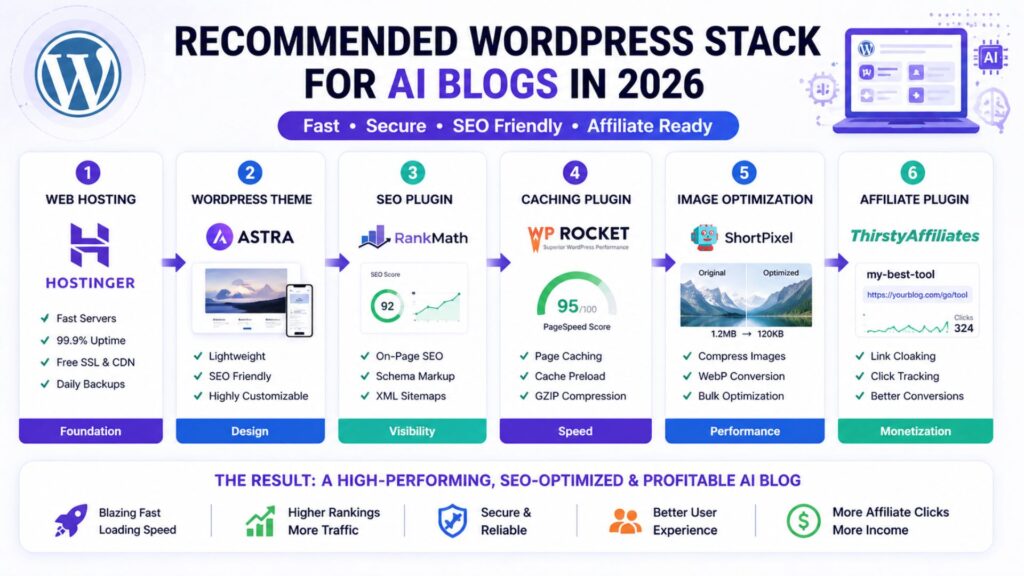
Recommended AI Blog Hosting Stack

Finding the best web hosting for AI blogs is only the first step. Hosting is the foundation, but it is not the whole website.

For a beginner AI blog in 2026, this is the stack I would recommend:

  • Hosting: Hostinger Business WordPress hosting
  • CMS: WordPress
  • Theme: GeneratePress, Kadence or Astra
  • SEO plugin: Rank Math or Yoast SEO
  • Caching: LiteSpeed Cache or host-level caching
  • Image compression: ShortPixel, Imagify or WebP conversion
  • CDN: Hostinger CDN, Cloudflare, or host-provided CDN
  • Affiliate links: Pretty Links or ThirstyAffiliates
  • Email capture: MailerLite, ConvertKit, or Hostinger Reach
  • Content writing: ChatGPT, Claude or Writesonic
  • Editing: Grammarly
  • Visuals: Canva AI
  • Analytics: Google Search Console and Google Analytics

This setup is practical because it covers the full AI blogging workflow: research the topic, write the draft, optimize for search, create visuals, publish on WordPress, capture emails, track affiliate links and improve old posts over time.

You do not need every premium tool on day one. Start lean, then upgrade when a tool solves a real bottleneck.

If your goal is to turn the site into income, read this guide on how to make money with AI.

The Honest Truth About Web Hosting and AI Blog Income

No hosting company will make your blog profitable by itself.

That is important to say because hosting affiliate marketing can sometimes make beginners think the host is the magic part.

It is not.

Hosting is the foundation. Content strategy is the engine.

Your blog makes money when you publish helpful content that targets real search intent, solves reader problems, recommends useful tools, and builds trust over time. Hosting supports that process by keeping the site fast, secure and online.

The best AI bloggers in 2026 are not just buying tools and hoping income appears. They are building systems.

They use AI to speed up research, drafts, editing, visuals and repurposing. They use WordPress to publish structured content. They use SEO to attract readers. They use affiliate links and email lists to monetize attention.

Hosting is where all of that lives.

So choose a host that matches your stage. Do not overpay before you have traffic. Do not stay on weak hosting after your site becomes a business.

For most beginners, Hostinger is the right starting point. For growing blogs, Cloudways becomes attractive. For profitable sites, Kinsta and WP Engine become easier to justify.

That is the practical answer.

Start Your AI Blog Right

Before AI tools can help you build income, you need a fast WordPress blog where your content can rank, convert, and grow. Hostinger is our top pick for beginner AI bloggers because it keeps setup simple and costs low while still giving you serious WordPress features.

Get Hostinger at a Discount

Need Help Setting Up Your Blog?

If you do not want to handle theme setup, speed optimization, affiliate plugins or blog layout yourself, hiring help can save time.

This is especially useful if you are trying to publish consistently while also learning WordPress, SEO, affiliate marketing and AI tools.

Hire a WordPress Expert on Fiverr

A freelancer can help with WordPress setup, theme design, speed optimization, affiliate plugin setup and blog formatting so you can focus on content.

Find WordPress setup experts on Fiverr

Recommended Book for AI Bloggers

Hosting gives your blog a foundation, but AI blogging still requires better thinking about tools, work and content systems.

A useful book for that is Co-Intelligence: Living and Working with AI by Ethan Mollick. It is not a hosting book, but it can help bloggers and creators understand how to work with AI more thoughtfully.

Recommended Reading

If you want to build a smarter AI workflow around your blog, this book is a useful next step.

Check Co-Intelligence on Amazon

Frequently Asked Questions

What is the best web hosting for AI blogs in 2026?

Hostinger is the best web hosting for AI blogs for most beginners in 2026 because it offers affordable WordPress hosting, beginner-friendly setup, free SSL, migration support, backups, performance features and AI website tools.

Is Hostinger good for AI bloggers?

Yes. Hostinger is a strong fit for AI bloggers because it is affordable, easy to use, and WordPress-friendly. The Business WordPress plan is especially useful because it gives bloggers more room to grow, plus features like backups, staging, CDN and AI tools depending on current plan details.

Do AI blogs need special hosting?

AI blogs do not need a special type of hosting, but they do need good WordPress performance. AI blogs often publish long-form posts, images, comparison tables, affiliate boxes and video embeds. That means fast hosting, caching, image optimization and backups are important.

Can I start an AI blog on cheap hosting?

Yes, you can start an AI blog on cheap hosting if the host is reliable and WordPress-friendly. Hostinger, DreamHost, and Bluehost can all work for beginners. The key is to keep your site lightweight, compress images, avoid too many plugins and upgrade once traffic grows.

When should I upgrade from Hostinger to Cloudways or Kinsta?

Upgrade when your blog has consistent traffic, earns enough revenue to justify the cost, or starts feeling limited by basic hosting. If your site is slow despite optimization, your dashboard struggles during updates or traffic spikes affect performance, it may be time to consider Cloudways, Kinsta or WP Engine.

Is Bluehost better than Hostinger for AI blogs?

For most AI bloggers, Hostinger offers better value because of its low starting pricing, WordPress features and AI-friendly tools. Bluehost is still a good beginner option, especially for users who want a familiar WordPress hosting brand, but Hostinger is our stronger recommendation for AI-focused affiliate blogs.

Is managed WordPress hosting worth it for bloggers?

Managed WordPress hosting is worth it when your blog is serious enough that performance, support and reliability directly affect income. Beginners can usually start with affordable WordPress hosting. Established blogs may benefit from premium managed hosts like Kinsta or WP Engine.

Conclusion

The best web hosting for AI blogs is the one that matches your current stage and gives you room to grow.

For most beginners, that means Hostinger. It is affordable, WordPress-friendly, AI-aware, and practical for launching an AI tool review or affiliate blog without overspending.

If you want more support, SiteGround is excellent. If you want a familiar beginner host, Bluehost can work. If budget matters most, DreamHost is a reasonable alternative. If your blog is growing fast, Cloudways gives more flexibility. If your blog is already profitable, Kinsta and WP Engine are strong premium options.

Do not overcomplicate the decision. Start with hosting that fits your stage, publish useful content consistently, keep your WordPress setup clean and upgrade when the blog earns or demands more.

That is how hosting supports a real AI blogging business.

Sources Used For Research:

Affiliate Disclosure

As an Amazon Associate, I earn from qualifying purchases. Some links in this article are affiliate links, which means I may earn a commission at no extra cost to you if you buy through them. I only recommend tools, books, and services that may help beginners build better blogs, improve their affiliate content, or grow their online work more effectively.