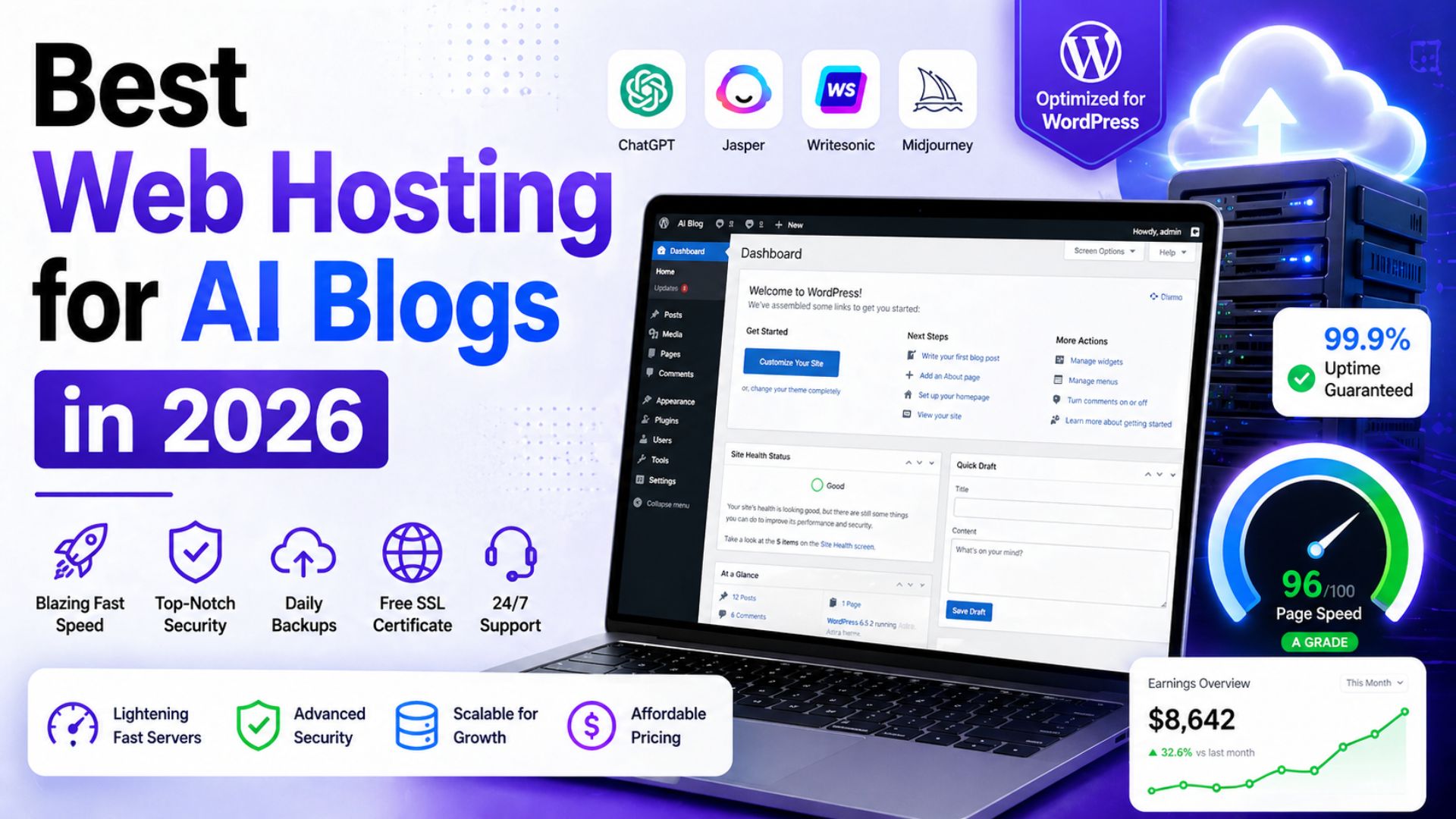
Best Web Hosting for AI Blogs in 2026: 7 Fast Hosts for Bloggers Using AI Tools

Best Web Hosting for AI Blogs

Choosing web hosting used to feel like a boring technical decision. In 2026, it is a business decision.

If you are building an AI blog, your website is not just a place to publish articles. It is the foundation for affiliate reviews, AI tool comparisons, email capture, ad revenue, digital products, Pinterest traffic, YouTube embeds, comparison tables and long-form SEO content.

That means your hosting affects more than uptime. It affects how fast readers can open your posts, how smoothly your WordPress dashboard works, how safely you can update plugins, how well your pages handle traffic spikes, and how professional your blog feels when someone is deciding whether to trust your recommendation.

The wrong host can make blogging feel slow and frustrating before your content even has a chance to work.
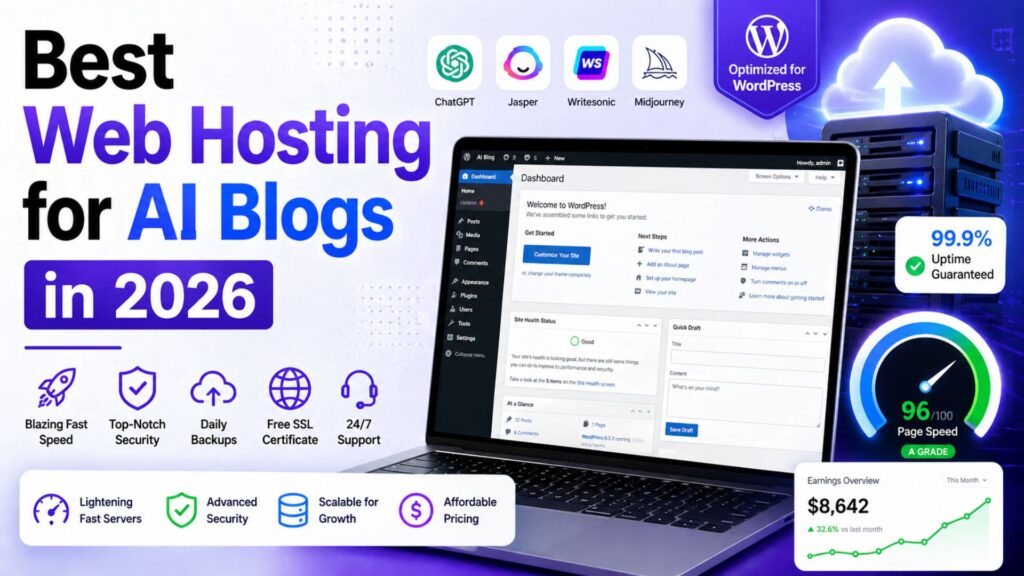
 

Best Web Hosting for AI Blogs


The right host gives you a clean foundation: fast WordPress, easy setup, SSL, backups, migration help, staging, CDN support and enough room to grow without overpaying on day one.

This guide covers the best web hosting for AI blogs in 2026, with a practical focus on bloggers who want to use AI tools to publish better content, rank on Google and build income through affiliate marketing.

Best Web Hosting for AI Blogs in 2026

The best web hosting for AI blogs depends on your stage, budget, and traffic level. A brand-new blogger does not need the same hosting as a profitable AI tool review site with thousands of daily visitors.

For most beginner and growing AI bloggers, Hostinger is the best overall starting point because it combines affordable pricing, beginner-friendly WordPress setup, free SSL, migration support, backups, LiteSpeed performance, CDN on stronger plans and AI website tools.

But Hostinger is not the best choice for everyone.

If you want stronger support, SiteGround is a serious option. If you want a familiar beginner WordPress host, Bluehost is still reasonable. If you want a low-cost alternative, DreamHost is worth considering. If your blog is growing and needs cloud flexibility, Cloudways makes more sense. If your AI blog is already profitable and performance is business-critical, Kinsta or WP Engine may be worth the higher cost.

Best For Recommended Host
Best overall for beginner AI bloggers Hostinger
Best support-focused WordPress hosting SiteGround
Best familiar beginner WordPress host Bluehost
Best budget alternative DreamHost
Best for growing AI blogs with traffic Cloudways
Best premium managed WordPress hosting Kinsta
Best specialist managed WordPress option WP Engine

Recommended for Beginner AI Bloggers

If you want to launch an AI blog without paying premium managed hosting prices, Hostinger is the best starting point for most beginners. It gives you WordPress hosting, free SSL, migration support, backups and AI website tools in one beginner-friendly setup.

Get Hostinger at a Discount

Why Hosting Matters for AI Blogs

AI blogging is different from old-school personal blogging.

A simple diary-style blog might only need basic hosting because the pages are light. An AI blog usually becomes heavier very quickly.

A typical AI blog post may include:

  • Long-form content around 3000 words
  • Tool screenshots
  • Comparison tables
  • Pros and cons sections
  • Affiliate buttons
  • FAQ schema
  • Email signup forms
  • YouTube video embeds
  • Pinterest graphics
  • Tracking scripts
  • Display ads once traffic grows

Each extra element adds weight to the page.

If your hosting is weak, readers may experience slow load times, delayed images, clunky mobile browsing or dashboard issues when you edit posts. That is not just annoying. It can hurt revenue.

Bloggers make money when readers stay, trust the content and click relevant offers. A slow website creates friction at every step.

Hosting also matters because AI makes publishing faster. If you use AI for research, drafts, visuals, editing, and optimization, you may publish more content than a traditional blogger. More publishing means more updates, more images, more plugins and more internal links.

Your hosting has to keep up with that workflow.

If you want the full review of our top pick, read this detailed Hostinger review for AI bloggers.

How We Chose the Best Hosting for AI Bloggers

To choose the best web hosting for AI blogs, we focused on what actually matters to content creators, not just what looks impressive on a pricing table.

This list is not based only on the cheapest advertised price.
 

Best Web Hosting for AI Blogs


Cheap hosting can be useful, but the cheapest plan is not always the best business decision. AI bloggers need a balance of price, speed, support, WordPress features and growth potential.

We looked at:

  • WordPress friendliness
  • Starting price and renewal reality
  • Backup and security features
  • CDN and performance tools
  • Ease of setup for beginners
  • Scaling options
  • Support quality and availability
  • Fit for affiliate blogs and content sites
  • Whether the host makes sense for AI-assisted publishing workflows

The result is a practical list for bloggers, not a technical server benchmark for developers.

1. Hostinger: Best Overall for Beginner AI Bloggers

Hostinger is our top pick for the best web hosting for AI blogs because it gives beginners the strongest balance of price, WordPress features, AI tools and ease of use.

For most new bloggers, this matters more than having the most advanced server configuration. You need a host that helps you get online quickly, keeps your site reasonably fast, gives you backups, includes SSL and does not overwhelm you with technical complexity.

Hostinger does that well.

The Business WordPress plan is usually the sweet spot for AI bloggers because it gives more room than the entry-level plan. Depending on the current plan details, it can include features such as daily backups, CDN, staging, more storage and AI website tools. Hostinger also promotes AI website creation and WordPress AI management features, which fit the AI blogging audience better than many traditional hosts.

For a site publishing AI tool reviews, affiliate comparisons and tutorial posts, Hostinger is enough to start seriously without jumping into expensive managed WordPress hosting.

Best for: beginner bloggers, AI affiliate sites, tool review blogs and creators launching WordPress content sites.

Best plan for AI bloggers: Business WordPress hosting.

Income mechanism: Hostinger helps you launch faster, keep costs low and publish SEO content on a WordPress foundation that can support affiliate monetization.

Real limitation: renewal prices are higher than promotional prices and high-traffic blogs may eventually need stronger cloud or premium managed WordPress hosting.

Start your AI blog with Hostinger

2. SiteGround: Best for Support and Reliable WordPress Performance

SiteGround is one of the best choices if support matters more to you than the lowest possible price.

Many beginner bloggers underestimate support until something goes wrong. A plugin conflict, migration issue, SSL problem or performance warning can stop your workflow for hours. SiteGround has built a strong reputation around WordPress support, performance and reliability.

SiteGround is also a good fit for bloggers who want a cleaner managed WordPress experience without going all the way to premium hosts like Kinsta or WP Engine.

According to SiteGround’s official hosting page, GrowBig is positioned as a strong value plan for growing sites and includes features such as unlimited websites, free SSL, CDN, backups, email, caching and WordPress services. SiteGround also now highlights AI website builder features and an AI Agent for WordPress.

For AI bloggers, SiteGround works well if you are building a serious content site and want more confidence around technical support. It is not always the cheapest long-term option, but the extra support can be worth it if you do not want to troubleshoot every issue yourself.

Best for: bloggers who want dependable WordPress hosting and are willing to pay more than the cheapest budget host.

Best plan for AI bloggers: GrowBig.

Income mechanism: better support and reliable WordPress performance reduce downtime and technical delays, helping you stay focused on publishing and optimizing content.

Real limitation: renewal pricing can feel expensive compared with Hostinger and DreamHost.

Explore SiteGround hosting

3. Bluehost: Best Familiar Beginner-Friendly WordPress Host

Bluehost is one of the most recognized names in beginner WordPress hosting.

It is not the most exciting choice on this list, but it is still a reasonable option for bloggers who want a familiar hosting company, simple WordPress setup, free domain on eligible plans, SSL and support.

Bluehost’s official pricing page currently shows shared web hosting plans starting with Starter and Business tiers, and it clearly separates promotional pricing from renewal pricing. That is important because the real cost of hosting is not only the first discounted term.

For AI bloggers, Bluehost can work well if your priority is getting a WordPress site online without learning technical hosting details. The dashboard is designed for beginners and the company has a long history with WordPress users.

The reason Bluehost is not our top pick is value. Hostinger usually offers a stronger price-to-feature balance for AI bloggers. SiteGround often feels stronger for support. Cloudways is stronger for scaling.

But Bluehost is still a practical beginner option.

Best for: first-time WordPress users who want a familiar host with beginner guidance.

Best plan for AI bloggers: Business-style shared hosting or WordPress hosting, depending on current naming.

Income mechanism: easy WordPress setup helps beginners launch content sites quickly and start publishing affiliate posts.

Real limitation: add-ons and renewal pricing can increase the true cost over time.

Explore Bluehost pricing

4. DreamHost: Best Budget Alternative

DreamHost is a good alternative if you want affordable hosting from a long-running hosting company.

It is not as AI-branded as Hostinger, and it is not as support-forward as SiteGround. But DreamHost can make sense for beginners who want a low-cost WordPress setup, free SSL, daily backups on current plans and enough resources to launch a content site.

DreamHost’s official website currently promotes web and WordPress hosting from low starting prices, free WordPress migrations, and an AI website builder called Remixer. Its newer plan pages also show features like automatic daily backups, free SSL and NVMe SSD storage on some plans.

DreamHost is especially useful for bloggers who are disciplined about keeping the site lightweight. If you use a fast theme, compress images, avoid plugin overload and build clean posts, DreamHost can be enough for a new AI blog.

The important thing is not to confuse cheap with unlimited power. Budget hosting should be treated as a starting point. Once your AI blog has serious traffic and revenue, you may want to upgrade.

Best for: new bloggers who want an affordable alternative to Hostinger and Bluehost.

Best plan for AI bloggers: web hosting plan for beginners or managed WordPress if your budget allows.

Income mechanism: low monthly cost keeps your early blogging expenses under control while you build traffic and affiliate income.

Real limitation: it does not offer the same AI-focused positioning and beginner growth features that make Hostinger stand out for AI bloggers.

Explore DreamHost hosting

5. Cloudways: Best for Growing AI Blogs With More Traffic

Cloudways is different from Hostinger, Bluehost and DreamHost.

Instead of traditional shared hosting, Cloudways gives you managed cloud hosting on providers like DigitalOcean, Vultr, Linode, AWS and Google Cloud. This gives you more performance flexibility and scaling potential, but it also comes with a slightly more technical feel.

Cloudways’ official pricing page currently highlights Flexible and Autonomous hosting options, DigitalOcean plans, Lightning Stack, staging, free SSL, server-level firewall, support and AI Copilot credits on some plans.

For a brand-new blogger, Cloudways may be more than you need. For a growing AI blog with dozens of affiliate posts, traffic spikes, multiple plugins, image-heavy pages and serious revenue potential, Cloudways becomes much more interesting.

The key benefit is control. You can scale server resources as your blog grows instead of immediately moving to expensive premium managed WordPress hosting.

Best for: growing blogs, higher-traffic content sites and bloggers who want more cloud flexibility.

Best plan for AI bloggers: entry-level DigitalOcean plan, then scale as traffic grows.

Income mechanism: better scaling and performance can support higher traffic, more content assets and larger affiliate campaigns.

Real limitation: more technical than Hostinger or Bluehost. Beginners may prefer simpler hosting at first.

Explore Cloudways pricing

6. Kinsta: Best Premium Managed WordPress Hosting

Kinsta is not cheap, but it is one of the strongest premium managed WordPress hosting options.

For most brand-new AI bloggers, Kinsta is overkill. Spending premium hosting money before your site earns income is usually not necessary.

But once your AI blog is generating traffic and revenue, Kinsta becomes easier to justify. You get high-end managed WordPress performance, CDN, security, expert support, staging, migrations, backups and a polished dashboard.

Kinsta’s official pricing pages currently show single-site plans starting around the Single 35k tier, with visits, storage, CDN allowance, free migration and backup retention listed clearly. Pricing can change, so check the live page before buying.

Kinsta is especially attractive if your blog is already a real business. If a slow site costs you affiliate commissions, ad revenue or email subscribers, premium hosting becomes an investment instead of an expense.

This is why Kinsta is best viewed as an upgrade path, not the default starting point.

Best for: profitable AI blogs, agencies, serious publishers, and premium WordPress sites.

Best plan for AI bloggers: single-site plan based on your traffic level.

Income mechanism: premium performance and managed support protect a profitable content business where downtime or slow pages can cost money.

Real limitation: too expensive for most beginner bloggers.

Explore Kinsta pricing

7. WP Engine: Best Specialist Managed WordPress Option

WP Engine is another premium managed WordPress host, similar in audience to Kinsta but with its own ecosystem and developer-friendly workflow.

For AI bloggers, WP Engine makes sense if you care about managed WordPress reliability, staging, developer tools, security, and technical support. It is more expensive than budget hosts, but it gives you a more professional WordPress environment.

WP Engine’s official plans page currently highlights Startup, Professional, Growth and Scale options, along with features like global CDN, managed WordPress updates, threat defense, migration tools and WordPress technical support.

WP Engine is best for bloggers who have moved past the beginner stage. If your site is already getting traffic, you publish often and you want fewer technical distractions, a managed WordPress host can be worth the money.

It is not the host I would recommend to a brand-new AI blogger on a tight budget. But it is a strong option for growing brands and content businesses that want WordPress-specific hosting.

Best for: established bloggers, agencies and creators managing revenue-generating WordPress sites.

Best plan for AI bloggers: Startup for one site, Professional for multiple sites.

Income mechanism: managed WordPress infrastructure gives serious bloggers more stability, performance tools, and confidence while scaling content.

Real limitation: higher monthly cost and more advanced positioning than most beginners need.

Explore WP Engine plans

Tool Comparison: Which Web Host Fits Your AI Blog?

Host Best For Best Stage Main Limitation
Hostinger Beginner AI bloggers Starting and growing Renewal price increases
SiteGround Support-focused WordPress users Growing Higher renewal cost
Bluehost Familiar beginner hosting Starting Add-ons can raise cost
DreamHost Budget alternative Starting Less AI-focused
Cloudways Growing traffic sites Scaling More technical
Kinsta Premium managed WordPress Established Expensive for beginners
WP Engine Specialist managed WordPress Established Higher cost

Which Host Should You Choose?

The easiest way to choose the best web hosting for AI blogs is to match the host to your current stage.

If you are starting your first AI blog, choose Hostinger.

It gives you the best balance of price, WordPress features, AI-friendly tools, and beginner simplicity. You can start publishing without spending too much upfront, then upgrade later when the blog earns money.

If you want better support and do not mind paying more, choose SiteGround.

If you want a familiar beginner WordPress host, choose Bluehost.

If budget is the main issue and you want a simple alternative, choose DreamHost.

If your blog is growing and basic shared hosting feels limiting, choose Cloudways.

If your AI blog is already profitable and performance is business-critical, choose Kinsta or WP Engine.

The mistake beginners make is buying hosting for the blog they dream of having three years from now. You should buy hosting for the stage you are actually in, while making sure you have an upgrade path.

For most AI Sage Labs readers, the smartest path is simple: start with Hostinger Business WordPress hosting, publish consistently, build traffic, earn affiliate income, and upgrade later only when the site needs more power.

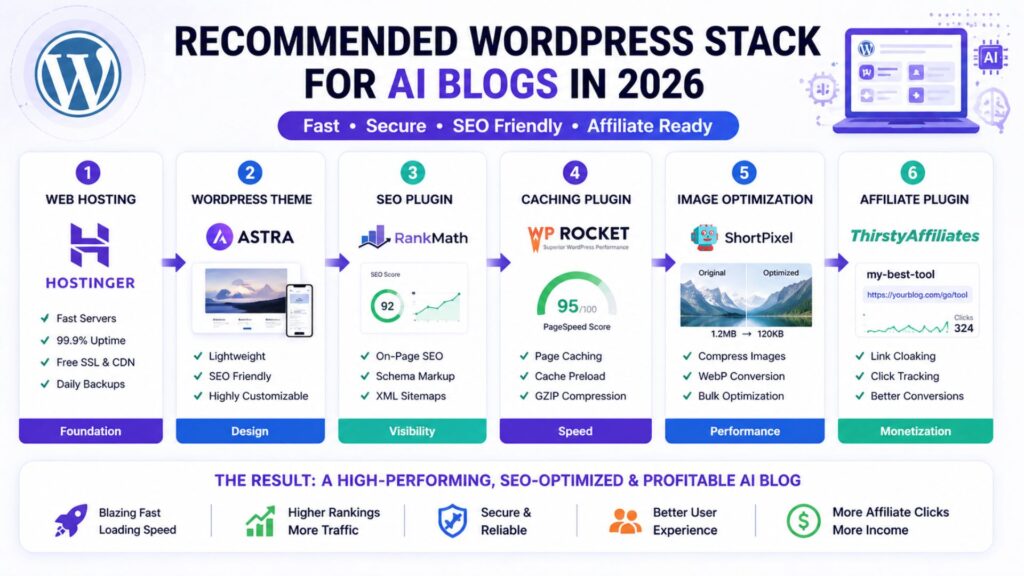
Recommended AI Blog Hosting Stack

Finding the best web hosting for AI blogs is only the first step. Hosting is the foundation, but it is not the whole website.

For a beginner AI blog in 2026, this is the stack I would recommend:

  • Hosting: Hostinger Business WordPress hosting
  • CMS: WordPress
  • Theme: GeneratePress, Kadence or Astra
  • SEO plugin: Rank Math or Yoast SEO
  • Caching: LiteSpeed Cache or host-level caching
  • Image compression: ShortPixel, Imagify or WebP conversion
  • CDN: Hostinger CDN, Cloudflare, or host-provided CDN
  • Affiliate links: Pretty Links or ThirstyAffiliates
  • Email capture: MailerLite, ConvertKit, or Hostinger Reach
  • Content writing: ChatGPT, Claude or Writesonic
  • Editing: Grammarly
  • Visuals: Canva AI
  • Analytics: Google Search Console and Google Analytics

This setup is practical because it covers the full AI blogging workflow: research the topic, write the draft, optimize for search, create visuals, publish on WordPress, capture emails, track affiliate links and improve old posts over time.

You do not need every premium tool on day one. Start lean, then upgrade when a tool solves a real bottleneck.

If your goal is to turn the site into income, read this guide on how to make money with AI.

The Honest Truth About Web Hosting and AI Blog Income

No hosting company will make your blog profitable by itself.

That is important to say because hosting affiliate marketing can sometimes make beginners think the host is the magic part.

It is not.

Hosting is the foundation. Content strategy is the engine.

Your blog makes money when you publish helpful content that targets real search intent, solves reader problems, recommends useful tools, and builds trust over time. Hosting supports that process by keeping the site fast, secure and online.

The best AI bloggers in 2026 are not just buying tools and hoping income appears. They are building systems.

They use AI to speed up research, drafts, editing, visuals and repurposing. They use WordPress to publish structured content. They use SEO to attract readers. They use affiliate links and email lists to monetize attention.

Hosting is where all of that lives.

So choose a host that matches your stage. Do not overpay before you have traffic. Do not stay on weak hosting after your site becomes a business.

For most beginners, Hostinger is the right starting point. For growing blogs, Cloudways becomes attractive. For profitable sites, Kinsta and WP Engine become easier to justify.

That is the practical answer.

Start Your AI Blog Right

Before AI tools can help you build income, you need a fast WordPress blog where your content can rank, convert, and grow. Hostinger is our top pick for beginner AI bloggers because it keeps setup simple and costs low while still giving you serious WordPress features.

Get Hostinger at a Discount

Need Help Setting Up Your Blog?

If you do not want to handle theme setup, speed optimization, affiliate plugins or blog layout yourself, hiring help can save time.

This is especially useful if you are trying to publish consistently while also learning WordPress, SEO, affiliate marketing and AI tools.

Hire a WordPress Expert on Fiverr

A freelancer can help with WordPress setup, theme design, speed optimization, affiliate plugin setup and blog formatting so you can focus on content.

Find WordPress setup experts on Fiverr

Recommended Book for AI Bloggers

Hosting gives your blog a foundation, but AI blogging still requires better thinking about tools, work and content systems.

A useful book for that is Co-Intelligence: Living and Working with AI by Ethan Mollick. It is not a hosting book, but it can help bloggers and creators understand how to work with AI more thoughtfully.

Recommended Reading

If you want to build a smarter AI workflow around your blog, this book is a useful next step.

Check Co-Intelligence on Amazon

Frequently Asked Questions

What is the best web hosting for AI blogs in 2026?

Hostinger is the best web hosting for AI blogs for most beginners in 2026 because it offers affordable WordPress hosting, beginner-friendly setup, free SSL, migration support, backups, performance features and AI website tools.

Is Hostinger good for AI bloggers?

Yes. Hostinger is a strong fit for AI bloggers because it is affordable, easy to use, and WordPress-friendly. The Business WordPress plan is especially useful because it gives bloggers more room to grow, plus features like backups, staging, CDN and AI tools depending on current plan details.

Do AI blogs need special hosting?

AI blogs do not need a special type of hosting, but they do need good WordPress performance. AI blogs often publish long-form posts, images, comparison tables, affiliate boxes and video embeds. That means fast hosting, caching, image optimization and backups are important.

Can I start an AI blog on cheap hosting?

Yes, you can start an AI blog on cheap hosting if the host is reliable and WordPress-friendly. Hostinger, DreamHost, and Bluehost can all work for beginners. The key is to keep your site lightweight, compress images, avoid too many plugins and upgrade once traffic grows.

When should I upgrade from Hostinger to Cloudways or Kinsta?

Upgrade when your blog has consistent traffic, earns enough revenue to justify the cost, or starts feeling limited by basic hosting. If your site is slow despite optimization, your dashboard struggles during updates or traffic spikes affect performance, it may be time to consider Cloudways, Kinsta or WP Engine.

Is Bluehost better than Hostinger for AI blogs?

For most AI bloggers, Hostinger offers better value because of its low starting pricing, WordPress features and AI-friendly tools. Bluehost is still a good beginner option, especially for users who want a familiar WordPress hosting brand, but Hostinger is our stronger recommendation for AI-focused affiliate blogs.

Is managed WordPress hosting worth it for bloggers?

Managed WordPress hosting is worth it when your blog is serious enough that performance, support and reliability directly affect income. Beginners can usually start with affordable WordPress hosting. Established blogs may benefit from premium managed hosts like Kinsta or WP Engine.

Conclusion

The best web hosting for AI blogs is the one that matches your current stage and gives you room to grow.

For most beginners, that means Hostinger. It is affordable, WordPress-friendly, AI-aware, and practical for launching an AI tool review or affiliate blog without overspending.

If you want more support, SiteGround is excellent. If you want a familiar beginner host, Bluehost can work. If budget matters most, DreamHost is a reasonable alternative. If your blog is growing fast, Cloudways gives more flexibility. If your blog is already profitable, Kinsta and WP Engine are strong premium options.

Do not overcomplicate the decision. Start with hosting that fits your stage, publish useful content consistently, keep your WordPress setup clean and upgrade when the blog earns or demands more.

That is how hosting supports a real AI blogging business.

Sources Used For Research:

Affiliate Disclosure

As an Amazon Associate, I earn from qualifying purchases. Some links in this article are affiliate links, which means I may earn a commission at no extra cost to you if you buy through them. I only recommend tools, books, and services that may help beginners build better blogs, improve their affiliate content, or grow their online work more effectively.
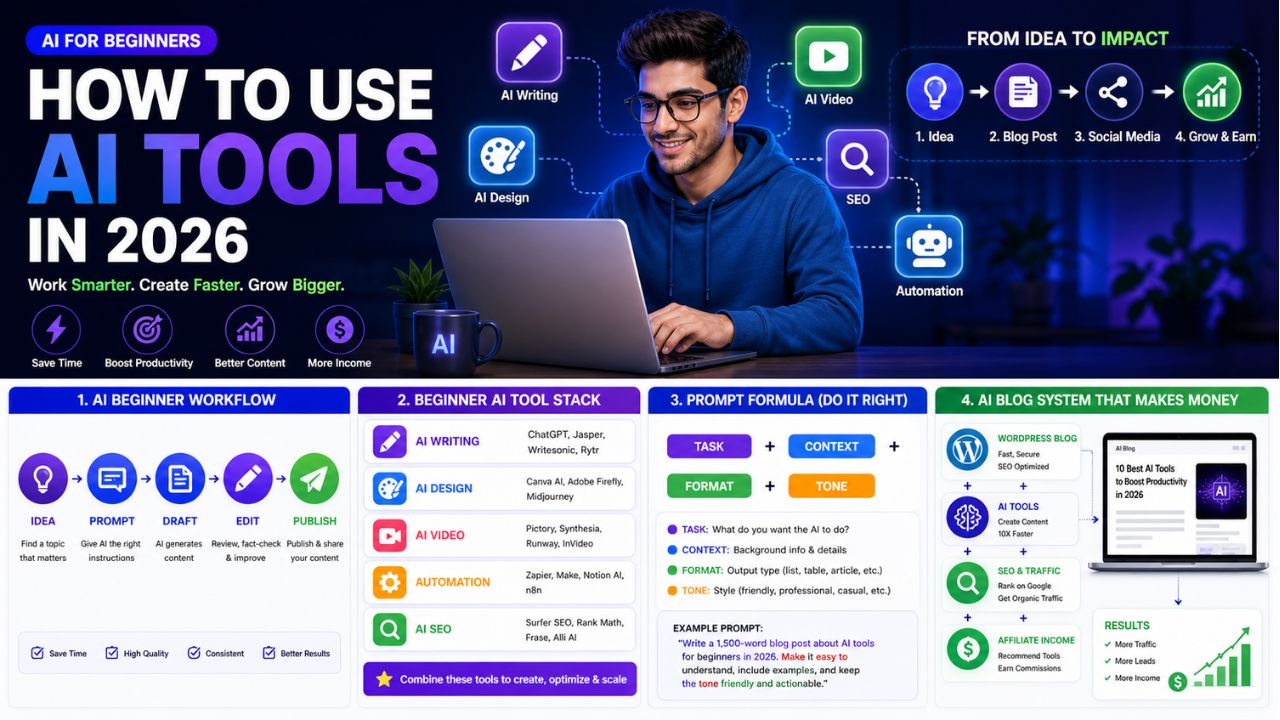
How to Use AI Tools in 2026: 9 Simple Steps for Beginners

How to Use AI Tools

Most beginners do not fail with AI because the tools are too hard. They fail because they try to use too many tools at once.

One day they test ChatGPT. The next day they open Canva. Then they hear about Pictory, Runway, Zapier, Make, SurferSEO, Frase, Claude, Gemini and ten more apps. After a week, they have many accounts but no clear workflow.

That is not a beginner problem. That is a system problem.

If you want to learn how to use AI tools in 2026, the first thing to understand is simple: AI is no longer only for technical people. Bloggers, creators, freelancers, students, small business owners and affiliate marketers now use AI tools every day to write faster, design better visuals, create videos, research topics, automate tasks and build online income systems.

But you do not need every AI tool. You need one clear goal, a small beginner stack and a repeatable workflow.


How to Use AI Tools


This guide will show you how to use AI tools in a practical way, even if you have zero technical experience. We will focus on the use cases that matter most for AI Sage Labs readers: blogging, content creation, design, video, SEO, automation, affiliate marketing and online business.

How to Use AI Tools Without Getting Overwhelmed

The best way to start with AI tools is to pick one clear goal first.

Do not begin by asking, “What is the best AI tool?”

Begin by asking, “What do I want AI to help me do this week?”

For most beginners, the answer is usually one of these:

  • Write blog posts faster
  • Create social media content
  • Design thumbnails or featured images
  • Edit videos
  • Research keywords
  • Automate repetitive tasks
  • Build a blog or online business

Once you know the task, choosing the tool becomes easier.

A beginner does not need a giant AI stack on day one. Start with one writing tool and one design tool. Add video, SEO and automation tools only when you have a real workflow that needs them.

Task Beginner Tool Type Example Tools
Writing and ideas AI writing assistant ChatGPT, Claude, Writesonic
Blog visuals AI design tool Canva AI
Video repurposing AI video tool InVideo AI, Pictory, Runway, Synthesia
Grammar and polish AI editing tool Grammarly
Automation Workflow automation tool Zapier, Make
SEO improvement AI SEO tool Rank Math, SurferSEO, Frase, NeuronWriter


Simple rule: one goal, one tool, one workflow.

What Are AI Tools?

AI tools are software applications that use artificial intelligence to help you complete tasks faster, better, or more automatically.

They can help with writing, editing, design, research, data analysis, video creation, audio editing, image generation, customer support, coding and workflow automation.

For beginners, the easiest way to understand AI tools is this:

AI tools take your instruction and produce an output.

Your instruction is called a prompt. The output could be a blog outline, article draft, image idea, video script, email, table, summary, social caption or workflow plan.

For example, you can write:

Write a beginner-friendly blog outline about AI tools for bloggers in 2026.

The AI tool may give you an organized article structure with headings, subheadings and key talking points.

That is the basic pattern. You give direction. AI gives a draft or suggestion. You review, improve and publish the final version.

The most important thing to understand is that AI tools are assistants, not replacements for your judgment. They can speed up the work, but you still need to decide what is accurate, useful and right for your audience.

Common Types of AI Tools Beginners Should Know

Before you learn how to use AI tools, it helps to understand the main categories. You do not need every category right away, but knowing the difference will save you from wasting time and money.

AI Writing Tools

AI writing tools help you create outlines, introductions, blog posts, emails, product descriptions, YouTube scripts, newsletters and social media captions.

For bloggers, this is usually the first category to learn because writing touches almost every online business workflow.

The best use case is turning ideas into structured drafts faster. The real limitation is that AI writing still needs editing, fact-checking, examples and human experience.

AI Design Tools

AI design tools help you create graphics, thumbnails, featured images, social media posts, Pinterest pins, logos and visual templates.

For bloggers, visuals matter because they affect trust, click-through rate and social sharing.

Canva AI is the easiest starting point for many beginners because it combines templates, text, images, and AI features in one simple design workspace.

AI Video Tools

AI video tools help you turn written content into videos, generate captions, edit footage, create voiceovers or produce short clips for social platforms.

For bloggers, this creates a strong repurposing opportunity. One blog post can become a YouTube video, a short Instagram Reel, a TikTok clip, a Pinterest idea pin or a LinkedIn video summary.

Examples include InVideo AI, Pictory, Runway and Synthesia.

AI Automation Tools

AI automation tools connect different apps and make tasks happen automatically.

For example:

New blog post published → create social media task → update Google Sheet → add task to content calendar.

Tools like Zapier and Make are useful because they save time on repetitive work.

If automation is new for you, this guide on what AI automation tools are explains the basics in a simple way.

AI SEO Tools

AI SEO tools help you plan and improve content for search engines.

They can help with keyword research, content briefs, heading suggestions, related terms, internal linking and on-page optimization.

For bloggers, SEO is where AI becomes more valuable because ranking content can generate traffic for months or years.

The limitation is that SEO tools give recommendations, but they cannot replace real expertise, helpful content, original examples and reader trust.

Why Beginners Should Use AI Tools in 2026

AI is no longer optional for online creators.

That does not mean every piece of content should be generated by AI. It means every serious blogger should understand how AI fits into the workflow.

The biggest benefit is speed.

A beginner who used to spend three hours brainstorming blog ideas can now create a draft topic map in minutes. A blogger who struggled with featured images can create a professional-looking design in Canva. A creator who avoided video can turn articles into short video drafts with AI video tools.

But the real benefit is not only speed. The real benefit is consistency.

Most blogs fail because the owner stops publishing. AI tools make it easier to keep going because they reduce friction at every step.

If you can create outlines faster, write first drafts faster, design thumbnails faster and repurpose content faster, your chances of staying consistent improve.

That is where AI becomes valuable for bloggers.

Step 1: Pick One Clear Goal

The first step in learning how to use AI tools is choosing one goal.

This is where most beginners make the first mistake. They start with tools instead of outcomes.

Do not ask, “Which AI tool should I use?”

Ask, “What do I want AI to help me achieve this week?

Good beginner goals include writing one blog post, creating five Pinterest pins, turning one blog post into a YouTube script, building a list of blog topic ideas, creating a content calendar, improving an old article, automating social sharing, or writing better email subject lines.

Once the goal is clear, the right tool becomes easier to choose.

If your goal is writing a blog post, start with ChatGPT, Claude, or Writesonic. If your goal is creating visuals, start with Canva AI. If your goal is turning articles into videos, start with InVideo AI or Pictory. If your goal is saving time on repetitive tasks, start with Zapier or Make.

Step 2: Start With a Beginner AI Stack

Do not try 15 tools in your first week.

That creates confusion, subscription waste, and half-finished workflows.

Start with a small beginner stack that covers the basics.

Writing: ChatGPT, Claude or Writesonic

Use an AI writing assistant for idea generation, outlines, drafts, FAQs, intros, meta descriptions and social captions.

Create a beginner-friendly blog outline for a 3000-word article about [topic]. Include SEO headings, FAQs and a practical conclusion.

Design: Canva AI

Use Canva AI for blog featured images, Pinterest pins, Instagram posts, YouTube thumbnails, and simple brand graphics.

Create a blog featured image concept for an article titled [title]. Use a clean tech-blog style with AI icons and readable headline text.

Editing: Grammarly

Use Grammarly or another editing tool to improve clarity, grammar and tone before publishing.

A simple workflow is:

Draft with AI → edit manually → polish with Grammarly → publish.

Automation: Zapier or Make

Use automation only after you already have a repeatable task.

A beginner workflow could be:

New WordPress post → add row to Google Sheet → create social media task → notify yourself by email.

Blogging Foundation: WordPress and Hosting

If you want to turn AI tools into a real online business, you need somewhere to publish. A WordPress blog on reliable hosting is still one of the best foundations for SEO and affiliate marketing.

For beginners, Hostinger is a practical starting point because it is WordPress-friendly and easy to set up.

Build Your AI Blog Foundation

If you want to use AI tools for blogging, affiliate reviews, or online income, start with a real WordPress site where your content can rank and convert.

Start your AI blog with Hostinger

Step 3: Learn Prompting

Prompting is the most important beginner AI skill.

A prompt is simply the instruction you give to an AI tool.

Bad prompts produce weak results. Clear prompts produce useful drafts.

The easiest prompt formula is:

Task + Context + Format + Tone

Here is what that means:

  • Task: What do you want the AI to do?
  • Context: Who is it for and why?
  • Format: What should the output look like?
  • Tone: How should it sound?

Bad prompt:

Write about AI tools.

Better prompt:

Write a 300-word beginner-friendly introduction for a blog post about how AI tools help bloggers in 2026. Use simple English, short paragraphs, and a practical tone.

Even better prompt:

Write a 300-word introduction for AI Sage Labs readers. The audience is beginner bloggers and creators who feel overwhelmed by AI tools. Explain the problem, promise a step-by-step solution, and avoid hype.

The better prompt gives the AI a role, audience, purpose, structure, and style. That is why the output will usually be stronger.

Step 4: Create Your First Blog Outline

The safest way to use AI tools for blogging is to begin with outlines.

Do not ask AI to write a full article immediately. Start by asking it to organize your ideas.

Create a detailed SEO outline for a 3000-word blog post titled “How to Use AI Tools in 2026.” The audience is beginner bloggers and creators. Include step-by-step guidance, tool examples, common mistakes, FAQs, and a final checklist.

Then review the outline yourself.

Ask these questions:

  • Does this answer the reader’s real problem?
  • Are the headings clear?
  • Is anything missing?
  • Is the order logical?
  • Can I add personal examples or tool experience?

This is where human judgment matters. AI can organize quickly, but you decide what belongs in the final post.

If you want tool ideas for your stack, read this guide on trending AI tools in 2026.

Step 5: Turn the Outline Into a Draft

Once you have a strong outline, write section by section.

This is important because long AI outputs often become repetitive, generic, or shallow.

Instead of asking for one long article, use a section-by-section workflow.

Write the section “Step 3: Learn Prompting” for this blog post. Keep it beginner-friendly, practical, and around 350 words. Include one bad prompt, one better prompt, and one improved prompt.

This gives you better control.

After each section, edit manually. Add examples, remove weak sentences, and check accuracy.

AI should help you create a first draft, not replace the editing process.

The best AI-assisted blog posts usually follow this workflow:

Outline → section draft → manual edit → SEO check → final polish → publish.

Step 6: Use AI for Blog Images and Graphics

Images make your blog feel more professional.

For AI blogs, you should create at least one featured image for every post. You can also create simple comparison graphics, workflow diagrams, and Pinterest pins.

Good blog visuals can help with click-through rate, social sharing, brand trust, Pinterest traffic, and reader engagement.

A beginner visual workflow looks like this:

  1. Write your blog title.
  2. Ask AI for a featured image concept.
  3. Create the image in Canva AI or another design tool.
  4. Add your brand colors and title overlay.
  5. Compress the image before uploading to WordPress.

You do not need perfect design skills. You need clean, readable visuals that match the article and help the reader understand the topic.

Step 7: Use AI for Video Creation

Video is one of the easiest ways to repurpose blog content in 2026.

If you already wrote a blog post, you have the raw material for a video.

You can ask AI to turn your article into a YouTube script, short video script, list of talking points, voiceover script, storyboard, or social media video caption.

Turn this blog post section into a 60-second YouTube Shorts script. Keep it beginner-friendly, include a strong hook, and end with a simple call to action.

Tools like InVideo AI and Pictory can help turn written content into video drafts with visuals, captions, and voiceover.

This is useful because it helps bloggers reach audiences beyond Google Search.

One article can become several content assets:

  • Blog post for SEO
  • YouTube video for discovery
  • Short clip for Instagram or TikTok
  • Pinterest pin for visual traffic
  • LinkedIn post for authority

That is how AI tools multiply the value of one piece of content.

Step 8: Automate the Repetitive Parts

Automation is powerful, but beginners should use it carefully.

Do not automate before you understand the task manually. First, repeat the task a few times. Then automate the parts that are boring and predictable.

Good beginner automations include saving new blog post ideas into Google Sheets, creating social media tasks after publishing, tracking affiliate content updates, sending reminders, or organizing lead information.

Example workflow:

New WordPress post published → add post title and URL to Google Sheets → create task to make Pinterest pins → send reminder to create social captions.

This kind of automation does not replace strategy. It removes repetitive admin work.

Need Help With AI Automation?

If you do not want to set up workflows yourself, you can hire help for WordPress, Zapier, Make, AI automation, or content systems.

Find AI automation and WordPress experts on Fiverr

Step 9: Combine AI Tools Into a Blogging System

The real power of AI tools comes when you combine them into a simple system.

Here is a beginner AI blogging workflow:

  1. Use ChatGPT, Claude or Writesonic to brainstorm topics.
  2. Use an SEO tool to choose one target keyword.
  3. Use AI to create a blog outline.
  4. Write the draft section by section.
  5. Edit manually and polish with Grammarly.
  6. Create a featured image in Canva AI.
  7. Publish on WordPress.
  8. Use AI to create social posts from the article.
  9. Use Zapier or Make to track and distribute the content.
  10. Update the article after 60 to 90 days based on performance.

This workflow is simple, but it covers the full content cycle.

Most beginners fail because they use AI randomly. They ask for one caption, one outline or one idea, then move on.

A system is different. A system helps you repeat the process every week.

That is how AI tools become useful for blogging and online business.

Best Beginner AI Workflow for Bloggers

If you are not sure where to begin, use this simple workflow for your first few posts.

Stage Tool Type Beginner Action
Idea AI writing assistant Generate 10 topic ideas
SEO Keyword or SEO tool Pick one target keyword
Outline AI writing assistant Create article structure
Draft AI writing assistant Write section by section
Edit Manual editing or Grammarly Improve clarity and accuracy
Visual Canva AI Create featured image
Publish WordPress Add post, links, and images
Promote AI and automation Create captions and tasks
Track Search Console or spreadsheet Review performance


If you are just starting, use this workflow for one post per week. Once it feels easy, increase publishing frequency.

Common Mistakes Beginners Make With AI Tools

Using Too Many Tools

More tools do not automatically mean better results.

Start with one writing tool, one design tool, and one editing tool. Add more only when you feel a real bottleneck.

Copying AI Content Without Editing

AI drafts often sound clear but generic.

Always edit before publishing. Add examples, opinions, screenshots, comparisons, and real experience wherever possible.

Ignoring SEO

AI can write content quickly, but fast content without search intent does not automatically get traffic.

Before writing, understand the keyword, reader problem, and competing pages.

Trusting AI Facts Without Checking

AI can make mistakes. It can also give outdated pricing, wrong feature lists, or invented statistics.

Always verify pricing, tool features, and important claims from official sources before publishing.

Automating Too Early

Automation works best when the workflow is already clear.

If you automate a messy process, you create faster confusion.

How to Use AI Tools for Online Income

AI tools can support online income, but they do not create income by themselves.

This is important.

You do not make money because you opened an AI tool. You make money when AI helps you support a real business model.

For bloggers and affiliate marketers, AI tools can help you create review posts, comparison articles, tutorials, email content, social posts, video scripts, digital product ideas and content updates.

For freelancers, AI tools can help with proposals, client research, service delivery, design drafts, content writing, SEO reports and workflow automation.

For creators, AI tools can help repurpose one idea into multiple formats.

The income comes from the system around the tool: audience, content, offer, trust, traffic and consistency.

Recommended AI Tools to Start With

If you want to test tools without overthinking, start with a small stack.

Try a Simple Beginner AI Stack

Start with one writing tool, one design tool, and one automation tool. Once your workflow is working, add video and SEO tools only when needed.

Try ChatGPT for writing and planning

Try Canva for blog visuals

Try Zapier for simple automation

Recommended Resource Before You Finish

Want a Faster AI Tools Starter Path?

If you feel overwhelmed by too many AI tools, start with a simple checklist instead of buying random subscriptions. Your first goal should be one blog post, one featured image, one social caption and one basic automation.

Access the AI Tools Beginner Starter Checklist

Recommended Book for AI Beginners

If you want to understand the business side of using AI and digital tools, a useful book to explore is Co-Intelligence: Living and Working with AI. It is a helpful read for understanding how AI can fit into real work instead of treating it like a shortcut.

Learn Practical AI Thinking

If you want to understand how to work better with AI tools, this book is a strong next step for bloggers, creators and online business owners.

Check Co-Intelligence on Amazon

The Honest Truth About AI Tools for Beginners

AI tools can save time, but they do not remove the need to think.

This is the biggest truth beginners need to understand.

AI can help you write faster. It can suggest ideas. It can create images. It can turn articles into videos. It can automate repetitive tasks.

But it cannot decide your real audience for you. It cannot build trust automatically. It cannot replace personal experience. It cannot guarantee traffic or income just because you publish more content.

The bloggers who win with AI in 2026 are not the ones blindly copy-pasting AI articles.

They are the ones using AI to do more of the right work: better research, better outlines, faster drafts, cleaner visuals, more consistent publishing, smarter repurposing, and stronger updates.

AI is not the business. AI is the productivity layer on top of the business.

If you use it that way, it becomes extremely powerful.

Final Beginner Checklist

Before you start using AI tools seriously, follow this checklist:

  • Pick one clear goal.
  • Choose one writing tool.
  • Choose one design tool.
  • Learn the basic prompt formula.
  • Create one blog outline.
  • Draft one post section by section.
  • Edit manually before publishing.
  • Create one featured image.
  • Publish on WordPress.
  • Repurpose the post into social content.
  • Track what works.

Do not make the process complicated.

One finished post is more valuable than ten unfinished tool experiments.

Final Words:

Yes, beginners should absolutely learn how to use AI tools in 2026.

AI tools can help you save time, create better content, design visuals, repurpose posts, automate workflows and build a stronger online business foundation.

But the smartest approach is simple: start small.

Pick one goal. Choose one or two tools. Learn prompting. Create your first workflow. Improve it over time.

If your goal is blogging, the best beginner path is:

WordPress blog → AI writing tool → Canva AI → Grammarly → SEO basics → automation later.

That is enough to begin.

Once your workflow is working, you can add advanced tools like SurferSEO, Zapier, Make, Pictory and InVideo AI.

The goal is not to collect AI tools. The goal is to build a system that helps you create useful content consistently.

That is how beginners turn AI from a confusing trend into a practical advantage.

Frequently Asked Questions

Are AI tools free to use?

Many AI tools offer free plans, but advanced features usually require paid plans. Beginners can start with free versions of writing, design and editing tools, then upgrade only when a limitation slows down their workflow.

Do I need coding skills to use AI tools?

No. Most beginner AI tools do not require coding skills. Writing tools, design tools, video tools and automation platforms are built for regular users. Coding knowledge can help with advanced workflows, but it is not required to start.

Which AI tool should I start with?

Start with an AI writing assistant because writing and planning are useful in almost every workflow. After that, add Canva AI for visuals and Grammarly for editing. Bloggers can later add SEO, video and automation tools.

Can AI tools replace human writers?

AI tools can assist writers, but they should not replace human judgment. The best content still needs real experience, editing, examples, fact-checking and a clear understanding of the reader.

Are AI tools good for blogging?

Yes. AI tools are useful for blogging when used properly. They can help with topic ideas, outlines, drafts, editing, images, SEO, social captions and content repurposing. The key is to use AI as an assistant, not as a copy-paste content machine.

How long does it take to learn AI tools?

Basic AI tool usage can be learned in a few days. Building a complete workflow for blogging, design, video and automation may take a few weeks of practice. The fastest way to learn is to use AI on one real project from start to finish.

Can I make money with AI tools?

Yes, but not just by using AI tools randomly. AI tools can help you create content faster, build affiliate blogs, design digital products, automate services and repurpose content. Income comes from a real business model, not the tool itself.

Conclusion

Learning how to use AI tools is one of the most useful skills a beginner can build in 2026.

You do not need to become technical. You do not need to subscribe to every tool. You do not need to automate your entire business in one week.

Start with one problem. Choose one tool. Create one workflow. Finish one real project.

That is how AI becomes useful.

For bloggers, the goal is not to publish more generic content. The goal is to create helpful articles faster, design better visuals, repurpose content smarter, and stay consistent long enough for your work to compound.

Use AI as a helper, not a shortcut. Keep the strategy human. Keep the editing human. Keep the final judgment human.

That is the best way to use AI tools without losing quality, trust, or direction.

How We Checked This Guide

Before updating this guide, we checked Google’s publishing guidance for helpful AI-assisted content and Google’s beginner AI learning resource. This helps keep the article practical, safe, and useful for readers who are learning how to use AI tools for real work.

Affiliate Disclosure

As an Amazon Associate, I earn from qualifying purchases. Some links in this article are affiliate links, which means I may earn a commission at no extra cost to you if you buy through them. I only recommend tools, books and services that may help beginners build better blogs, create useful content, or grow their online work more effectively.
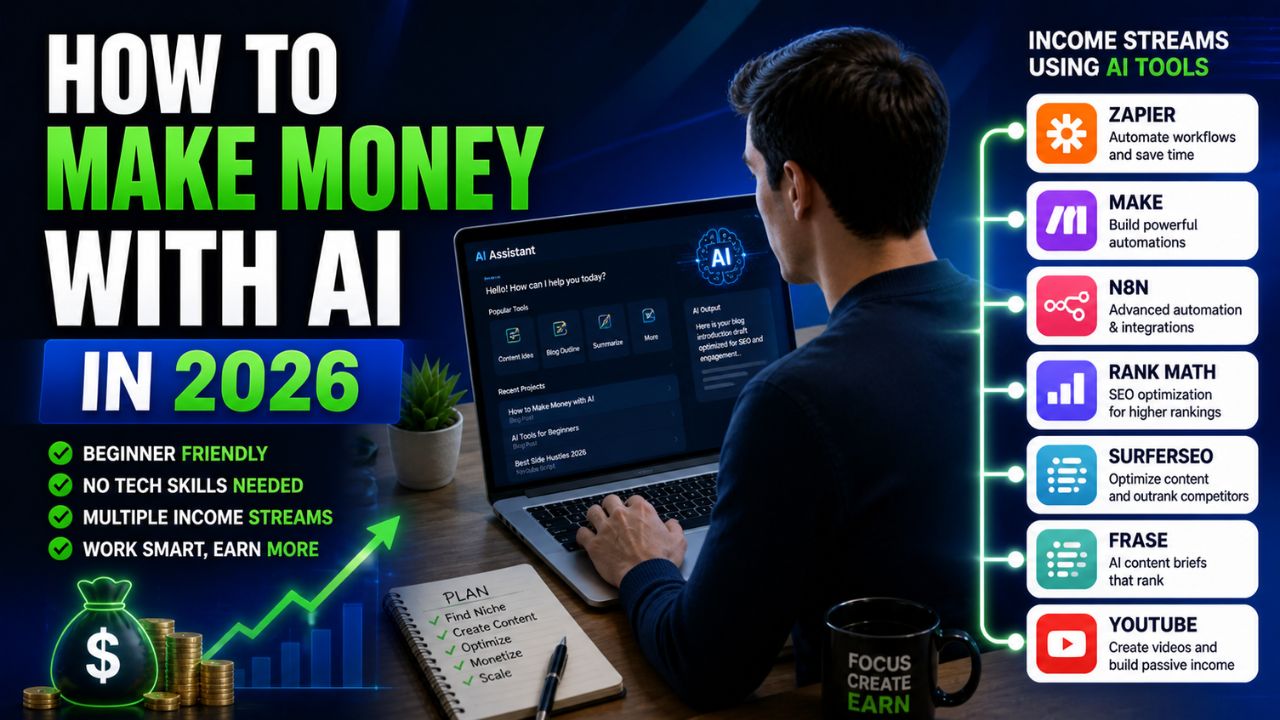
How to Make Money with AI in 2026: 9 Proven Methods to Build Real Online Income

How to Make Money With AI: What Does It Actually Mean? Making money with AI means using artificial intelligence tools to create value and earn income online. In simple words, you use AI to help with work that people or businesses already need.

AI income sounds exciting until you remove the hype.

You have probably seen videos claiming that AI can make you thousands of dollars with one prompt, one tool, or one “secret” workflow. Some people really are making money with AI. But many claims online are exaggerated, incomplete, or designed to sell you another shortcut.

The honest truth is simple: AI can help you make money, but AI is not the business by itself.

AI is a multiplier. It helps you write faster, design faster, research faster, automate repeated work, create more content, and deliver services more efficiently. But the income still comes from a real business model: clients, traffic, products, affiliate offers, ads, services, or consulting.

If you are searching for how to make money with AI in 2026, this guide will give you practical paths instead of push-button fantasy.


How to Make Money with AI in 2026


We will cover blogging, freelancing, affiliate marketing, digital products, YouTube automation, AI automation services, social media content, niche websites, and AI agency services. You will also get a simple 30-day beginner action plan so you can start with one path instead of chasing every method at once.

How to Make Money With AI: What Does It Actually Mean?

Making money with AI means using artificial intelligence tools to create value and earn income online.

In simple words, you use AI to help with work that people or businesses already need.

AI can help you create content, design graphics, write emails, edit videos, automate workflows, research topics, summarize information, build websites, plan campaigns, and improve productivity.

Then you monetize that work through a real business model.

For example:

  • Use AI to write blog drafts faster, then earn from ads and affiliate links.
  • Use AI to create social media content for clients, then charge for the service.
  • Use AI to build automation workflows, then sell setup services.
  • Use AI to create digital products, then sell them online.

That is the realistic answer to how to make money with AI. AI supports the business. It does not replace the business.

Why Making Money With AI Matters in 2026

AI matters in 2026 because it lowers the barrier to starting online work.

You do not need a big team to write content, design simple graphics, edit short videos, create outlines, plan campaigns, or automate tasks. AI tools can help one person do more work with less manual effort.

That does not mean everyone will succeed.

The people who win are usually the ones who combine AI with a clear niche, useful skills, human judgment, and consistent execution.

There are five reasons this matters:

AI Is Being Adopted Everywhere

Businesses, creators, marketers, bloggers, students, and freelancers are using AI tools every day. That creates demand for people who know how to apply AI practically.

The Entry Barrier Is Lower

You do not need coding skills to start. Many AI tools are no-code or beginner-friendly.

Businesses Need AI Help

Many small businesses know they should use AI, but they do not know where to begin. That creates opportunities for freelancers, consultants, and service providers.

AI Helps You Scale

AI can help you create more content, test more ideas, repurpose work, and automate repeated tasks.

You Can Build Multiple Income Streams

AI can support blogging, affiliate marketing, freelancing, digital products, YouTube, automation services, and agency models.

If you are still new to tools, start with this beginner guide on how to use AI tools. If your focus is affiliate content, this guide on writing affiliate review posts with AI is a useful next step.


how to make money with AI


How Making Money With AI Works

Before jumping into methods, it helps to understand the basic process.

Most AI income paths follow three steps.

Step 1: Choose One Method

Pick one income method first.

Examples include blogging, freelancing, affiliate marketing, digital products, YouTube automation, or AI automation services.

Do not try all of them at once. Beginners usually make better progress by choosing one path and staying focused long enough to build skill.

Step 2: Use AI Tools to Do the Work Faster

AI can help with content creation, research, design, automation, editing, SEO, video scripts, and productivity.

For example, a blogger can use AI to create outlines, draft sections, generate FAQs, make social captions, and plan updates.

Step 3: Monetize the Output

Once you create value, you monetize it.

Common monetization options include ads, affiliate links, freelance services, client retainers, digital products, online courses, paid templates, and consulting.

That is the simple framework for how to make money with AI: choose a method, use AI to work faster, then monetize through a real business model.

9 Proven Methods to Make Money With AI in 2026

Here are the most realistic ways beginners and advanced users can use AI to build online income.

1. AI Blogging

AI blogging is one of the best long-term methods because it can create search traffic, affiliate income, ad revenue, email subscribers, and digital product opportunities.

The model is simple:

  1. Choose a niche.
  2. Research keywords.
  3. Write helpful content.
  4. Rank on search engines.
  5. Monetize with affiliate links, ads, products, or services.

AI can help with topic ideas, outlines, drafts, editing, FAQs, social captions, and content updates.

But AI should not replace your judgment. Google’s guidance on helpful content focuses on people-first, reliable content. Google also says automation or AI should not be used mainly to manipulate rankings.

For AI blogging, the safest approach is:

  • Use AI for speed and structure.
  • Add real examples and human editing.
  • Check facts.
  • Write for a specific reader.
  • Monetize naturally.

If you want long-term online income, blogging is still one of the strongest AI-supported methods.

Start Your AI-Powered Blog

A self-hosted WordPress blog gives you control over SEO, affiliate links, email capture, and long-term content assets.

Start your AI-powered blog with Hostinger

2. Freelancing With AI

Freelancing is one of the fastest ways to start earning with AI because you do not need to wait months for SEO traffic.

You can offer services that businesses already need and use AI to work faster.

Examples include:

  • Blog writing
  • SEO content briefs
  • Social media captions
  • Email sequences
  • Canva designs
  • AI automation setup
  • Video scripts
  • Product descriptions
  • Research summaries

AI helps you produce drafts faster, but clients still pay for your thinking, editing, strategy, communication, and final quality.

Do not sell raw AI output as finished professional work. That damages trust.

Start Freelancing With AI Services

Fiverr can help you study real service categories, see what buyers already need, and position a beginner-friendly AI service.

Explore AI service ideas on Fiverr

3. Affiliate Marketing With AI

Affiliate marketing means promoting products or services and earning a commission when someone buys through your link.

AI can help affiliate marketers create content faster, compare products, build review outlines, write email drafts, create social captions, and organize affiliate links.

Common affiliate content types include:

  • Product reviews
  • Best tools lists
  • Comparison posts
  • Alternatives posts
  • How-to tutorials
  • Buying guides

Affiliate marketing works best when the content is honest and useful. The FTC’s endorsement guidance says affiliate relationships should be disclosed clearly and conspicuously when your recommendation may earn a commission.

For AI Sage Labs-style content, that means every affiliate post should include a clear disclosure and a recommendation that helps the reader make a better decision.

AI can help you create the review structure, but you should provide the final judgment.

4. Selling Digital Products

AI can help you create digital products faster.

Examples include:

  • Ebooks
  • Checklists
  • Prompt packs
  • Canva templates
  • Notion templates
  • Automation templates
  • Mini courses
  • Worksheets

For example, a blogger in the AI niche could create a small guide called “50 AI Prompts for Affiliate Bloggers” or a Canva template pack for blog thumbnails.

AI can help outline the product, draft the content, create examples, write the sales page, and generate promotional emails.

The product still needs to be useful. Do not sell generic AI output. Add structure, examples, design, and a real outcome.

5. AI YouTube Automation

YouTube automation usually means creating videos without personally recording every part yourself.

AI can help with topic research, scripts, voiceover drafts, captions, thumbnails, video summaries, and short-form repurposing.

Common niches include education, software tutorials, finance explainers, history, productivity, AI tools, and product reviews.

However, this method is often overhyped.

Low-effort faceless videos are not a strong long-term strategy. You still need original scripts, good pacing, useful visuals, clear editing, and a niche people care about.

AI can speed up YouTube production, but it does not remove the need for quality.

6. AI Automation Services

AI automation services are one of the most practical income opportunities in 2026.

Many businesses want to automate tasks but do not know how.

You can offer services such as:

  • Zapier workflow setup
  • Make.com automation
  • n8n workflows
  • Email automation
  • Lead capture systems
  • Google Sheets automation
  • Client onboarding workflows
  • AI chatbot setup

This method can be strong because businesses pay to save time.

You do not need to be a programmer to start with basic no-code automation, but you do need to understand workflows, testing, and client requirements.

If you want the tool foundation first, read this guide on AI automation tools for bloggers.

7. Social Media Content Automation

Many businesses and creators need social media content but do not have time to create it consistently.

AI can help you create content calendars, captions, hooks, short scripts, image ideas, carousel outlines, and repurposed posts.

You can use this for your own brand or offer it as a service.

For example, one blog post can become:

  • Five LinkedIn posts
  • Ten short captions
  • Three carousel outlines
  • One newsletter section
  • One short video script

This is a useful service because many clients already have ideas but need help turning them into consistent content.

8. Niche Website Building

Niche websites are focused websites built around one topic.

Examples include:

  • AI tools for bloggers
  • Home office gear
  • Budget travel guides
  • Software comparison sites
  • Online business tools

AI can help you build niche websites faster by supporting keyword research, article outlines, product review drafts, comparison tables, FAQs, and update workflows.

But quality matters more than quantity.

Do not build 20 low-quality sites with generic AI content. Build one useful niche site with strong topical coverage, honest reviews, and helpful recommendations.

This method is slower than freelancing, but it can become more passive over time if the site earns from ads, affiliate links, or digital products.

9. AI Agency Model

The AI agency model means offering AI-powered services to businesses.

Examples include:

  • AI content systems
  • AI automation workflows
  • AI chatbot setup
  • AI social media systems
  • AI video content packages
  • AI lead generation workflows
  • AI SEO content production

This model is more advanced because you need to manage clients, results, delivery, revisions, and expectations.

But it can also be more profitable than simple freelancing because businesses may pay for complete systems.

Beginners should start with one service first. For example, offer AI blog content systems or Zapier automation setup. Then expand after you get results.


How to Make Money With AI


Best AI Tools for Making Money Online

The best tools depend on your method, but these categories are useful for most beginners.

Use Case Tool Type Example Tools
Writing and planning AI assistant ChatGPT, Claude, Writesonic
Design AI design tool Canva AI, Leonardo AI
Video AI video tool Pictory, Synthesia, Runway
Automation Workflow tool Zapier, Make, n8n
SEO SEO tool Rank Math, SurferSEO, Frase


Do not start with too many tools. Choose the tool based on the method you picked.

Best AI Income Method for Beginners

If you are new and want to know how to make money with AI as a beginner, the best method depends on your goal.

Goal Best Method Why
Fastest income Freelancing You can sell a service without waiting for SEO traffic
Long-term income Blogging Content can rank and earn over time
Passive-style income Affiliate niche site Reviews and guides can earn commissions after ranking
Higher-ticket income AI automation services Businesses pay for time-saving systems
Creator income Digital products You can sell templates, guides, or prompt packs


For most beginners, freelancing is the fastest path and blogging is the best long-term path.

If you want to build long-term AI income, start a blog and use freelancing to earn while your content grows.

Common Mistakes Beginners Make

Believing Push-Button Income Claims

AI can help you work faster, but it does not create money out of nothing. Be careful with anyone promising effortless income.

Trying Too Many Methods at Once

Blogging, YouTube, freelancing, digital products, and agency services are all different businesses. Start with one.

Publishing Raw AI Content

Raw AI content often feels generic. Edit, fact-check, add examples and make it useful.

Ignoring Disclosure Rules

If you use affiliate links, disclose them clearly. Readers should understand when you may earn a commission.

Not Building a Real Skill

AI is a tool. You still need skills such as writing, SEO, editing, automation, design, client communication or marketing.

Recommended Resource Before the Ending

Want a Simple AI Income Roadmap?

If you are starting from zero, do not chase 20 methods. A simple roadmap should help you choose one path, pick one skill, build one sample, and create one offer or content asset in the next 30 days.

Access the AI Income Starter Roadmap

Recommended Book for Making Money With AI

If you want a broader understanding of how AI fits into work and productivity, a useful book to explore is Co-Intelligence: Living and Working with AI by Ethan Mollick.

It can help you think about AI as a serious work partner rather than a shortcut. That mindset is important because real AI income comes from useful systems, not random tool experiments.

Recommended Reading

If you are serious about using AI for work and online income, this book can help you think more clearly about AI-assisted productivity.

Check Co-Intelligence on Amazon

How to Make Money With AI Verdict: What Should You Start With?

After breaking down how to make money with AI, the best beginner recommendation is simple.

Choose one method.

If you want faster income, start with freelancing. Offer a service such as AI writing support, Canva design, automation setup, or content repurposing.

If you want long-term income, start a blog. Use AI to create better workflows, publish consistently, and monetize with affiliate links, ads, and digital products.

If you want higher-ticket opportunities, learn AI automation services and help businesses save time.

The biggest mistake is waiting for the perfect method.

Pick one. Build skill. Create value. Improve over time.

30-Day Beginner Action Plan

If you are starting from zero, do not spend the next month only watching AI income videos. Use the month to build one small asset or offer.

Week 1: Choose One Method

Pick freelancing, blogging, affiliate marketing, digital products, or automation services. Do not choose all five.

Week 2: Learn the Basic Tools

Choose one writing tool, one design tool, and one platform for your method. Create one sample project.

Week 3: Publish or Offer Something

Publish your first blog post, create your first Fiverr gig, build your first automation demo, or create your first small digital product draft.

Week 4: Improve and Repeat

Improve the offer, share it, track results, and create the next piece of content or service sample.

This action plan keeps things realistic. You are not trying to build a full business in 30 days. You are building the first proof that your chosen method can work.

Start With One Practical Path

If you want faster income, explore AI service ideas on Fiverr. If you want long-term income, build your AI blog and publish consistently.

Start offering AI services on Fiverr

Build your AI income blog with Hostinger

Frequently Asked Questions

Can beginners make money with AI?

Yes, beginners can make money with AI, but they need a real method. Freelancing, blogging, affiliate marketing, digital products, and automation services are realistic options.

How fast can I make money with AI?

Freelancing can be faster because you can sell a service directly. Blogging and niche websites are slower because they depend on content, SEO, traffic, and trust.

Do I need coding skills to make money with AI?

No. Many AI income methods do not require coding. Blogging, writing, design, freelancing, affiliate marketing, and no-code automation can be started without coding.

What is the easiest way to make money with AI?

For many beginners, freelancing is the easiest starting point because you can offer a specific service. Affiliate blogging is easier to scale long term, but it takes more time.

Can I make passive income with AI?

You can build passive-style income streams with AI-supported blogging, affiliate sites, digital products, or YouTube content. But they still require upfront work, updates, and strategy.

How much can I earn with AI?

Earnings depend on your method, skill, niche, offer, traffic, clients, and consistency. Avoid anyone promising guaranteed income from AI.

Is AI income sustainable?

AI income can be sustainable if it is built around real value, useful content, strong services, or genuine products. Low-quality AI spam is not a reliable long-term strategy.

What AI tool should I start with?

Start with one flexible AI assistant for writing and planning, one design tool like Canva, and one automation tool if your method needs workflows. Do not collect tools before choosing a business model.

Conclusion

This guide showed how to make money with AI in 2026 without falling for hype.

The honest truth is that AI is not a shortcut. It is a multiplier.

It helps you create faster, plan better, automate repeated tasks, and scale your effort. But the income comes from the business model behind the tool.

If you want faster income, start with freelancing. If you want long-term income, build a blog or niche site. If you want higher-value services, learn automation. If you want scalable products, create templates, guides, or courses.

Start small. Pick one method. Use AI to work faster. Keep improving.

That is the cleanest way to understand how to make money with AI: real skill, real value, and AI-assisted execution.

That is how beginners turn AI from a trend into real online income.

How We Checked This Guide

Before updating this guide, we checked Google’s guidance on helpful, reliable, people-first content and the FTC’s endorsement guidance for affiliate disclosures. This helps keep the article realistic, trust-focused, and safer for readers building online income with AI.

Affiliate Disclosure

As an Amazon Associate, I earn from qualifying purchases. Some links in this article are affiliate links, which means I may earn a commission at no extra cost to you if you buy through them. I only recommend tools, books, and services that may help beginners, creators, and online business owners create better content or grow their work more effectively.

How to Make Money with AI Tools in 2026 (7 Proven Methods for Bloggers)

How to Make Money with AI Tools in 2026

AI tools can help bloggers earn money, but not in the magical way most social media posts describe.

You have probably seen big claims about people using one prompt, one tool, or one hidden system to make thousands of dollars overnight. Some creators really are earning with AI. But the shortcut version is usually missing the important part: income comes from a real business model, not from the tool alone.

AI helps you move faster. It can help you write drafts, design graphics, create videos, repurpose content, automate admin work, plan emails, and research ideas. But you still need an audience, a useful offer, honest recommendations, and consistent execution.

That is the realistic way to make money with AI tools in 2026.

For bloggers, this is good news. You do not need to chase every shiny AI app. You need to choose one income path, build a repeatable workflow, and use AI tools to reduce the time it takes to publish, promote, and monetize useful content.


7 Trending AI Tools That Are Actually Making Bloggers Money in 2026


Workflows that previously required a team — content production, video creation, automation, social media management, email marketing — are now achievable for one person with the right AI stack.

But the honest answer to “how do you make money with AI tools” is not simply “use these tools and earn money.” The income comes from specific activities that AI tools make more efficient. This guide breaks down seven proven methods, the AI tools that power each one, and realistic income expectations based on what bloggers are actually reporting in 2026 — not what marketers are promising.

The Best Tool to Start With

Need AI Writing Help to Build Your Income Blog?

Jasper AI is the most complete AI writing platform for bloggers building affiliate income. The 7-day free trial gives you full access to test it on your actual content before committing.

Try Jasper AI Free for 7 Days →

7-day free trial. No credit card charged until trial ends.

The Reality of Making Money with AI Tools in 2026

Before diving into methods, one honest framing is necessary. AI tools in 2026 do not create income by themselves — they accelerate income-generating activities that require human strategy, expertise, and consistent execution.

The bloggers who have successfully built income using AI tools are doing the same things that successful bloggers have always done: creating valuable content, building an audience, promoting relevant products, and executing consistently over time. AI tools allow them to do those things faster, at higher volume, and often with better quality than they could achieve manually.

With that framing in place, here are seven specific methods that are working for bloggers in 2026, along with the AI tools that power each one and realistic income ranges based on real-world examples.

In this guide, we will break down how to make money with AI tools in 2026 using seven proven methods for bloggers: affiliate reviews, YouTube repurposing, display ads, digital products, freelance services, email newsletters, and launch-review content.

How to Make Money With AI Tools: The Honest Reality

Making money with AI tools means using AI to support work that already has value.

For a blogger, that work may include publishing helpful articles, reviewing products, creating videos, designing templates, building email sequences, offering services, or helping businesses save time.

The AI tool does not create income by itself. It helps you complete income-producing tasks faster.

For example:

  • AI writing tools can help you draft review posts faster.
  • AI video tools can help turn blog posts into YouTube videos.
  • AI design tools can help create thumbnails and Pinterest pins.
  • AI automation tools can help connect forms, email lists, spreadsheets, and publishing tasks.
  • AI research tools can help organize product comparisons and FAQs.

But you still need to edit, fact-check, add human judgment, disclose affiliate links, and publish content that helps a real reader.

If you are brand new, this simple framing will save you a lot of wasted time: use AI to improve a real business model, not to avoid building one.

Why Bloggers Are Using AI Tools for Income in 2026

Blogging in 2026 is more competitive than it was a few years ago.

A single article often needs supporting assets: images, short videos, email copy, social posts, internal links, comparison tables, FAQs, screenshots, and updates. Doing all of that manually can slow down a solo blogger fast.

AI tools help because they reduce production friction.

A blogger can write an outline faster, create a draft faster, design visuals faster, repurpose the article into video faster, and automate follow-up tasks faster.

That does not guarantee income. But it improves your ability to stay consistent, and consistency is one of the biggest advantages in blogging.

This is especially useful if you are building a site around AI tools, affiliate marketing, software reviews, content creation, or online business. The same tools you write about can also support your publishing workflow.

If you want the broader beginner version of this topic, you can also read this guide on how to make money with AI. This article focuses more specifically on the tools and workflows bloggers can use.

7 Proven Methods to Make Money With AI Tools in 2026

There are many ways to earn online, but bloggers should start with methods that connect naturally to content, traffic, trust, and recommendations.

Here are seven realistic methods to make money with AI tools as a blogger in 2026.

1. Affiliate Marketing Through AI-Powered Review Content

Affiliate marketing is one of the most natural income methods for bloggers.

The model is simple: you publish helpful content about products or services, include affiliate links where relevant, and earn a commission if readers buy through your links.

AI tools can help with this workflow by creating outlines, first drafts, comparison tables, FAQ ideas, meta descriptions, social captions, and content updates.

Common affiliate blog post types include:

  • Product reviews
  • Best tools lists
  • Alternatives posts
  • Comparison posts
  • Beginner tutorials
  • Use-case guides

For example, a blogger in the AI niche could publish reviews of writing tools, video tools, automation tools, image tools, hosting platforms, and online business tools.

AI can make the first draft faster, but the final review still needs human judgment. Readers want to know who the tool is best for, who should skip it, what the limits are, what alternatives exist, and whether the recommendation is honest.

Google’s guidance focuses on useful and reliable content. That means raw AI output is not enough. You should add real examples, screenshots when possible, clear pros and cons, updated pricing checks, and a trustworthy verdict.

The FTC also expects affiliate relationships to be disclosed clearly and conspicuously. If you earn a commission from a recommendation, say so in plain language.

Useful AI tools for this method include:

  • ChatGPT or Claude for outlines and editing support
  • Writesonic for structured long-form content workflows
  • Grammarly for cleanup and tone polishing
  • Canva for review graphics and thumbnails
  • Rank Math for WordPress SEO checks

Realistic expectation: affiliate marketing is not usually instant. A new blog may need several months of consistent publishing before it sees meaningful search traffic. But over time, a library of honest review content can become one of the strongest ways to make money with AI tools.

If this path interests you, read this guide on how to write affiliate review posts with AI without losing reader trust.

2. YouTube Repurposing With AI Video Tools

YouTube can become a second income layer for bloggers.

The advantage is simple: if you already write blog posts, you already have video ideas. A tutorial, list post, review, comparison, or how-to article can become a YouTube script.

AI video tools can help turn written content into videos, captions, voiceovers, B-roll, thumbnails, and short clips.

For example:

  • Use a blog post as the source.
  • Rewrite it into a short video script.
  • Create a video draft with an AI video tool.
  • Design a thumbnail in Canva.
  • Add affiliate links and blog links in the description.
  • Embed the video back into your article.

YouTube monetization can come from ads, affiliate links, sponsorships, product sales, and traffic back to your website.

But be careful with low-effort video automation. A video that only reads generic AI text over random stock footage will not build much trust. Strong YouTube content still needs useful topics, clean structure, good pacing, helpful visuals, and a reason for people to watch.

YouTube’s Partner Program also has eligibility rules. The standard ad-revenue path requires thresholds such as subscribers and valid watch hours or Shorts views, plus policy compliance. That means YouTube ad income usually takes time.

Useful AI tools for this method include:

  • Pictory for blog-to-video style workflows
  • InVideo AI for text-to-video creation
  • Descript for editing recorded videos and podcasts
  • Canva for thumbnails
  • ChatGPT or Claude for scripts and descriptions

Realistic expectation: YouTube can be powerful, but beginners should treat it as a long-term content channel. Affiliate links in descriptions may earn earlier than ads if your videos solve clear buyer problems.

For video-specific tools, you may want to compare Pictory AIInVideo AI, and Descript.

3. Display Advertising From Consistent AI-Supported Content

Display ads are one of the simplest blog monetization methods to understand.

You publish content, bring traffic to your site, and earn money when ads are shown to readers. The income depends on traffic volume, niche, country mix, ad network, page experience, and advertiser demand.

AI tools help with display ad income indirectly.

They help you publish more consistently, update old posts, create supporting visuals, build content clusters, and repurpose article ideas. More useful content can create more opportunities to rank and attract traffic.

That said, publishing more is not enough. Display ad income depends on traffic, and traffic depends on quality, search intent, topical authority, site speed, internal linking, and patience.

Useful AI tools for this method include:

  • Writesonic or ChatGPT for article outlines and first drafts
  • Rank Math for SEO checks
  • Canva for featured images and Pinterest pins
  • Zapier or Make for content tracking automations
  • Google Search Console for performance data

Realistic expectation: display ads are usually slow at first. They become more meaningful once your blog has steady traffic. For a new blogger, ads are often a later income layer, not the first paycheck.

If you are building an income blog, hosting also matters. A slow site can hurt user experience and make content feel less professional.

Start With a Blog Foundation You Control

All seven income methods work better when your content lives on a fast, reliable website that you own.

Start your AI income blog with Hostinger

4. Digital Products Created With AI Tools

Digital products can be a strong income stream because they are created once and sold many times.

For bloggers, simple digital products often work better than complicated ones.

Examples include:

  • Prompt packs
  • Checklists
  • Canva templates
  • Notion templates
  • Mini ebooks
  • Workflow templates
  • Blog planning spreadsheets
  • Short video script packs

AI can help you outline the product, draft the content, create examples, write the sales page, design the cover, and prepare promotional emails.

But the product must still solve a clear problem.

A generic “100 AI prompts” PDF is not enough if the prompts are weak. A better product would be specific, practical, and outcome-driven, such as “50 AI Prompts for Writing Affiliate Review Posts” or “AI Blog Thumbnail Canva Templates for Software Review Sites.”

Useful AI tools for this method include:

  • ChatGPT or Claude for product outlining
  • Canva for templates, covers, and PDFs
  • Leonardo AI or Stable Diffusion for visual backgrounds
  • Google Docs or Notion for product drafting
  • Gumroad, Payhip, or your own WordPress site for selling

Realistic expectation: digital products work best when you already understand your audience. A small audience with a clear pain point can outperform a large audience that does not trust you.

5. Freelance AI Content Services

Freelancing is often the fastest way to make money with AI tools because you do not need to wait for Google traffic.

You can offer services that businesses already need and use AI to deliver faster.

Examples include:

  • Blog post outlines
  • SEO content briefs
  • AI-assisted blog writing
  • Product descriptions
  • Email newsletters
  • Social media captions
  • Canva graphics
  • Podcast show notes
  • Video script drafts

This is a good bridge strategy for bloggers. You can earn from client work while your own blog grows in the background.

The key is to sell human-edited outcomes, not raw AI output.

Clients pay for judgment, clarity, research, editing, formatting, reliability, and communication. If you simply paste AI content and deliver it as finished work, you will damage trust quickly.

Useful AI tools for this method include:

  • ChatGPT or Claude for drafts and editing support
  • Writesonic for content workflows
  • Grammarly for proofreading
  • Canva for simple graphics
  • Descript for podcast notes and video repurposing

Realistic expectation: freelancing can create income faster than SEO blogging, but it is active income. You trade time for money. The best approach is to use freelance income to fund your long-term blog, tools, and products.

Want to Offer AI Services Faster?

You can study existing service categories, create a simple offer, and test demand with small projects before building a full agency.

Explore AI service ideas on Fiverr

6. Email List Monetization With AI Newsletters

An email list is one of the most valuable assets a blogger can build.

Search traffic is useful, but it is not fully under your control. Social platforms change algorithms. AI search summaries may reduce some clicks. Email gives you a direct channel to readers who already chose to hear from you.

AI tools can help you create newsletter drafts, welcome sequences, product recommendation emails, lead magnet ideas, and content repurposing workflows.

For example, one blog post can become:

  • A short newsletter summary
  • A product recommendation email
  • A weekly roundup section
  • A lead magnet idea
  • A follow-up sequence

Email monetization can happen through affiliate recommendations, digital products, sponsored placements, services, and course sales.

The most important rule is trust. Do not send constant promotions. Send useful advice, honest recommendations, and tools that fit your reader’s actual problem.

Useful AI tools for this method include:

  • ChatGPT or Claude for newsletter drafts
  • ConvertKit, MailerLite, or similar tools for email delivery
  • Canva for lead magnets
  • Zapier or Make for subscriber automations
  • Google Sheets for simple tracking

Realistic expectation: email monetization takes time because you need subscribers and trust. But once it works, it can become one of the most reliable income channels for a blogger.

7. Software Launch Reviews and Timely Product Content

Software launch reviews can create faster affiliate opportunities when done carefully.

Some platforms and marketplaces feature new tools, courses, software products, and limited-time launches. When a product launches, people often search for reviews, bonuses, alternatives, and honest opinions.

AI tools can help you publish timely review content faster.

However, this method has a trust problem if handled badly. Many launch reviews online are thin, overly positive, and written only to capture commissions. That may create short-term clicks, but it does not build a trustworthy brand.

A better launch-review workflow is:

  1. Research the product carefully.
  2. Check the sales page and refund terms.
  3. Look for real use cases and limitations.
  4. Write a balanced review.
  5. Disclose affiliate links clearly.
  6. Offer a helpful bonus only if it adds real value.
  7. Update the post after the launch period if needed.

Useful AI tools for this method include:

  • ChatGPT or Claude for outline support
  • Writesonic for draft structure
  • Canva for bonus PDFs and graphics
  • Grammarly for editing
  • Rank Math for SEO checks

Realistic expectation: launch reviews can create income faster than evergreen SEO content, but they are less stable. Build evergreen content alongside launch content so your blog does not depend only on short-term spikes.


ChatGPT Plus
Canva Pro
Midjourney
Claude Pro
⚡ SAVE 80%
Market: ₹15,000 → ₹2,999/year

132+ Premium AI Tools
Instant
Verified
24/7


Best AI Tools for Each Income Method

You do not need a huge tool stack to make money with AI tools. In fact, collecting too many subscriptions too early can hurt your budget.

Start with a simple stack and upgrade only when the tool saves time or helps you earn more.

Income Method Helpful AI Tools Why They Help
Affiliate reviews ChatGPT, Claude, Writesonic, Grammarly Outlines, drafts, editing, FAQs, and review structure
YouTube repurposing Pictory, InVideo AI, Descript, Canva Scripts, video drafts, editing, captions, and thumbnails
Display ads Writesonic, Rank Math, Canva, Google Search Console Consistent publishing, SEO checks, visuals, and performance tracking
Digital products ChatGPT, Claude, Canva, Leonardo AI Product ideas, templates, covers, PDFs, and sales copy
Freelance services ChatGPT, Writesonic, Grammarly, Canva Faster client drafts, editing, graphics, and delivery support
Email monetization ChatGPT, Claude, Make, Zapier Newsletter drafts, automations, sequences, and subscriber workflows
Launch reviews Writesonic, Canva, Grammarly, Rank Math Faster timely posts, polish, graphics, and SEO checks


For most beginners, a simple starting stack is enough: one AI assistant, Canva Free, Grammarly Free, WordPress, and a basic SEO plugin.

Upgrade later when your workflow proves the need.

Best Starting Path for Beginner Bloggers

The biggest mistake beginners make is trying all seven methods at once.

Affiliate marketing, YouTube, display ads, digital products, freelancing, email, and launch reviews are all different workflows. If you divide your attention too early, none of them gets enough momentum.

For most bloggers, the cleanest starting path is:

  1. Start a focused blog.
  2. Publish helpful review and tutorial content.
  3. Add affiliate links with clear disclosure.
  4. Use AI tools to improve speed, not replace judgment.
  5. Build an email list with a simple lead magnet.
  6. Add YouTube or digital products after you understand your audience.

If you need faster income while the blog grows, add freelance services. That lets you earn active income while building a long-term asset.

This approach is slower than the hype, but it is much safer.

30-Day Beginner Action Plan

If you want to make money with AI tools but feel overwhelmed, use the next 30 days to build one small proof of progress.

Week 1: Choose One Niche and One Income Method

Pick a niche you can write about consistently. For AI Sage Labs-style content, good niches include AI tools for bloggers, AI automation, AI writing tools, AI video tools, or online business tools.

Choose one main income method. For most beginners, affiliate review content or freelancing is the best starting point.

Week 2: Build Your First Workflow

Create a simple workflow for one article or one service offer.

For affiliate blogging, write one review outline, gather current product details, draft the article, edit it, add disclosure, and prepare a featured image.

For freelancing, create one sample service page or gig description and one portfolio sample.

Week 3: Publish or Offer Something Real

Publish the article, launch the service, or create the first version of your digital product.

Do not wait until everything is perfect. A published asset teaches you more than another week of planning.

Week 4: Improve Based on Feedback

Check what happened.

Did anyone click? Did anyone ask a question? Did the article get indexed? Did the service offer feel clear? What part took too long?

Use AI to improve the workflow, not just create more noise.

Common Mistakes to Avoid

Believing Push-Button Income Claims

AI can help you work faster, but it does not remove the need for skill, trust, traffic, offers, and consistency.

Publishing Raw AI Content

Raw AI drafts often sound generic. Edit them, fact-check them, add examples, and make the final content genuinely useful.

Buying Too Many Tools Too Early

Start with free or low-cost tools. Upgrade only when a tool clearly saves time or supports income.

Ignoring Affiliate Disclosures

If you earn commissions from links, disclose that clearly. Trust is worth more than hiding a relationship.

Trying Every Method at Once

Pick one method first. Build momentum. Then add another layer when the first one is working.

Recommended Resource Before the Verdict

Want an AI Income Blog Starter Checklist?

A simple checklist can help beginners choose a niche, plan review posts, set up affiliate disclosures, create visuals, build a starter email list, and avoid buying too many tools too early.

Access the AI Sage Labs AI income blog starter checklist.

Recommended Book for AI Income Beginners

If you want a broader mindset for using AI in work and business, a useful book to explore is Co-Intelligence: Living and Working with AI by Ethan Mollick.

It is not a get-rich-quick book. That is exactly why it is useful. It helps you think about AI as a work partner, not a magic button.

Check Co-Intelligence on Amazon

How to Make Money With AI Tools Verdict

The best way to make money with AI tools in 2026 is to stop chasing random tool hacks and start building a real system.

For bloggers, the strongest beginner path is usually affiliate review content supported by AI writing, design, SEO, and repurposing tools. Over time, you can add display ads, email monetization, YouTube, digital products, freelance services, and launch reviews.

The most realistic strategy is not to do everything at once.

Pick one income method. Choose a small tool stack. Publish useful content. Add affiliate disclosures. Build trust. Improve the workflow every week.

AI can help you move faster, but your judgment is still the business advantage.

If you are serious about this path, start with a blog you control, create helpful content, and use AI tools to make the workflow lighter.

Build your AI income blog with Hostinger

FAQs About Making Money With AI Tools

Can bloggers really make money with AI tools?

Yes, bloggers can make money with AI tools, but the income comes from real methods such as affiliate marketing, ads, digital products, freelancing, email marketing, and video content. AI tools help speed up the work.

What is the fastest way to make money with AI tools?

Freelancing is usually the fastest path because you can sell a service directly. Blogging and affiliate marketing can scale better over time, but they usually take longer because they depend on traffic and trust.

What is the best AI income method for bloggers?

Affiliate review content is one of the best methods for bloggers because it connects naturally with search traffic, product research, tutorials, and buyer-intent keywords.

Do I need paid AI tools to start?

No. Beginners can start with free or low-cost tools such as ChatGPT, Canva Free, Grammarly Free, Google Docs, and WordPress. Upgrade only when the tool saves enough time or supports income.

Can AI write affiliate reviews for me?

AI can help draft affiliate reviews, but you should not publish raw AI output. Add real research, honest pros and cons, pricing checks, examples, alternatives, screenshots when possible, and a human verdict.

Can I make passive income with AI tools?

You can build passive-style income with AI-supported blogs, affiliate content, digital products, and YouTube videos. But these still require upfront work, updates, and ongoing quality control.

How long does it take to make money with AI tools?

It depends on the method. Freelance services can earn faster, sometimes within weeks. Blogging, affiliate marketing, display ads, and YouTube usually take months of consistent work before income becomes meaningful.

Is AI content safe for SEO?

AI-assisted content can be used responsibly, but it should be helpful, accurate, edited, and written for people. Low-quality content created only to manipulate rankings is risky.

Conclusion

This guide showed how bloggers can make money with AI tools in 2026 without falling for unrealistic promises.

The honest truth is that AI is not the income source. It is the speed layer.

It helps you write faster, design faster, edit faster, repurpose faster, and automate repeated tasks. But the income comes from the business model behind the workflow.

For bloggers, the best starting point is usually a focused blog with helpful review content, clear affiliate disclosures, useful visuals, and a simple email list. From there, you can add YouTube, digital products, freelancing, display ads, and launch reviews.

Start small. Choose one method. Build one workflow. Publish something useful. Improve it every week.

That is how AI tools become part of a real online income system.

Start offering AI services on Fiverr

Launch your AI tools blog with Hostinger

Explore Co-Intelligence on Amazon

How We Checked This Guide

Before writing this guide, we checked official guidance from Google, the FTC, and YouTube around AI-assisted content, affiliate disclosures, and YouTube monetization requirements. This helps keep the article practical, accurate, and safer for bloggers who want to build income without using risky shortcuts.

Affiliate Disclosure

As an Amazon Associate, I earn from qualifying purchases. Some links in this article are affiliate links, which means I may earn a commission at no extra cost to you if you buy through them. I only recommend tools, books, and services that may help beginners, creators, and online business owners create better content or grow their work more effectively.