
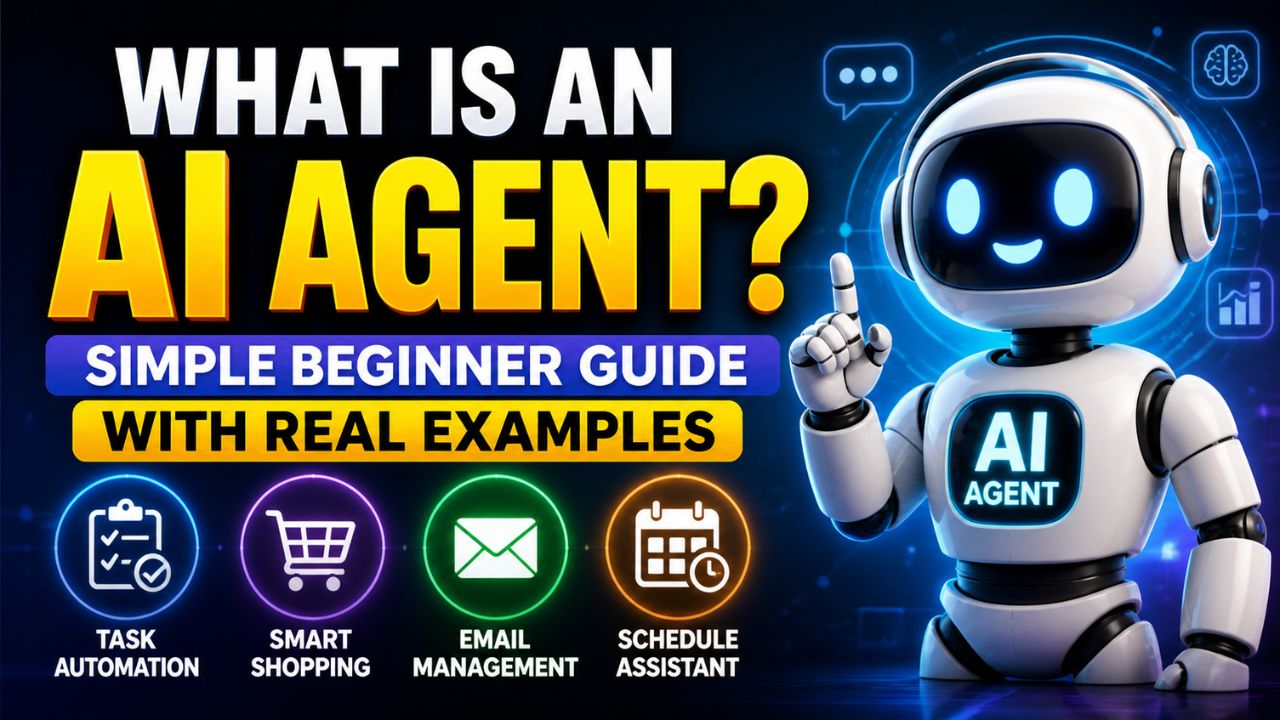
Imagine opening your laptop in the morning and finding that the boring parts of yesterday’s work are already handled.
Your email inbox is sorted. Your calendar is updated. A blog outline is waiting in Google Docs. Competitor notes are summarized. Pinterest pin ideas are ready. A weekly performance report is sitting in your inbox.
You did not hire a full-time assistant.
You did not stay awake all night.
An AI agent handled the workflow.
That is why so many people are asking the same question in 2026: what is an AI agent, and how is it different from ChatGPT, chatbots and normal AI tools?
The short answer is simple.
An AI agent is AI that can work toward a goal. It can understand a task, make a plan, use tools, take actions, check progress and return a finished result with less step-by-step prompting from you.
That does not mean AI agents are magic. They still make mistakes. They still need permissions, good instructions, safe data access and human review. But they represent an important shift from AI that only answers questions to AI that can help complete work.
This beginner guide explains what is an AI agent in plain language, how AI agents work, how they compare with chatbots, real-world examples, risks, beginner tools, and how bloggers, affiliate marketers, freelancers, and small businesses can start using them safely.
By the end, you should be able to explain what is an AI agent to a beginner without using technical jargon.
What Is an AI Agent?
An AI agent is a software system that can understand a goal, plan steps, use available tools, and take actions to complete a task or workflow for a user.
In simpler words, an AI agent is like a digital worker that does more than reply to a prompt.
A chatbot answers.
An AI agent works toward an outcome.
For example, if you ask a normal chatbot:
Write a blog post about AI automation.
It may generate a draft and wait for your next instruction.
An AI agent-style workflow could go further:
- Research the topic
- Analyze competing articles
- Create an outline
- Draft the article
- Suggest internal links
- Write SEO metadata
- Create image prompts
- Draft social posts
- Save the output into your workspace
That is the key difference.
The agent is not only generating text. It is trying to complete a larger goal.
IBM describes AI agents as systems that autonomously perform tasks by designing workflows with available tools. AWS describes AI agents as software programs that can interact with an environment, collect data and perform self-directed tasks toward goals. Those definitions are useful, but for beginners the simplest explanation is this:
An AI agent is AI that can plan and act, not just chat.
A Simple Analogy
Imagine you are opening a small coffee shop.
A chatbot is like asking a friend for advice.
You ask:
How should I market my coffee shop?
The friend gives suggestions. Maybe they say to post on Instagram, offer a launch discount and create a loyalty card.
Helpful, but the conversation stops there.
An AI agent is more like assigning the task to a junior operations manager.
You say:
Help me launch the coffee shop marketing plan.
The manager might research competitors, create a launch calendar, draft promotional emails, prepare social posts, organize local partnership ideas, track responses and send you a summary.
That is the mental model.
A chatbot gives answers. An AI agent coordinates work.
Why AI Agents Are Becoming Popular in 2026
AI agents are becoming popular because modern work is full of repetitive digital tasks.
People spend hours every week:
- Organizing emails
- Researching information
- Updating spreadsheets
- Creating reports
- Writing first drafts
- Scheduling content
- Answering common questions
- Moving information between apps
- Checking analytics
- Creating similar documents again and again
Most of those tasks follow patterns.
AI agents are designed to handle those patterns so humans can spend more time on strategy, creativity, relationships and decisions.
This is especially important for solo creators, bloggers, affiliate marketers, freelancers and small businesses because they usually do not have large teams. A good AI agent workflow can feel like adding a small digital teammate without hiring a full employee.
If you want the practical blogging side of this idea, our guide to AI automation tools for bloggers explains the tools that help connect content, email, social and workflow systems.
How Do AI Agents Work?
AI agents can look complicated, but the basic workflow is easy to understand.
Most AI agents follow six stages.
1. Goal
Everything starts with a goal.
Instead of giving the AI every tiny instruction, you describe the outcome you want.
Examples:
- Create a weekly content plan.
- Research the best AI video tools.
- Summarize customer feedback.
- Prepare an email newsletter from my latest blog post.
- Find broken affiliate links and create an update checklist.
The goal tells the agent what success should look like.
2. Context
The agent needs context to do useful work.
Context may include:
- Your audience
- Your brand voice
- Previous documents
- Project rules
- Company data
- Examples of good output
- Tool permissions
Without context, an agent may still produce something, but it will often feel generic or misaligned.
3. Planning
A good AI agent does not jump straight to the final answer.
It breaks the goal into smaller steps.
For example, if the goal is to publish a blog post, the plan might be:
- Review the keyword and search intent.
- Collect research from trusted sources.
- Create a blog outline.
- Draft sections.
- Add examples and FAQs.
- Suggest internal links.
- Create a final publishing checklist.
This planning step is one reason AI agents feel more useful than basic chatbots.
4. Tool Use
Tool use is where agents become powerful.
An AI model alone can mostly generate text. An AI agent connected to tools can do work across software.
Tools may include:
- Web search
- Calendars
- Documents
- Spreadsheets
- CRMs
- Databases
- Automation platforms
- Design tools
- Code editors
Google Cloud describes enterprise agent platforms around building, deploying, governing, and optimizing AI agents and model-based solutions. That enterprise framing matters because serious agents need more than clever prompts. They need access control, testing, monitoring, and governance.
5. Action
After planning and choosing tools, the AI agent performs actions.
Examples:
- Drafting a document
- Updating a spreadsheet
- Sending a summary
- Creating a task
- Running a search
- Calling an API
- Generating a report
- Creating a workflow step
Action is what separates an agent from a passive assistant.
6. Review and Feedback
AI agents should check progress.
They may ask:
- Did the output match the goal?
- Is more information needed?
- Did a tool fail?
- Should the plan change?
- Does this need human approval?
This feedback loop helps agents handle multi-step work. But it does not remove the need for human review.
Important content, customer messages, code, affiliate claims, pricing details, and business decisions should still be checked by a person.
AI Agent vs ChatGPT
Many beginners ask whether ChatGPT is an AI agent.
The answer is: sometimes, depending on how it is used.
ChatGPT is primarily an AI assistant and conversational interface. It can answer questions, generate ideas, explain concepts, write drafts, and help with reasoning.
But a basic chat conversation is not the same as a full AI agent.
The difference is workflow and action.
| Feature | ChatGPT-style assistant | AI agent |
|---|---|---|
| Main job | Respond to prompts | Work toward goals |
| Workflow | User guides each step | Can plan multiple steps |
| Tool use | May use tools if enabled | Designed around tool use |
| Autonomy | Usually waits for instructions | Can continue through a task within limits |
| Best for | Ideas, explanations, drafts | Workflows, automation, multi-step tasks |
Think of ChatGPT as a powerful conversation engine. Think of an AI agent as a workflow built around an AI model, tools, memory, permissions and a goal.
AI Agent vs Chatbot vs AI Assistant
These terms overlap, which creates confusion.
Here is the simple difference.
Chatbot
A chatbot usually answers questions or follows a conversation. Older chatbots often followed fixed rules. Modern chatbots use large language models and can be much smarter, but many still depend on user prompts.
AI Assistant
An AI assistant helps with individual tasks such as writing, summarizing, brainstorming, scheduling, or answering questions.
AI Agent
An AI agent is more goal-focused. It can plan, use tools, take actions, and continue through a multi-step workflow.
In simple terms:
- A chatbot talks.
- An AI assistant helps.
- An AI agent works through a goal.
That is why the question what is an AI agent is not just a vocabulary question. It is about a shift from conversation to execution.
The Five Core Parts of an AI Agent
Most AI agents include five core parts.
1. Reasoning Engine
This is the “brain” of the agent. It understands the goal, processes information, compares options, and decides what to do next.
2. Memory
Memory helps the agent remember useful information such as your writing style, audience, brand rules, past tasks, or project details.
Memory can be useful, but it also creates privacy considerations. Do not connect sensitive data unless you trust the platform and understand its data policies.
3. Planning
Planning turns one big goal into smaller steps. This is what lets agents handle longer workflows instead of giving one quick answer.
4. Tools
Tools let the agent interact with the digital world. Without tools, the agent mostly writes. With tools, it can search, update, send, retrieve, create, or trigger actions.
5. Guardrails
Guardrails include permissions, approvals, limits, policies, logs, and human review steps.
Beginners often forget this part, but it is critical. The more power an agent has, the more important guardrails become.
Types of AI Agents
Not every AI agent is built for the same job.
Task Automation Agents
These agents handle repetitive work such as updating spreadsheets, moving data between apps, creating tasks or sending routine summaries.
Research Agents
Research agents gather information, summarize sources, compare competitors, monitor trends and organize notes.
Content Agents
Content agents support blog posts, scripts, newsletters, social captions, email sequences and SEO workflows.
Customer Support Agents
Support agents answer common questions, route tickets, summarize conversations and help human support teams respond faster.
Coding Agents
Coding agents can help developers write code, debug errors, review pull requests, generate tests and explain technical problems.
Sales and CRM Agents
These agents help organize leads, summarize calls, draft follow-ups, update CRM records, and prioritize outreach.
Multi-Agent Systems
A multi-agent system uses several agents together. One agent may research, another may write, another may check SEO, another may create social posts, and another may prepare reports.
This is powerful, but beginners should not start here. Multi-agent systems can become confusing quickly if the workflow is not clear.
Real-World AI Agent Examples
AI agents are easiest to understand through examples.
1. Blogging Agent
A blogging agent could help research keywords, analyze competitors, create outlines, draft sections, suggest internal links, write meta descriptions and create promotion ideas.
This does not replace the blogger’s judgment. It reduces repetitive preparation work.
For a practical content system, start with our guide to what AI automation tools are, then build one workflow around your current blogging process.
2. Affiliate Marketing Agent
An affiliate marketing agent could monitor product launches, organize review notes, draft comparison tables, suggest FAQs, check older posts for update opportunities and prepare email promotion drafts.
It should not invent personal experience, fake results or make unsupported income claims.
If you monetize with affiliate content, our AI affiliate review writing guide is the safer starting point.
3. Pinterest Marketing Agent
A Pinterest agent could turn a blog post into pin titles, descriptions, board suggestions, image prompt ideas and a weekly publishing plan.
4. Customer Support Agent
A customer support agent could answer common questions, summarize tickets, route requests and prepare draft replies for human review.
5. Research Agent
A research agent could monitor a niche, collect trusted sources, summarize changes, compare competitors and prepare a weekly briefing.
6. Coding Agent
A coding agent could inspect a codebase, suggest changes, write tests, fix bugs and explain what it changed.
7. Local Business Agent
A local business agent could help prepare appointment reminders, summarize customer messages, draft review responses and update task lists.
How Bloggers and Affiliate Marketers Can Use AI Agents
Blogging and affiliate marketing are strong use cases because they involve repeated workflows.
A blogger may repeat the same process every week:
- Choose topic
- Research search intent
- Create outline
- Draft article
- Edit
- Add images
- Add internal links
- Add affiliate disclosure
- Create pins
- Write newsletter
- Update tracker
An AI agent can help coordinate parts of that process.
For example:
Goal: Prepare a complete publishing package for my article about AI video tools.
The agent-style workflow might create:
- Article outline
- FAQ ideas
- Internal link suggestions
- Featured image prompt
- Pinterest titles
- Newsletter draft
- Social captions
- Publishing checklist
That is the practical answer to what is an AI agent for bloggers: it is a workflow helper that reduces repeated steps while you keep control over final decisions.
If you are building affiliate income, this guide on AI tools for affiliate marketing shows the broader stack around writing, design, email, automation and conversion.
Benefits of AI Agents
They Save Time
AI agents can handle repetitive research, summarizing, drafting, organizing and reporting tasks faster than doing everything manually.
They Reduce Context Switching
Instead of jumping between many apps, an agent can coordinate several steps in one workflow.
They Help Small Teams Do More
Creators, freelancers and small businesses can use AI agents to reduce administrative load without hiring a full team immediately.
They Make Workflows More Consistent
A repeatable agent workflow can help ensure the same checklist is followed every time.
They Support Better Decisions
Agents can summarize data, compare information and surface patterns. Humans still make the final call.
Risks and Limitations of AI Agents
AI agents are useful, but they are not perfect.
This section is important because the hype around agents can make them sound more reliable than they are.
AI Agents Can Make Mistakes
They can misunderstand instructions, use outdated information, miss context or produce confident but wrong outputs.
Bad Inputs Create Bad Outputs
If your goal is vague, your data is messy or your instructions are unclear, the agent’s work may be weak.
Tool Access Creates Risk
An agent connected to email, files, payments, publishing tools or customer systems can do real damage if configured poorly.
Privacy Matters
Do not connect private documents, customer data, financial information or sensitive business systems without understanding how the platform handles data.
Not Every Task Should Be Automated
Do not fully automate legal advice, medical decisions, financial decisions, final hiring decisions, crisis communication, sensitive customer responses or public publishing without review.
NIST’s AI Risk Management Framework is useful here because it encourages organizations to manage AI risks intentionally rather than treating AI as a harmless toy.
Are AI Agents Safe?
AI agents can be safe when they are used with clear limits.
Use these beginner guardrails:
- Start with low-risk tasks.
- Keep human approval for publishing, payments, deletions, and customer messages.
- Limit access to sensitive data.
- Check facts before using outputs.
- Use reputable platforms.
- Review privacy and data policies.
- Keep logs of important actions.
- Test the workflow before using it in real business operations.
Safe AI agent use is not about fear. It is about giving the agent the right level of responsibility.
Best AI Agent Tools and Platforms to Know in 2026
The AI agent tool market changes quickly, so think in categories instead of chasing every new launch.
General AI Assistants
Tools like ChatGPT, Claude, Gemini and Perplexity are good starting points for research, writing, summarizing, planning and learning.
They are not always full agents by default, but they can support agent-like workflows.
Workflow Automation Platforms
Make.com, Zapier and n8n help connect apps and automate repeatable workflows. These are useful when you want AI to move information between tools.
Our Make.com review explains why visual automation can be a practical starting point for bloggers.
Enterprise Agent Platforms
Google Cloud, AWS, Microsoft, IBM and other enterprise providers offer platforms for building, deploying and governing AI agents at scale.
These are more technical and usually more relevant for developers or companies than beginner bloggers.
Customer Support Agents
Support tools use AI agents to answer FAQs, summarize conversations, route tickets and assist human support teams.
Coding Agents
Coding agents help with software development tasks such as editing files, debugging, writing tests and reviewing code.
Content and Marketing Agents
These tools help marketers generate content briefs, create social posts, refresh old articles, organize campaigns, and prepare reports.
For beginners, the best agent platform is usually not the most advanced one. It is the one that solves one real workflow without creating more complexity.
Beginner Roadmap: How to Start Using AI Agents
If you are new, do not try to automate your entire business in one weekend.
Start with this roadmap.
Step 1: Learn One AI Assistant Well
Use ChatGPT, Claude, Gemini, or Perplexity for research, outlines, summaries, and planning.
Step 2: Choose One Repetitive Task
Pick something low-risk:
- Blog outlines
- Meeting summaries
- Email organization
- Social post drafts
- Weekly reports
- Content tracker updates
Step 3: Write the Workflow Manually
Before automating, write the steps down.
If you cannot explain the workflow clearly, the AI agent will struggle too.
Step 4: Add AI Support
Use AI to draft, summarize, classify or suggest next steps.
Step 5: Add Automation Later
Once the workflow works manually, connect tools with Make.com, Zapier, n8n, or another automation platform.
Step 6: Keep Human Review
Review the output before publishing, sending, deleting, buying or making decisions.
This is the beginner-friendly path from simple AI assistance to real AI agent workflows.
Recommended Setup for Bloggers
If you want to use AI agents for blogging, affiliate marketing, or an AI-focused website, your own blog is still the foundation.
Social platforms are useful for distribution, but your website gives you control over SEO, internal links, lead magnets, affiliate disclosures and long-term content updates.
Build Your AI Agent Content Hub on WordPress
If you plan to publish AI tutorials, automation guides, reviews or affiliate content, start with a fast blog you control.
If setup feels technical, do not force yourself to learn everything at once. Hiring help for WordPress setup, automation workflows, email forms or technical cleanup can save a lot of time.
Need Help Building Your First AI Workflow?
A freelancer can help set up WordPress, connect automation tools, design content templates or build simple AI workflows so you can focus on strategy.
Recommended Learning Resource
If you want a deeper technical understanding after this beginner guide, a book on AI agents, LLM apps, retrieval and knowledge graphs can help you understand how modern agent systems are built.
Want to Go Deeper Into AI Agents?
For readers who want more technical depth, a focused AI agents book can help explain LLM apps, RAG, memory and agent architecture beyond beginner definitions.
Common Myths About AI Agents
Myth 1: AI Agents Replace Everyone
AI agents can automate repetitive tasks, but most serious work still needs human judgment, context, taste, ethics and accountability.
Myth 2: AI Agents Never Make Mistakes
They make mistakes. Sometimes they make them confidently. Review important output.
Myth 3: AI Agents Are Only for Big Companies
Large companies have advanced agent systems, but beginners can use simple agent-like workflows for research, writing, summaries and automation.
Myth 4: More Autonomy Is Always Better
More autonomy also means more risk. The right level of autonomy depends on the task.
Myth 5: AI Agents Are Just Chatbots With a New Name
Some products use the term loosely, but real AI agents involve goals, planning, tools, action and review loops.
Final Checklist Before Using an AI Agent
Before giving an AI agent a task, ask:
- What exact goal do I want completed?
- What information does the agent need?
- Which tools should it access?
- Which tools should it not access?
- What can it do without approval?
- What requires human review?
- How will I check the result?
- What happens if the agent makes a mistake?
If you cannot answer those questions, start with a smaller workflow.
Frequently Asked Questions
What is an AI agent in simple words?
An AI agent is software that can understand a goal, plan steps, use tools and help complete tasks with less step-by-step prompting from a human.
Is ChatGPT an AI agent?
ChatGPT is mainly an AI assistant, but it can be part of agent-like workflows when it uses tools, memory, instructions and automation. A normal chat conversation is not always a full AI agent.
What is the difference between an AI agent and a chatbot?
A chatbot usually answers questions. An AI agent works toward a goal and may plan steps, use tools, take actions and check progress.
Can beginners use AI agents?
Yes. Beginners can start with simple use cases such as blog outlines, email summaries, research organization, social content drafts and weekly reports.
Do AI agents need coding?
Not always. Some AI agent workflows can be built with no-code tools and automation platforms. More advanced custom agents may require APIs, coding, databases and security knowledge.
Are AI agents safe?
AI agents can be safe when used with good guardrails. Start with low-risk tasks, limit permissions, avoid sensitive data and keep human approval for important actions.
What are examples of AI agents?
Examples include research agents, coding agents, customer support agents, sales agents, content workflow agents, calendar agents and automation agents that connect apps together.
What should bloggers use AI agents for first?
Bloggers should start with research organization, content outlines, internal link suggestions, FAQ drafting, social repurposing and content tracker updates.
Will AI agents replace jobs?
AI agents are more likely to change tasks inside jobs than replace every job. People who learn to use AI agents may become more productive because they can delegate repetitive digital work.
Conclusion
What is an AI agent? It is one of the most important AI concepts beginners should understand in 2026.
An AI agent is not just a chatbot. It is a goal-focused AI system that can plan, use tools, take action and help complete workflows.
For bloggers, creators, affiliate marketers, freelancers, developers and small businesses, AI agents can save time and make work more consistent.
But they are not magic.
They need clear goals, good context, safe tool access, privacy awareness and human review.
The smartest way to start is simple: choose one repetitive workflow, use AI to improve it, review the output and only automate more once the process works.
That is how AI agents become useful digital teammates instead of another overhyped tool.
If someone asks you what is an AI agent, the honest answer is this: it is a useful system for turning goals into workflows, as long as humans stay responsible for the final judgment.
How We Checked This Guide
Before writing this guide, we checked official and primary sources from IBM, AWS, Google Cloud, Anthropic and NIST to ground the explanation of AI agents, tool use, agent platforms and responsible AI risk management. AI agent platforms change quickly, so verify official documentation before choosing a tool for business-critical workflows.
- IBM: What are AI agents?
- AWS: What are AI agents?
- Google Cloud Gemini Enterprise Agent Platform
- Anthropic: Building effective agents
- NIST AI Risk Management Framework
Affiliate Disclosure
Some links in this article are affiliate links, which means I may earn a commission at no extra cost to you if you purchase through them. I only recommend tools, books and services that may help beginners build better blogs, improve their affiliate content, or grow their online work more effectively.