
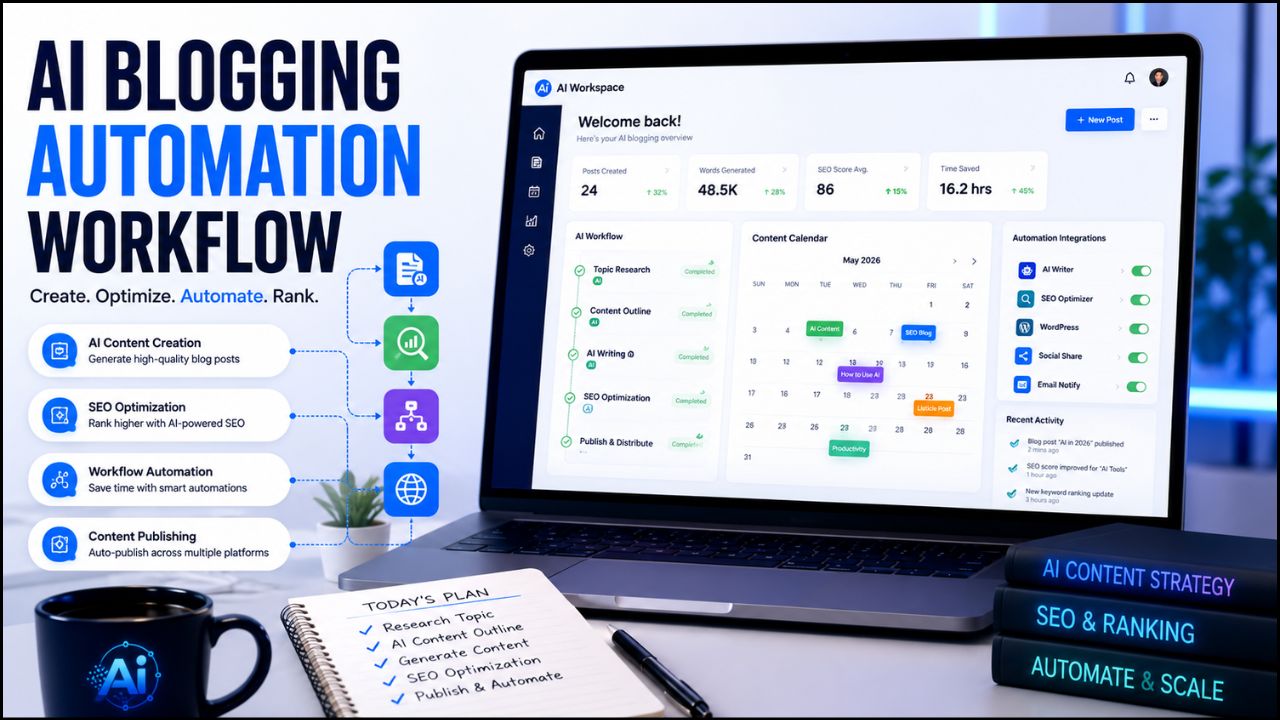
Your AI tools should make your work easier, not add more confusion to your day.
But that is exactly what happens to many bloggers and creators in 2026. They start with one writing tool, then add a design tool, then try an automation platform, then test a video tool, then subscribe to something else because everyone online says it is “essential.” After a few weeks, their browser is full of bookmarks, their budget is stretched, and their workflow is still messy.
That is why it is important to upgrade your AI tools with a clear strategy instead of chasing every new launch.
Upgrading does not always mean buying more expensive software. Sometimes it means removing tools you do not use. Sometimes it means replacing three average tools with one better platform. Sometimes it means building a simple workflow where writing, visuals, SEO, publishing, and promotion finally connect properly.
In this guide, you will learn how to upgrade your AI tools in a practical way, especially if you are a blogger, affiliate marketer, creator, freelancer, or small business owner. We will cover what upgrading really means, when your current AI stack is outdated, which tools to improve first, common mistakes, and how to build a cleaner workflow that saves time without making your content feel robotic.
Upgrade Your AI Tools in 2026: What It Really Means
To upgrade your AI tools means improving the way you use AI to complete real work. It is not only about switching from a free plan to a paid plan. It is about making your workflow faster, cleaner, more reliable, and easier to repeat.
A real upgrade can include:
- Choosing better tools for writing, research, design, video, SEO, or automation
- Removing duplicate tools that do the same job
- Creating reusable prompts and templates
- Connecting tools so tasks move smoothly from one step to another
- Adding quality checks before publishing AI-assisted content
- Tracking which tools actually help you save time or earn money
For example, a beginner blogger may start with ChatGPT for writing ideas and Canva for images. That is enough at the beginning. But once the blog grows, the same person may need a better content calendar, a workflow automation tool, a stronger SEO process, and a consistent system for updating old posts.
That is when upgrading makes sense.
The goal is not to look advanced. The goal is to reduce friction. If your tools help you publish better content more consistently, they are doing their job.
Why Upgrading AI Tools Matters for Bloggers and Creators
AI is now part of almost every content workflow. Bloggers use it for outlines, research, draft writing, image ideas, social captions, email sequences, video scripts, and automation. But the quality of your results depends heavily on the quality of your system.
A weak system creates weak output.
If your AI workflow is random, you may publish content that sounds generic, misses search intent, uses outdated facts, or repeats the same phrases across multiple posts. That can hurt trust with readers and make your site feel less useful.
A stronger workflow does the opposite. It helps you create content that is structured, edited, fact-checked, visually consistent, and easier for readers to understand.
Google’s own guidance focuses on helpful, reliable, people-first content. That means your AI tools should support real usefulness, not just produce more words. You can read Google’s official guidance on creating helpful, reliable, people-first content if you want to understand how search quality is framed from Google’s side.
For AI Sage Labs, this matters because the audience is not only looking for tool names. They want practical systems. They want to know which tools are worth using, how to use them, and how those tools can help with blogging, affiliate marketing, content creation, or online income.
That is why a smarter AI setup can become a real advantage.
Signs Your Current AI Tool Stack Is Outdated
You do not need to change your AI stack every time a new product launches. But there are clear signs that your current setup is slowing you down.
1. You Use Too Many Tools for the Same Task
If you have three writing tools, two image tools, three SEO tools, and four automation accounts, your workflow may be heavier than it needs to be.
Too many tools create decision fatigue. You spend more time choosing where to work than actually finishing the work.
A better approach is to pick one main tool for each job. One writing assistant. One design platform. One SEO process. One automation platform. You can test alternatives, but your daily workflow should stay simple.
2. Your AI Content Sounds Generic
If every post starts the same way, uses the same phrases, and gives the same basic advice, your AI workflow needs improvement.
This often happens when you rely too much on basic prompts like “write a blog post about this topic.” The AI produces a clean draft, but it does not know your audience, your site structure, your monetization strategy, or your personal judgment.
Instead, use prompts that include audience, search intent, tone, examples, internal links, CTA rules, and fact-checking requirements. This single change can make a big difference.
3. You Still Do Repetitive Tasks Manually
If you manually copy every new post into a tracker, manually create social captions, manually format every outline, and manually repeat the same publishing checklist, you may be ready for automation.
Automation does not need to be complicated. Even a simple workflow can save hours each month.
For example, after publishing a WordPress post, you can create a task to design Pinterest pins, add the URL to a spreadsheet, and prepare a social media draft. Tools like Zapier, Make, or n8n can help with this kind of workflow.
4. Your Visuals Do Not Match Your Brand
AI tools can create images quickly, but fast visuals are not always good visuals. If every featured image looks different, your blog may feel less professional.
A better setup uses brand colors, repeatable layouts, consistent image sizes, and a clear thumbnail style. Canva, Leonardo AI, and Stable Diffusion can all help, but the real upgrade is having a visual system.
5. You Do Not Track Results
If you do not know which tools save time, which posts get clicks, which CTAs convert, or which workflow steps create bottlenecks, your tool decisions become guesses.
Before buying more software, track your process for a few weeks. Note how long research takes, how long writing takes, how long editing takes, and which tools you actually open every week.
Data makes upgrading easier.
7 Smart Ways to Upgrade Your AI Tools
The best way to upgrade your AI tools is to improve one part of your workflow at a time. Do not rebuild everything in one weekend. Start with the area that creates the most friction.
1. Start With a Workflow Audit
Before upgrading anything, write down your current workflow.
For a blogger, the workflow may look like this:
- Choose a topic
- Research the keyword
- Create an outline
- Write the draft
- Edit the article
- Add images
- Add internal links
- Add affiliate CTAs
- Publish in WordPress
- Promote the post
- Track performance
Now mark the slowest steps. Maybe research takes too long. Maybe images delay publishing. Maybe internal linking is always forgotten. Maybe social promotion never happens.
Upgrade the bottleneck first.
If writing is slow, improve your writing assistant and prompt system. If visuals are slow, improve your Canva templates or AI image workflow. If promotion is slow, add automation. This keeps your upgrades practical instead of random.
2. Build a Smaller, Cleaner AI Stack
A beginner does not need twenty AI tools. Most bloggers can start with a simple stack:
| Workflow Area | Tool Type | Example Tools |
|---|---|---|
| Writing and planning | AI writing assistant | ChatGPT, Claude, Writesonic |
| Design | AI design tool | Canva, Leonardo AI |
| Video | AI video tool | Pictory, InVideo AI, Synthesia |
| Automation | No-code automation tool | Zapier, Make, n8n |
| SEO and publishing | SEO plugin or content tool | Rank Math, Google Search Console |
You can add advanced tools later, but the foundation should stay clean. The best stack is the one you actually use every week.
If you are still building your beginner setup, this internal guide can help: how to use AI tools for beginners in 2026.
3. Upgrade Your Prompt System Before Buying New Tools
Many people think their AI tool is weak when the real problem is their prompt.
A weak prompt gives weak direction. A strong prompt gives the AI a clear task, audience, format, tone, and rules.
Instead of writing:
“Write a blog post about AI tools.”
Use:
“Create a beginner-friendly outline for a 3000-word blog post about upgrading AI tools in 2026. The audience is bloggers and affiliate marketers. Use simple US English, practical examples, RankMath-friendly H2/H3 structure, two internal link opportunities, one trusted external source, and natural CTA placements. Do not use hype.”
That is a much better instruction.
Before paying for another tool, build prompt templates for your common tasks:
- Blog outline prompt
- Product review prompt
- FAQ prompt
- Meta description prompt
- Internal linking prompt
- CTA placement prompt
- Human editing prompt
Good prompts make almost every AI tool more useful.
4. Add a Real Internal Linking Process
Internal links should not be an afterthought. They help readers discover related content and help search engines understand how your site is connected.
The problem is that many bloggers publish posts first and think about internal links later. That creates broken anchors, missing related posts, and weak content clusters.
A better process is simple:
- Before writing, choose two related posts to link inside the article
- Use natural anchor text, not random “click here” text
- Link to posts that actually help the reader continue the journey
- Keep a spreadsheet of post titles, slugs, focus keywords, and categories
- Update old posts when you publish a strong new pillar post
For example, this post naturally connects with 7 trending AI tools in 2026 because readers who want to upgrade their stack also need tool ideas that are useful for bloggers.
This kind of internal linking is cleaner than forcing unrelated posts into the article.
5. Upgrade Your Visual Workflow
Visual content is no longer optional for bloggers. Your post needs a featured image, and your content can often be repurposed into Pinterest pins, YouTube thumbnails, LinkedIn graphics, and short video visuals.
The simplest upgrade is to create reusable templates.
For example, create a template for:
- Blog featured images
- Tool review thumbnails
- Comparison graphics
- Pinterest pins
- YouTube thumbnails
Then use AI to support the design process instead of starting from scratch each time.
Canva can help with templates and quick editing. Leonardo AI can help with creative images. Stable Diffusion can help advanced users who want more control. The tool matters, but the system matters more.
If your blog visuals look consistent, readers start recognizing your brand. That builds trust.
6. Add Automation Only After the Workflow Is Clear
Automation is powerful, but it can also create confusion if you use it too early.
Do not automate a messy workflow. First, repeat the task manually a few times. Once the steps are clear, automate the boring parts.
Good beginner automations include:
- Adding new post URLs to a Google Sheet
- Creating social media tasks after publishing
- Sending yourself a reminder to update old posts
- Saving form submissions into a CRM or spreadsheet
- Creating draft email newsletters from new blog posts
If you want a deeper beginner explanation, read this guide on what AI automation tools are.
Automation should support your content system. It should not become another complicated project that distracts you from publishing useful content.
7. Create a Quality Control Checklist
The final way to upgrade your AI tools is to add a review process before publishing.
AI can help you move faster, but it can also create mistakes. It may repeat phrases, miss context, use outdated information, or sound too generic. A simple checklist protects your content quality.
Before publishing, check:
- Does the article answer the reader’s main question?
- Is the focus keyword used naturally?
- Does the post include helpful examples?
- Are internal links connected to real posts?
- Is there at least one trusted external source?
- Are affiliate links relevant and not spammy?
- Does the intro sound different from your other posts?
- Did you remove hype and generic AI phrases?
- Is the final verdict clear?
- Is the affiliate disclosure included at the end?
This checklist is simple, but it makes your AI-assisted content feel more human and more useful.
Best AI Tools to Upgrade First
If you cannot upgrade everything at once, start with the tool category that affects your output most directly.
Writing and Research Tools
Writing tools usually create the biggest time savings for bloggers. They help with topics, outlines, drafts, FAQs, meta descriptions, and content repurposing.
But do not treat them as automatic article machines. Use them for structure and speed, then add your own research, examples, judgment, and editing.
Good writing upgrades include better prompts, saved templates, brand voice instructions, and a consistent editing workflow.
Design and Image Tools
If your blog looks unprofessional, readers may not trust it even if the writing is helpful.
Design tools can help you create better featured images, social graphics, and thumbnails. For most beginners, Canva is the easiest starting point. For AI image generation, Leonardo AI and Stable Diffusion are useful depending on your skill level.
Use these tools to create a recognizable visual style, not random images for every post.
Video Tools
Video tools matter because one blog post can become multiple content assets. A written article can turn into a YouTube script, short video, social clip, or explainer video.
Pictory, InVideo AI, Synthesia, Runway, and Descript all serve different video workflows. The right choice depends on whether you want blog-to-video, avatar videos, advanced editing, or text-based editing.
For bloggers, the first upgrade is usually a blog-to-video tool or a simple editing tool.
Automation Tools
Automation tools help connect apps and reduce manual work. Zapier is beginner-friendly, Make is flexible, and n8n is useful for more technical users who want control.
Start with one simple automation. Do not build a giant system before your content process is stable.
SEO and Tracking Tools
SEO tools help you improve content, but they cannot replace useful writing. Rank Math, Google Search Console, and keyword research tools can help you understand what is working.
For WordPress users, Rank Math is helpful because it turns on-page SEO into a checklist. Just remember that a green score is not the same as a helpful article. Use the score as a guide, not as the final goal.
Recommended AI Workflow for Bloggers
Here is a practical workflow you can use after you upgrade your AI tools:
- Choose one topic based on your content plan.
- Check the search intent and existing internal link opportunities.
- Create an outline with your AI writing assistant.
- Add your own examples, notes, and monetization angle.
- Draft the article section by section.
- Edit manually for clarity and human tone.
- Add two internal links to relevant existing posts.
- Add one trusted external source where it helps the reader.
- Create a 16:9 featured image in your visual tool.
- Add natural CTAs for relevant tools, services, books, or hosting.
- Publish in WordPress and track performance.
- Update the article after 60 to 90 days if needed.
This is simple enough to repeat every week, but strong enough to support long-term growth.
Recommended Setup for AI Bloggers
If you want to turn your AI workflow into a real blog or affiliate site, you need a reliable place to publish your content. Social platforms are useful, but your own website gives you more control over SEO, branding, email capture, and affiliate monetization.
For beginners, WordPress is still one of the best foundations because it is flexible, searchable, and easy to monetize over time.
Build Your AI Blog on a Strong Foundation
If your goal is to publish AI tool reviews, tutorials, and affiliate content, start with a self-hosted WordPress site. Hostinger is a beginner-friendly option for launching a blog without making the setup too complicated.
When You Should Hire Help Instead of Doing Everything Yourself
Sometimes the smartest way to upgrade is not another subscription. It is getting help from someone who already knows the workflow.
For example, you may want help with:
- Setting up WordPress properly
- Creating a blog design system
- Building AI automation workflows
- Designing featured image templates
- Fixing SEO and internal linking issues
- Creating video content from blog posts
If you are stuck for weeks trying to set up something technical, hiring help can save time and reduce frustration.
Need Help Building Your AI Workflow?
If you do not want to set up every tool yourself, you can hire freelancers for WordPress setup, AI automation, SEO cleanup, Canva templates, or blog workflow systems.
Recommended Book for Thinking Better About AI
Tools change quickly, but good thinking stays useful. If you want to understand how AI fits into real work, decision-making, and creativity, a helpful book to explore is Co-Intelligence: Living and Working with AI by Ethan Mollick.
This book is a good fit for bloggers, creators, and business owners who want to use AI thoughtfully instead of treating it like a magic button.
Recommended Reading
If you want a deeper understanding of how to work with AI in a practical way, this book is a strong next step.
Common Mistakes to Avoid
Buying Tools Before You Have a Workflow
Do not buy a tool just because it is trending. First, know the task it will solve. If you cannot explain where the tool fits in your workflow, wait before paying.
Using AI to Publish Generic Content
AI can help you write faster, but generic content will not build a strong blog. Add examples, opinions, comparisons, screenshots, and real judgment whenever possible.
Ignoring Internal Links
Internal links should be part of the writing process, not a task you postpone for later. Add them while drafting so your content cluster grows naturally.
Trusting AI Facts Without Checking
AI tools can be wrong. Always check pricing, features, claims, and important facts from official sources before publishing.
Making Every CTA Feel Like a Sales Pitch
Affiliate links should appear where the reader has a clear next step. Hosting makes sense when the reader needs a website. Fiverr makes sense when they need help. Amazon makes sense when they want deeper learning.
Final Verdict
You should upgrade your AI tools when your current setup is slowing you down, creating generic output, wasting money, or making your workflow harder than it needs to be.
But do not confuse upgrading with collecting tools.
The best AI setup is not the biggest stack. It is the cleanest system that helps you create useful content consistently. For bloggers, that usually means one strong writing workflow, one visual workflow, one SEO process, one publishing checklist, and simple automation added only when needed.
If you are a beginner, start small. Improve your prompts. Create reusable templates. Fix your internal linking process. Add a trusted external source where it helps. Build your website on a solid foundation. Then add better tools only when your workflow proves that you need them.
That is how you upgrade your AI tools without wasting money or losing the human quality that makes readers trust your content.
Frequently Asked Questions
What does upgrading AI tools mean?
It means improving your AI workflow so your tools help you work faster, create better content, reduce manual tasks, and publish more consistently. It can include better prompts, better software, automation, templates, or a cleaner tool stack.
Do I need paid AI tools as a beginner?
No. Beginners can start with free or low-cost tools. Upgrade only when you clearly understand the limitation you are trying to solve, such as low AI credits, missing templates, weak automation, or slow content production.
What AI tool should bloggers upgrade first?
Most bloggers should upgrade their writing and planning workflow first because it affects every article they publish. After that, improve visuals, SEO, and automation based on your biggest bottleneck.
Are too many AI tools bad for productivity?
Yes, they can be. Too many tools create confusion, duplicate costs, and scattered workflows. A smaller stack with clear roles is usually better than a large stack you do not use consistently.
How can I make AI content sound more human?
Use specific examples, edit manually, vary your introductions, include real opinions, avoid hype, and write for one clear audience. AI should help with structure and speed, not replace your judgment.
Should I automate my blog workflow?
Yes, but only after the workflow is clear. Start with simple automations like tracking published posts, creating promotion tasks, or preparing newsletter drafts. Do not automate a messy process too early.
How often should I review my AI tool stack?
Review your tools every 60 to 90 days. Check which tools you use regularly, which ones save time, which ones cost money without clear value, and which workflow steps still feel slow.
Conclusion
AI tools are powerful, but they only become valuable when they fit into a real workflow.
If you want to build a better blogging system in 2026, do not chase every new AI launch. Start with your actual problems. Where are you losing time? Where is your content weakest? Where are your links missing? Where does publishing slow down?
Answer those questions first. Then upgrade the tools that solve those problems.
For most bloggers, the smartest path is simple: improve your writing workflow, create better visuals, connect related posts properly, use trusted sources, add automation slowly, and keep your final content useful for real readers.
That is how AI becomes a serious advantage instead of another distraction.
Affiliate Disclosure
As an Amazon Associate, I earn from qualifying purchases. Some links in this article are affiliate links, which means I may earn a commission at no extra cost to you if you buy through them. I only recommend tools, books, and services that may help beginners learn, build, or grow their online work more effectively.