
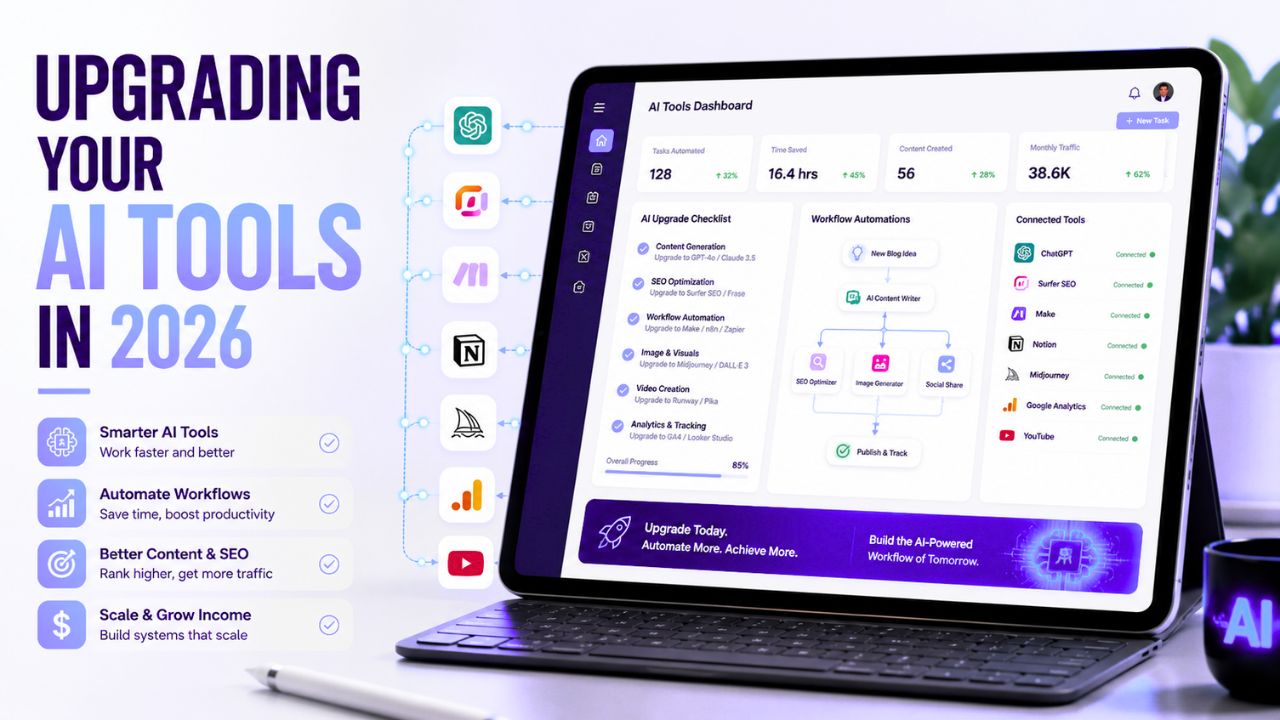
Most people do not need more AI tools. They need better decisions about the tools they already use.
That is the real problem in 2026. New AI products launch almost every week. One promises faster writing. Another promises better automation. Another says it can replace your editor, designer, researcher, or assistant. If you are a blogger, creator, freelancer, or small business owner, it is easy to feel like you are always behind.
But upgrading your AI tools should not be a reaction to hype. It should be a careful decision based on your workflow, budget, privacy needs, content goals, and the real problems you are trying to solve.
A smart upgrade can save hours every week. A bad upgrade can create more subscriptions, more complexity, and more unfinished systems.
In this guide, we will look at the key considerations and insights you should understand before upgrading your AI tools. You will learn when an upgrade makes sense, what to check before switching platforms, how to compare AI tools, what mistakes to avoid, and how to build a cleaner AI workflow that actually supports your blog or online business.
Upgrading Your AI Tools: What It Really Means
Upgrading your AI tools means improving the tools, workflows, prompts, integrations, and quality checks you use to get real work done with artificial intelligence.
It does not always mean moving from free to paid. It does not always mean choosing the newest tool. It does not even always mean adding another tool.
Sometimes the best upgrade is removing software you no longer use.
For example, a blogger may start with a simple AI writing assistant. That is enough in the beginning. But after publishing more content, they may notice new problems:
- Content takes too long to edit
- Images are inconsistent
- Internal links are missing
- SEO checks happen too late
- Social promotion is manual
- Old posts are never updated
At that point, the upgrade is not just “buy a better writing tool.” The real upgrade is building a better system.
That system may include a writing assistant, a design tool, a WordPress workflow, an automation platform, a spreadsheet tracker, and a simple content review checklist.
The goal is not to collect tools. The goal is to create a workflow that helps you produce better content with less friction.
Why AI Tool Upgrades Matter in 2026
AI tools are no longer just fun experiments. They are now part of how people write, research, design, code, automate, teach, sell, and build online businesses.
For bloggers, AI can help with:
- Finding topic ideas
- Creating SEO outlines
- Writing first drafts
- Editing weak sections
- Creating featured image ideas
- Repurposing posts into videos
- Building social captions
- Automating repetitive publishing tasks
That sounds powerful, but there is a catch. Faster content is not always better content.
If your AI tools help you publish generic articles, repeat the same introduction style, skip fact-checking, or add random affiliate links, the upgrade is not helping your brand. It is only helping you publish faster.
A better upgrade should improve quality and consistency.
Google’s guidance on AI-generated content is clear about the bigger principle: content should be helpful and created for people first, regardless of how it is produced. That means AI can be part of your workflow, but it should support usefulness, not replace judgment.
You can read Google’s official explanation here: Google Search guidance about AI-generated content.
When Should You Upgrade Your AI Tools?
You should not upgrade just because a tool is popular. You should upgrade when there is a clear reason.
Here are the strongest signs that upgrading your AI tools may make sense.
Your Current Workflow Is Too Slow
If you spend too much time moving between apps, rewriting the same prompts, formatting content manually, or rebuilding the same article structure every week, your workflow may need improvement.
A good upgrade should remove repeated effort. For example, saved prompt templates, reusable blog outlines, Canva templates, and publishing checklists can all speed up work without lowering quality.
Your Output Quality Is Not Improving
If every AI-assisted article sounds the same, your tools may not be the only problem. Your workflow may need better inputs, clearer instructions, stronger editing, and more real examples.
Before changing tools, improve your process. Give the AI better context. Add your audience, category, focus keyword, internal link targets, CTA rules, and tone instructions. You may get better output from the same tool.
You Have Outgrown Free Plans
Free plans are useful, but they often come with limits. You may run out of credits, lose access to advanced templates, or miss features like collaboration, brand voice, exports, or automation.
Paying can make sense when the tool saves enough time or creates enough business value to justify the cost.
You Need Better Integrations
A tool that works alone may be fine at the beginning. But as your blog grows, integrations matter more.
For example, you may want your tools to connect with WordPress, Google Sheets, Gmail, Notion, Airtable, Canva, Slack, or an email platform. If your current tool cannot connect with your workflow, it may create extra manual work.
You Need Better Privacy or Control
As you use AI tools more seriously, privacy becomes more important. You may be handling client information, unpublished drafts, affiliate revenue data, customer messages, or business documents.
Before upgrading, check how the tool handles data, whether it allows team permissions, and whether it gives enough control for your use case.
Key Considerations Before Upgrading Your AI Tools
Before you pay for a new platform, move your workflow, or replace your existing tools, review these important factors.
1. Start With Your Actual Use Case
The first question is not “What is the best AI tool?”
The better question is:
“What job do I need this AI tool to do?”
A blogger needs different features than a developer. A YouTuber needs different features than an affiliate marketer. A small business owner needs different features than a student.
For AI Sage Labs readers, common use cases include:
- Writing SEO blog posts
- Creating affiliate review content
- Designing blog thumbnails
- Turning blog posts into videos
- Automating content promotion
- Tracking rankings and performance
- Building simple online income systems
Once the use case is clear, the tool decision becomes easier.
If you are still building your beginner workflow, this guide on how to use AI tools is a useful next step.
2. Check the Learning Curve
A powerful tool is not always the best tool for beginners.
Some AI platforms have advanced settings, custom workflows, API options, prompt libraries, and automation logic. That can be useful for experienced users, but confusing for someone who only wants to publish blog posts consistently.
Before upgrading, ask:
- Can I understand the interface quickly?
- Does the tool offer tutorials or templates?
- Will I use the advanced features?
- Is the setup worth the time?
- Can I get help if I get stuck?
A tool should match your current stage. You can always move to more advanced software later.
3. Evaluate Output Quality
Do not judge an AI tool only by its homepage claims. Test the output.
If it is a writing tool, create a draft and review:
- Does it understand search intent?
- Does it avoid generic filler?
- Can it follow your tone?
- Does it structure sections clearly?
- Does it require heavy rewriting?
If it is an image tool, test:
- Image quality
- Prompt control
- Text accuracy
- Commercial-use terms
- Export quality
If it is an automation tool, test:
- Available integrations
- Reliability
- Setup difficulty
- Error handling
- Monthly task limits
A good tool should reduce work after setup, not create more work every time you use it.
4. Review Pricing Carefully
AI tool pricing can look simple at first, but the real cost may depend on credits, usage limits, seats, exports, storage, automation runs, or premium features.
Before paying, check:
- Monthly price
- Annual discount
- Credit limits
- Usage limits
- Export restrictions
- Team pricing
- Upgrade and cancellation rules
Do not buy a tool because it feels cheap. Buy it because it solves a clear problem and fits your budget.
If a tool saves three hours every week, it may be worth paying for. If it only looks interesting but does not change your workflow, skip it for now.
5. Check Data Privacy and Risk
This is one of the most important parts of upgrading your AI tools, especially if you use AI for client work, business planning, customer support, or private documents.
Before using a new AI platform, check:
- What data you are uploading
- Whether the tool stores prompts or files
- Whether your content may be used for training
- Team permission controls
- Security features
- Export and deletion options
For a broader risk-management view, NIST’s AI Risk Management Framework is a useful trusted resource for understanding trustworthy AI practices. You can review it here: NIST AI Risk Management Framework.
6. Look at Integration With Your Existing System
The best tool is not always the tool with the most features. It is the tool that fits your workflow.
If you run a WordPress blog, your tool stack may include WordPress, Rank Math, Google Search Console, Canva, email marketing software, Google Sheets, and automation tools.
A new AI tool should support that system. If it forces you to copy and paste everything manually, it may slow you down.
If you are planning automation, this guide on best AI automation tools for bloggers can help you compare beginner-friendly options.
7. Check Support and Documentation
Support matters more than people think.
When a workflow breaks, you need answers. A tool with poor documentation, slow support, or unclear settings can waste hours.
Before upgrading, check:
- Help docs
- Video tutorials
- Community forum
- Live chat or email support
- Template library
- Update history
If the tool is critical to your business, support is part of the value.
AI Tool Upgrade Checklist
Use this checklist before buying or switching any AI tool.
| Question | Why It Matters |
|---|---|
| What problem does this tool solve? | Prevents random purchases |
| Will I use it every week? | Helps avoid wasted subscriptions |
| Does it improve quality or only speed? | Protects content trust |
| Does it connect with my current workflow? | Reduces manual work |
| Can I test it before paying? | Lowers risk |
| Are pricing limits clear? | Avoids surprise costs |
| Is my data safe? | Protects private information |
| Does support exist if I get stuck? | Improves long-term usability |
If you cannot answer these questions, wait before upgrading.
Best AI Tools to Consider Upgrading First
You do not need to upgrade everything at once. Focus on the categories that affect your work the most.
AI Writing Tools
AI writing tools are usually the first upgrade for bloggers. They help with ideas, outlines, drafts, meta descriptions, FAQs, and content repurposing.
Look for tools that help you write clearly, follow structure, and reduce editing time. Do not choose a tool only because it creates long articles quickly. Speed without quality is not enough.
AI Design Tools
Design tools are important because your visuals affect trust. A clean featured image, strong thumbnail, or branded graphic can make your blog look more professional.
Canva is often a practical starting point for bloggers. AI image tools like Leonardo AI or Stable Diffusion can also help when you need custom visuals.
AI Video Tools
Video tools are useful if you want to repurpose blog posts into YouTube videos, shorts, reels, or explainers.
For bloggers, tools like Pictory, InVideo AI, Synthesia, Runway, or Descript may fit different needs. Choose based on your workflow: blog-to-video, avatar videos, advanced editing, or transcript-based editing.
AI Automation Tools
Automation tools are useful when you repeat the same steps every week.
For example:
- New post published → add URL to a spreadsheet
- New lead captured → send welcome email
- New content idea saved → create task in your content calendar
- New article published → create social promotion reminders
Zapier is often easier for beginners, while Make.com gives more visual control. n8n is powerful for technical users who want more flexibility.
SEO and Analytics Tools
SEO tools help you see whether your content is moving in the right direction. Rank Math can help with on-page optimization. Google Search Console can show which queries bring traffic. Analytics tools can help you understand reader behavior.
Do not use SEO tools only to chase scores. Use them to improve helpfulness, structure, internal links, and clarity.
How Bloggers Should Approach AI Tool Upgrades
Bloggers should be especially careful because AI tools can either improve a content system or make it feel mechanical.
Here is a simple upgrade path for bloggers:
- Fix your topic planning system.
- Create better prompt templates.
- Standardize your article structure.
- Add two internal links during drafting.
- Add one trusted external source when useful.
- Create reusable featured image templates.
- Use AI to repurpose each post into social content.
- Add automation only after publishing becomes consistent.
- Review tool costs every month.
This approach keeps the workflow practical.
The most important thing is to protect trust. AI can help you create more, but readers still need useful explanations, honest recommendations, and clear next steps.
Recommended Setup for a Better AI Blog Workflow
If your goal is to use AI tools for blogging or affiliate marketing, your website is still the foundation. Social media can help, but a self-hosted blog gives you more control over search traffic, branding, content updates, affiliate links, email capture, and long-term monetization.
For beginners, WordPress is a strong option because it is flexible and easy to expand as your site grows.
Build Your AI Blog on WordPress
If you want your AI content system to become a real asset, start with a reliable WordPress blog. Hostinger is beginner-friendly and works well for launching content and affiliate websites.
When to Get Help With AI Tool Setup
Not every upgrade needs to be done alone. If you are spending days trying to connect tools, fix WordPress issues, create automation workflows, or design a content system, hiring help may be smarter.
You can hire freelancers for:
- WordPress setup
- AI automation workflows
- SEO cleanup
- Canva template design
- AI video editing
- Blog content formatting
This can save time if the task is blocking your publishing schedule.
Need Help Upgrading Your AI Workflow?
If you want expert help setting up AI tools, automations, WordPress, SEO, or content systems, Fiverr is a practical place to find freelancers for one-time setup tasks.
Recommended Book for Smarter AI Decisions
When you are comparing AI tools, it helps to understand how AI changes work itself. One useful book for that is Co-Intelligence: Living and Working with AI by Ethan Mollick.
It is not a tool manual. It is more useful as a thinking guide for people who want to work with AI more intelligently instead of jumping from one tool to another.
Recommended Reading
If you want to think more clearly about how AI fits into work, creativity, and productivity, this book is a helpful next step.
Common Mistakes When Upgrading AI Tools
Chasing Trends Instead of Solving Problems
A tool being popular does not mean it is right for your workflow. Start with your problem first, then choose the tool.
Ignoring Hidden Costs
Some tools look affordable until you hit credit limits, export limits, seat limits, or automation task limits. Always check the full pricing page.
Switching Too Often
If you keep switching tools every week, you never build a stable workflow. Test tools carefully, but give your main system enough time to work.
Publishing AI Output Without Editing
AI drafts need human review. Add examples, remove repeated phrases, check facts, and make sure the article actually helps the reader.
Forgetting Internal Links
Internal links should be part of your publishing process. Add them before publishing, not weeks later.
Ignoring Privacy
Do not upload sensitive client, financial, or business information into a tool unless you understand the privacy settings and terms.
Final Verdict
Upgrading your AI tools can be one of the smartest moves you make in 2026, but only if you do it with a clear strategy.
Do not upgrade because a tool is trending. Upgrade because your current workflow has a real limitation. Maybe you need faster drafting, better visuals, smoother automation, cleaner internal linking, stronger SEO checks, or more reliable content review.
The best AI tool stack is not the biggest one. It is the one that helps you work consistently without lowering trust.
For bloggers, creators, and affiliate marketers, the smartest upgrade path is simple: improve your process first, then choose tools that support that process.
If you do that, upgrading your AI tools becomes less about chasing software and more about building a better online business system.
Frequently Asked Questions
What does upgrading AI tools mean?
It means improving your AI workflow by choosing better tools, removing unnecessary software, creating better prompts, adding integrations, and building quality checks that help you work faster and produce better results.
When should I upgrade my AI tools?
You should upgrade when your current tools slow you down, limit your output quality, create too much manual work, lack important integrations, or no longer fit your content or business goals.
Should beginners pay for AI tools?
Beginners do not need to pay immediately. Start with free plans where possible. Upgrade only when a paid feature clearly saves time, improves quality, or supports a real business workflow.
What is the biggest mistake when upgrading AI tools?
The biggest mistake is buying tools without a clear workflow. If you do not know what problem the tool solves, it may become another unused subscription.
Are AI tools safe for business use?
AI tools can be safe when used carefully, but you should review privacy settings, data policies, permissions, and security features before uploading sensitive business or client information.
Which AI tool should bloggers upgrade first?
Most bloggers should upgrade their writing and content planning workflow first. After that, improve design, SEO, automation, and video based on the biggest bottleneck in the publishing process.
Can AI tool upgrades help me make money online?
Yes, but not automatically. Better tools can help you publish more consistently, improve content quality, create visuals, automate tasks, and build affiliate systems. Income still depends on strategy, traffic, trust, and execution.
Conclusion
AI tools are changing fast, but your upgrade decisions should stay grounded.
Start with your workflow. Find the slowest or weakest part. Test whether a better tool, prompt, template, or automation can fix it. Then upgrade carefully.
For bloggers and online creators, the best AI setup is not complicated. It helps you plan better, write clearer, design faster, link smarter, publish consistently, and keep the reader’s trust.
That is the real value of upgrading your AI tools.
Affiliate Disclosure
As an Amazon Associate, I earn from qualifying purchases. Some links in this article are affiliate links, which means I may earn a commission at no extra cost to you if you buy through them. I only recommend tools, books, and services that may help beginners learn, build, or grow their online work more effectively.