
Writer-GPT Review 2026: Complete Guide to This AI SEO Content Tool for Bloggers, Affiliates and Agencies

Writer-GPT Review 2026 Complete Guide

AI content tools are not impressive anymore just because they can write paragraphs.

In 2026, almost every major AI assistant can generate a blog draft. The real question is whether the tool helps you create content that is structured, useful, edited, optimized, and ready for a real publishing workflow.

That is why this Writer-GPT review 2026 matters for bloggers, affiliate marketers, freelancers, and agencies.

Most beginners do not struggle because they have no ideas. They struggle because the full content process has too many moving parts. You need keyword research, article structure, headings, search intent, internal links, screenshots, CTAs, editing, SEO checks, and updates after publishing.

Writing is only one part of the system.

 

Writer-GPT Review 2026

Writer-GPT, also commonly searched as WriteGPT, is positioned as an AI-powered writing and productivity tool that can help users create, rewrite, summarize, and improve content faster. For bloggers, the appeal is simple: if a tool can reduce drafting time and help create more structured content, it may become part of a serious content workflow.

But there is an important warning before we begin. No AI writing tool should be treated as a one-click ranking machine. Google does not reward content just because it is long or AI-assisted. The content still needs to be helpful, accurate, original, and written for people first.

In this guide, we will look at what Writer-GPT is, how it works, who it is best for, its likely strengths and limitations, how bloggers can use it safely, and whether it is worth considering in 2026.

Writer-GPT Review 2026: What Is Writer-GPT?

Writer-GPT is an AI-powered content tool designed to help users write, rewrite, summarize, and improve text faster.

Depending on the version or product page you are using, Writer-GPT may also be branded as WriteGPT. The public product information focuses on AI writing support, workflow assistance, and productivity for users who want to create content more efficiently.

For bloggers and affiliate marketers, the main idea is simple:

Instead of starting every post from a blank page, you can use Writer-GPT to help with outlines, draft sections, summaries, rewrites, emails, social captions, and content repurposing.

That can save time, especially if you already have research notes and a clear publishing structure.

However, the tool should not replace research, editing, fact-checking, or human judgment. If you publish raw AI output, the content may feel generic and may not build reader trust.

Who Is Writer-GPT Best For?

This Writer-GPT review 2026 is written mainly for AI Sage Labs readers: bloggers, affiliate marketers, creators, freelancers, and small agencies who want to create more content without losing quality.

Writer-GPT may be useful for:

  • Bloggers who need help drafting long-form articles
  • Affiliate marketers writing product reviews and comparisons
  • Freelancers who want to speed up first drafts
  • Agencies producing content for multiple clients
  • Creators repurposing blog posts into emails or social captions
  • Beginners who need help organizing ideas into a structure

Writer-GPT may not be ideal for:

  • People expecting one-click SEO rankings
  • Users who do not want to edit AI output
  • Writers who need deep investigative journalism
  • Brands with strict legal or compliance review needs
  • Advanced SEO teams that already use a full content operations stack

The tool makes the most sense when you treat it as a writing assistant, not as a replacement for your content strategy.

 

Writer-GPT Review 2026

Why AI SEO Content Tools Matter in 2026

Content creation has changed dramatically over the past few years. A blogger is no longer competing only with other bloggers. They are competing with content systems.

Large websites use teams, templates, editors, SEO tools, automation, and AI-assisted workflows. Solo bloggers cannot always match that manually.

That is where AI writing tools become useful. They help reduce repetitive work so you can focus on research, examples, trust, and better recommendations.

A strong AI content workflow can help with:

  • Creating article outlines faster
  • Drafting first versions of sections
  • Rewriting weak paragraphs
  • Summarizing research notes
  • Creating FAQ answers
  • Repurposing posts into social captions
  • Improving readability
  • Maintaining a consistent publishing schedule

But the important word is workflow.

AI is useful when it supports a good process. It becomes risky when people use it to publish generic content at scale without fact-checking or adding real value.

Google’s official guidance says the focus should be helpful, reliable, people-first content. That applies whether content is created manually, with AI assistance, or with a mix of both.

How Writer-GPT Works

A useful Writer-GPT review 2026 should explain the workflow, not just list features. The tool becomes more valuable when you use it inside a repeatable content process.

Most AI writing tools follow a similar workflow, and Writer-GPT appears to fit that pattern.

Step 1: Enter a Topic, Keyword, or Prompt

You start by giving the tool a task. That could be a keyword, blog title, paragraph, content brief, email idea, or rewrite instruction.

For example:

Create a beginner-friendly blog outline about AI writing tools for affiliate marketers.

The quality of your input matters. A vague prompt creates a vague result. A clear prompt creates a more useful draft.

Step 2: Choose the Content Goal

Depending on the tool interface, you may choose a content type or use a direct prompt. The goal could be a blog section, summary, rewrite, caption, email, or article draft.

For bloggers, the best approach is to work section by section instead of asking for a full article in one prompt.

Step 3: Generate the Draft

Writer-GPT can then generate text based on your instructions. This may include headings, paragraphs, bullet points, summaries, or rewritten content.

This is where the tool saves time. Instead of staring at a blank page, you get a first draft to edit.

Step 4: Edit and Improve

This is the step beginners should never skip.

AI output needs editing. You should check facts, remove generic wording, add examples, improve flow, verify claims, and make sure the article matches your audience.

Step 5: Publish or Repurpose

After editing, you can move the content into WordPress, email, social media, or your content calendar.

For serious bloggers, Writer-GPT should be one part of a larger publishing system that includes SEO, internal linking, visuals, CTAs, and content updates.

Key Features of Writer-GPT

This Writer-GPT review 2026 focuses on the features that matter most for bloggers and content creators.

1. AI Content Drafting

The core benefit is AI-assisted writing. Writer-GPT can help create drafts for articles, blog sections, emails, summaries, and marketing content.

This is useful for bloggers who publish regularly and do not want to start from scratch every time.

Best use case: turning research notes into a rough article draft.

Real limitation: the first draft still needs editing, examples, and fact-checking.

2. Rewriting and Content Improvement

AI rewriting can be useful when a paragraph feels awkward or too long.

You can use Writer-GPT to simplify complex sections, rewrite introductions, improve readability, or create alternate versions of a CTA.

For affiliate content, this is helpful because clarity affects conversions. A confusing review loses readers before they reach the recommendation.

Best use case: rewriting weak sections of a review or guide.

Real limitation: rewriting should not become copying. Always keep the content original and useful.

3. Summarization

Summarization is valuable for research-heavy posts.

For example, if you collect notes from official product pages, help docs, or feature pages, Writer-GPT may help summarize those notes into a cleaner structure.

This can save time when preparing review posts or comparisons.

Best use case: turning messy research notes into a content brief.

Real limitation: summaries can miss important details, so review the original source before publishing.

4. Blog Outline Support

A strong outline is one of the most important parts of SEO content.

Writer-GPT can help organize a topic into headings and subheadings, especially when you provide the audience, focus keyword, search intent, and article type.

For example, an affiliate review outline should include what the product is, who it is best for, key features, pricing notes, pros and cons, alternatives, final verdict, and FAQs.

Best use case: creating a repeatable structure for long-form blog posts.

Real limitation: AI outlines can miss unique angles unless you add your own content strategy.

5. Content Repurposing

One blog post can become many smaller content assets.

Writer-GPT can help turn a blog section into:

  • Social media captions
  • Email newsletter drafts
  • Short summaries
  • Video script ideas
  • LinkedIn posts
  • FAQ answers

This matters because bloggers should not depend only on Google traffic. Repurposing helps you get more value from every article.

Best use case: turning one review post into social and email content.

Real limitation: repurposed content still needs platform-specific editing.

Writer-GPT Review 2026

Writer-GPT for Bloggers

The blogging angle is the most important part of this Writer-GPT review 2026 because bloggers need more than a draft. They need a repeatable publishing system.

Bloggers can use Writer-GPT to reduce the friction of publishing.

A practical blogging workflow could look like this:

  1. Choose a low-competition keyword.
  2. Create a search-intent brief.
  3. Ask Writer-GPT for an outline.
  4. Edit the outline manually.
  5. Draft the article section by section.
  6. Add internal links and examples.
  7. Check facts from official sources.
  8. Create the featured image.
  9. Publish in WordPress.
  10. Repurpose into email and social content.

This kind of workflow is better than asking the tool for a complete article and publishing it without review.

If you are still building your content workflow, read this related guide on AI writing tools tested in 2026.

Writer-GPT for Affiliate Marketers

For affiliate marketers, this Writer-GPT review 2026 needs a clear warning: AI can speed up content, but it should never fake product experience.

Affiliate marketers can use Writer-GPT for review posts, comparison articles, alternatives posts, and buying guides.

But affiliate content has a higher trust requirement than basic informational content.

If you use AI to write an affiliate review, do not let it invent experience. Give it real notes from official sources, product pages, pricing pages, screenshots, and your own observations.

Writer-GPT can help with:

  • Review outlines
  • Feature explanations
  • Pros and cons
  • Comparison tables
  • FAQ drafts
  • CTA variations
  • Final verdict polishing

The final recommendation should come from you.

If you want a deeper workflow, read this guide on how to write affiliate review posts with AI.

Writer-GPT for Agencies and Freelancers

Agencies and freelancers may find Writer-GPT useful because content work often repeats across clients.

For example, an agency may need:

  • Blog outlines for multiple clients
  • Social captions from blog posts
  • Newsletter drafts
  • Content briefs
  • Rewrite options
  • FAQ drafts

AI tools can speed up that work, but agencies need strict review systems. Client content must be accurate, original, and brand-safe.

If you use Writer-GPT for client work, create clear rules:

  • Do not publish raw AI output.
  • Fact-check every claim.
  • Follow the client’s tone.
  • Check for duplicated phrasing.
  • Add human examples and expertise.
  • Keep client data private.

This makes the tool useful without risking trust.

Writer-GPT Pricing

Pricing is another reason to read a Writer-GPT review 2026 before signing up, because AI writing tools often use credits, limits, or feature tiers that are not obvious at first.

Pricing can change, so always check the official Writer-GPT or WriteGPT pricing page before buying.

When reviewing any AI writing tool, do not only look at the monthly price. Check what the plan includes.

Important pricing questions include:

  • Is there a free plan or free trial?
  • How many words, credits, or generations are included?
  • Are advanced features locked behind higher plans?
  • Can you export content easily?
  • Does the plan support team use?
  • Does usage reset monthly?
  • Is annual billing cheaper?

For bloggers, the right plan depends on publishing volume. If you publish one post per week, you may need less than an agency producing dozens of drafts every month.

Writer-GPT Pros and Cons

Pros

  • Can speed up first drafts
  • Useful for rewriting and improving sections
  • Helpful for summarizing research notes
  • Can support blog outlines and content structure
  • Useful for repurposing content into social and email formats
  • Good fit for bloggers, affiliates, freelancers, and agencies

Cons

  • Still requires human editing
  • May produce generic content if prompts are weak
  • Pricing and plan limits need to be checked before buying
  • Should not be used to fake product experience
  • Not a complete SEO strategy by itself
  • Independent third-party review data may be limited depending on the exact product version

Writer-GPT vs ChatGPT

ChatGPT is more flexible. You can use it for research, planning, writing, coding, analysis, brainstorming, and many different tasks.

Writer-GPT is more focused on writing and content improvement workflows.

If you want a general AI assistant, ChatGPT may be more flexible. If you want a writing-focused tool with a simpler content workflow, Writer-GPT may feel easier for specific writing tasks.

The best choice depends on your working style.

Writer-GPT vs Writesonic

Writesonic is a more established AI writing platform with a clearer blogging and marketing content position.

Writer-GPT may appeal to users who want a simpler writing assistant, but Writesonic may offer a broader set of content marketing features depending on your plan and needs.

If you are comparing options, read this Writesonic review for bloggers.

How to Use Writer-GPT Safely for SEO Content

The most practical takeaway from this Writer-GPT review 2026 is that safe SEO content comes from process, not from one-click generation.

The safest way to use Writer-GPT is to keep humans in control of the strategy.

Use this workflow:

  1. Pick a clear keyword.
  2. Study the search intent.
  3. Collect real research from trusted sources.
  4. Create an outline with Writer-GPT.
  5. Draft one section at a time.
  6. Add your own examples and judgment.
  7. Fact-check every important claim.
  8. Add internal links.
  9. Add a trusted external source.
  10. Edit for human tone.
  11. Publish only after review.

This approach protects quality and reduces the risk of thin AI content.

How to Make Money With Writer-GPT

Writer-GPT does not make money for you automatically. It can only support the work that creates income.

Here are practical ways bloggers can use it.

1. Affiliate Blogging

You can use Writer-GPT to draft product reviews, comparison posts, and buying guides. Then you add real research, screenshots, pros and cons, and affiliate CTAs.

2. Freelance Writing

Freelancers can use AI to speed up outlines, first drafts, and rewrites. This can help increase output, but the final quality still depends on editing.

3. Content Agency Work

Agencies can use AI tools to create briefs, outlines, and draft sections faster across multiple clients.

4. Content Repurposing Services

You can turn long blog posts into social captions, newsletters, scripts, and summaries for clients.

5. Niche Website Publishing

If you publish helpful content consistently on a focused niche site, AI tools can speed up production and updates.

Start Your AI Content Blog

If you want to turn AI content tools into a real affiliate or niche website, you need a WordPress blog where your articles can rank, convert, and grow over time.

Start your blog with Hostinger

Need Help With AI Content Workflows?

If you do not want to build your content workflow alone, you can hire freelancers to help with WordPress setup, content briefs, SEO formatting, blog editing, or AI workflow setup.

Hire AI Content Help

A freelancer can help you set up a repeatable blog workflow, format posts, design content templates, or build an AI-assisted content system.

Find AI content freelancers on Fiverr

Recommended Book for AI Content Creators

If you want to understand how AI fits into modern writing, work, and creativity, Co-Intelligence: Living and Working with AI by Ethan Mollick is a useful book to explore.

It is not a Writer-GPT manual, but it can help bloggers think more clearly about how to use AI as a collaborator instead of a shortcut.

Recommended Reading

If you want to build better AI-assisted writing habits, this book is a helpful next step.

Check Co-Intelligence on Amazon

Final Verdict: Is Writer-GPT Worth It?

This Writer-GPT review 2026 comes down to one practical point: Writer-GPT can be useful if you need help creating and improving content faster, but it should not replace your strategy or editing.

It is best for bloggers, affiliate marketers, freelancers, and agencies who already understand that AI writing needs human review.

It is not ideal for people who want to publish one-click AI content without research, editing, or SEO thinking.

If you use Writer-GPT as a drafting and improvement assistant, it can save time. If you use it as a replacement for judgment, the content may become generic and weak.

The smartest approach is simple: use Writer-GPT for speed, then add human research, examples, trust, and final editing.

Frequently Asked Questions

Is Writer-GPT good for beginners?

Yes, Writer-GPT can be useful for beginners who need help drafting, rewriting, and organizing content. Beginners should still edit the output and learn basic SEO principles.

Can Writer-GPT replace human writers?

No. Writer-GPT can support the writing process, but it should not replace human research, judgment, editing, examples, or final recommendations.

Is Writer-GPT good for SEO?

Writer-GPT can help with structure and drafting, but SEO depends on keyword research, search intent, helpful content, internal links, site authority, and regular updates. It is not a complete SEO system by itself.

Can I use Writer-GPT for affiliate marketing?

Yes, you can use Writer-GPT for affiliate marketing content such as reviews, comparisons, and buying guides. Do not let it invent experience or claims. Use real research and edit carefully.

Does Writer-GPT create full blog posts?

Writer-GPT can help create blog drafts, but the best workflow is to draft section by section, then edit and fact-check before publishing.

Is Writer-GPT better than ChatGPT?

ChatGPT is more flexible as a general AI assistant. Writer-GPT may be more focused for writing and content improvement tasks. The better choice depends on your workflow.

Should agencies use Writer-GPT?

Agencies can use Writer-GPT to speed up briefs, drafts, rewrites, and repurposing. However, client content should always go through human review and quality control.

Conclusion

AI writing tools are changing content creation, but they are not magic.

Writer-GPT can help bloggers and marketers draft faster, rewrite better, summarize research, and repurpose content. That can be valuable if you are trying to publish consistently and build a content system.

But the tool is only one part of the workflow.

To create content that ranks and converts, you still need search intent, useful structure, trusted sources, internal links, examples, editing, and a clear reader-first purpose.

If you use Writer-GPT with that mindset, it can become a helpful part of your blogging toolkit.

Start small, test it on one real article, and judge the tool by how much better your final edited content becomes.

Sources Used

Affiliate Disclosure

As an Amazon Associate, I earn from qualifying purchases. Some links in this article are affiliate links, which means I may earn a commission at no extra cost to you if you buy through them. I only recommend tools, books, and services that may help bloggers, creators, and online business owners save time, build better systems, or grow their business.
Zapier Review 2026: Is It Still the Easiest Automation Tool for Bloggers?

Zapier Review 2026

Zapier is still one of the first names people hear when they start learning automation.

That is not an accident. For years, Zapier has made it possible for non-technical users to connect apps, move data, create reminders, and automate repetitive work without writing code.

But automation in 2026 is not the same as it was a few years ago.

Make.com is more visual. Pabbly Connect is popular with budget users. n8n gives technical users more control. AI agents and automation assistants are changing how workflows are built. Even Zapier itself is evolving with Copilot, Tables, Forms, Interfaces, MCP and AI orchestration features.

So the real question is simple: is Zapier still the easiest automation tool for bloggers?


Zapier Review 2026


That is exactly what this Zapier review 2026 will answer. If you are a blogger, affiliate marketer, creator, freelancer or beginner trying to automate online tasks, this guide will help you decide whether Zapier is still worth using for your workflow.

Zapier Review 2026: What Is Zapier?

Zapier is a no-code automation platform that connects different apps and automates workflows between them.

In simple words, Zapier helps your apps talk to each other.

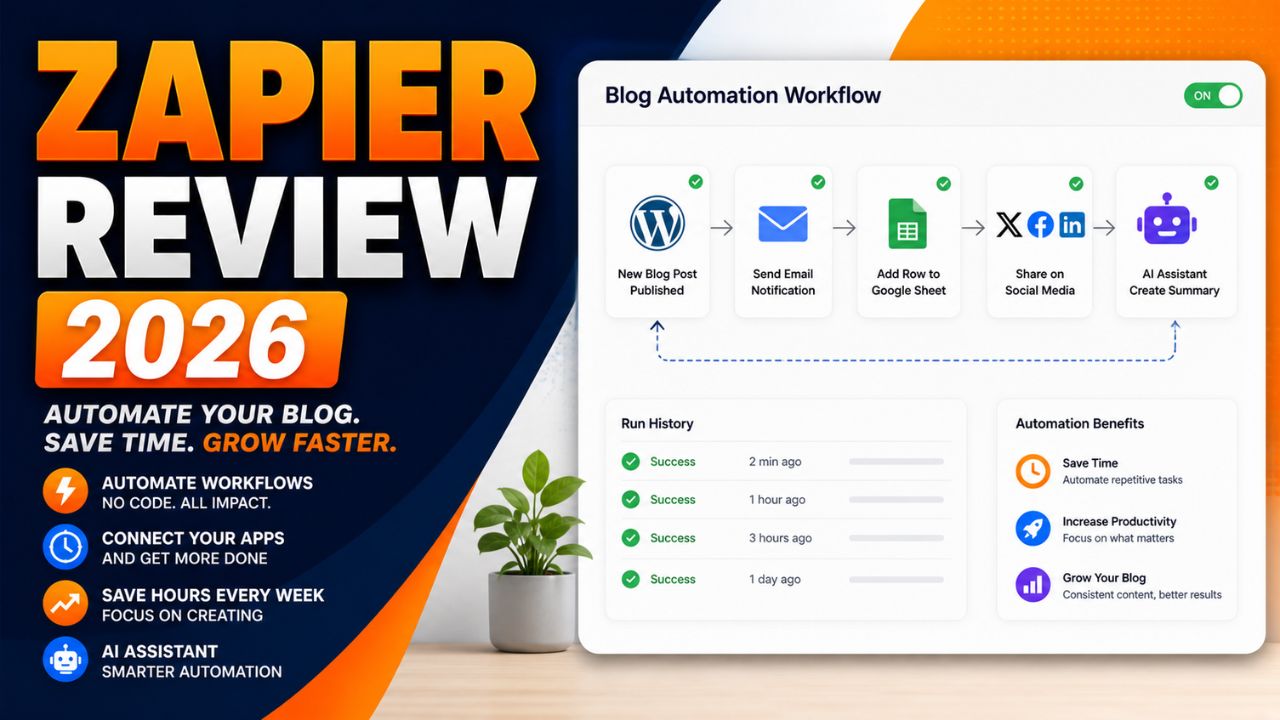
For example, instead of manually copying a new blog post link, adding it to a spreadsheet, creating a social media task and sending yourself a reminder, Zapier can automate parts of that workflow.

Zapier workflows are called Zaps.

A basic Zap usually has:

  • Trigger: the event that starts the workflow
  • Action: what Zapier does after the trigger

Example:

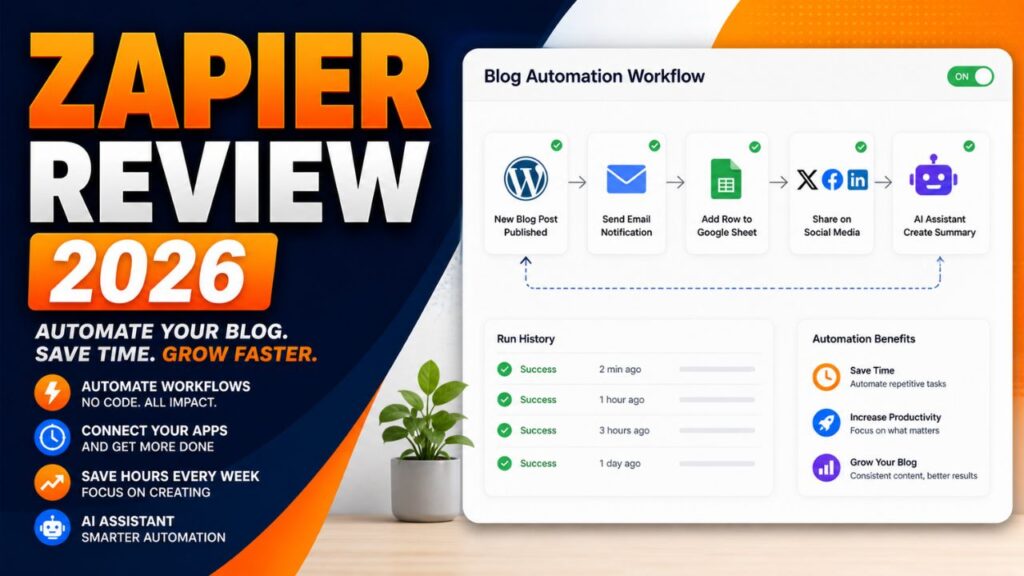
New WordPress post published → add post title and URL to Google Sheets → send email reminder → create social media task.

That is the main reason Zapier has stayed popular. It makes automation easier for people who do not want to code.

Why Zapier Still Matters in 2026

Zapier still matters because it is simple, mature, and widely supported.

Zapier’s official pricing and app pages highlight thousands of integrations, and the platform is now more than simple Zaps. Current Zapier plans include automation tools such as Zaps, Tables and Forms or Interfaces depending on the account and plan page wording. Zapier also highlights AI-focused features such as Copilot and MCP.

For bloggers, this matters because your workflow may include WordPress, Gmail, Google Sheets, ConvertKit, Mailchimp, Notion, Airtable, Slack, social platforms, forms, CRMs, payment tools and AI apps.

The more apps Zapier supports, the easier it is to connect your blogging system.

The other reason Zapier matters is that it is beginner-friendly. Many automation tools are powerful, but not all are easy to understand on day one.

Zapier’s biggest strength is that it makes automation feel approachable.

That is why this Zapier review 2026 focuses on beginner blogging workflows instead of only listing technical automation features.

How Zapier Works

Zapier works through workflows called Zaps.

The basic process looks like this:

  1. Choose a trigger app.
  2. Select the event that starts the workflow.
  3. Choose one or more action apps.
  4. Map the data from the trigger to the actions.
  5. Test the workflow.
  6. Turn the Zap on.

For example, a blogger might create this Zap:

New WordPress post → create a row in Google Sheets → send an email notification → create a Trello task.

This kind of workflow is useful because it keeps blog operations organized without copying and pasting everything manually.

Zapier also includes AI features that can help users build and manage automations. Zapier’s help center describes Zapier Copilot as an AI-powered assistant that works across Zapier products to help users discover automation use cases, build, expand and maintain automation assets.

That makes Zapier more beginner-friendly than before because you can describe what you want in plain language and get help building the workflow.

If you need the broader beginner explanation first, read this guide on what AI automation tools are.


⚡ Automation Tools Bundle
n8n • Make.com • Zapier — Save 80%


9 Reasons Zapier Is Useful for Bloggers

The main value of this Zapier review 2026 is understanding where Zapier actually helps bloggers.

1. Zapier Is Easy for Beginners

Zapier is one of the easiest automation tools to understand.

You do not need to know APIs, coding, webhooks, or complex automation logic to start. You choose a trigger, choose an action, map the fields, test the Zap and turn it on.

For beginners, that simplicity matters.

If you are new to automation, a tool that feels too technical can stop you before you build anything useful. Zapier reduces that friction.

2. Huge App Integration Library

Zapier’s app ecosystem is one of its biggest advantages.

Bloggers often use many apps. WordPress, Google Sheets, Gmail, ConvertKit, Mailchimp, Notion, Airtable, Slack, Trello, Asana, Typeform and many more tools can become part of a blogging workflow.

The more apps an automation platform supports, the easier it is to build practical workflows without custom development.

3. Zapier Copilot Helps With Automation Ideas

Zapier Copilot is one of the most important AI-related features for beginners.

Zapier describes Copilot as an AI-powered assistant that can help users discover automation use cases and build, expand, or maintain automation assets.

For bloggers, this is useful because many people do not know what to automate first.

You can ask for help turning a blogging process into a workflow, then refine the automation step by step.

Zapier also notes that Copilot is in open beta, so users should review and test everything carefully.

4. Good for Blog Publishing Workflows

Zapier can help organize what happens after a post is published.

For example:

  • Save the post title and URL to Google Sheets
  • Create a task to design Pinterest pins
  • Send a reminder to update social captions
  • Notify your team or yourself
  • Add the post to a content tracker

These are small tasks, but they repeat every time you publish. Automating them can save time and reduce missed steps.

5. Useful for Email List Automation

Email marketing is important for bloggers and affiliate marketers.

Zapier can help connect forms, email marketing platforms, spreadsheets, CRMs, and notification tools.

For example:

New form submission → add subscriber to email list → tag subscriber by interest → send welcome email → save lead data to Google Sheets.

This kind of automation helps turn blog visitors into email subscribers and organized leads.

6. Helps With Affiliate Tracking

Affiliate bloggers need to track posts, offers, CTAs and update dates.

Zapier can help create a simple tracking system.

For example:

New affiliate review published → add URL, category, affiliate program, and update date to Google Sheets.

This makes it easier to know which posts need updates later.

7. Supports Content Repurposing

Zapier can support content repurposing by connecting your blog with AI tools, social tools, task managers, and spreadsheets.

For example, after publishing a blog post, Zapier can create a task to turn the post into a newsletter, Pinterest pin, LinkedIn post, or short video script.

Depending on your connected tools, AI steps can help draft summaries or captions.

The key is to keep human review. Do not auto-publish AI-generated promotional content without checking it.

8. Scales From Simple to Advanced

Zapier is beginner-friendly, but it can also handle more advanced workflows.

As your blog grows, you may add multi-step Zaps, filters, paths, webhooks, Tables, Forms, Interfaces, and AI features.

This makes Zapier useful because you can start small and grow later.

9. Mature and Reliable Platform

Zapier has been around for years, and many businesses rely on it.

That maturity matters when you want an automation tool for important workflows.

No automation platform is perfect. Zaps can fail if apps change, fields break, or accounts disconnect. But Zapier has documentation, support resources, app coverage, and a large user base.

For beginners, that reliability and support ecosystem can be reassuring.

Zapier Pros and Cons

No Zapier review 2026 should ignore the tradeoffs. Zapier is useful, but it is not perfect.

Pros Cons
Very beginner-friendly Can become expensive as task usage grows
Huge app integration library Advanced workflows may be less flexible than Make or n8n
Zapier Copilot helps with automation ideas AI features still need human review and testing
Good for blog publishing and email workflows Task limits can surprise beginners if they automate too much
Mature platform with strong documentation Some workflows may need premium apps or paid plans


The biggest benefit is ease of use. The biggest limitation is cost as your automation volume grows.

Zapier Pricing in 2026

Pricing is one of the most important parts of any Zapier review 2026 because automation costs depend on usage, not just the plan name.

Zapier pricing can change, so always check the official pricing page before choosing a plan.

Current Zapier pricing pages show a Free plan with 100 tasks per month and paid plans starting with Professional tiers. Zapier also explains that task usage is the main factor when selecting a plan. In Zaps, Zapier Lead Router, and Zapier MCP, usage is measured in tasks.

For beginners, the most important thing is not only the monthly price. It is how many tasks your automations use.

A simple workflow may use only a few tasks. A workflow with many steps, AI actions, filters, and repeated runs can use many more.

Before upgrading, ask:

  • How many workflows do I need?
  • How often will they run?
  • Do I need premium apps?
  • Do I need multi-step Zaps?
  • Will AI actions increase usage?
  • Can I start with a simple workflow first?

Zapier can be worth the cost if it saves real time every week. But beginners should start small and watch task usage carefully.

For this Zapier review 2026, the safest pricing advice is to test one or two simple Zaps first, then upgrade only when automation is clearly saving time.

Try Zapier for Beginner Automation

If you want to automate one simple blogging task, start with a small Zap and test it before building a bigger system.

Try Zapier

Is Zapier Beginner-Friendly?

Yes, Zapier is one of the most beginner-friendly automation tools.

That is the main reason it remains popular.

Zapier’s interface is easier to understand than many advanced workflow builders. You do not need to think like a developer to build your first automation.

A beginner can start with something simple:

New blog post published → save post URL to Google Sheets.

Then later add:

Create task → generate social caption → send reminder.

This step-by-step growth is ideal for bloggers who do not want to automate everything at once.

Zapier vs Other Automation Tools

A practical Zapier review 2026 should compare it with the tools bloggers are already hearing about.

Zapier vs Make

Make is more visual and flexible for advanced workflows. It can be better for users who want more control over complex automations.

Zapier is usually easier for beginners and has a very large app ecosystem.

For a full comparison, read this Zapier vs Make.com comparison.

Zapier vs Pabbly Connect

Pabbly Connect is often considered a budget-friendly alternative.

Zapier may feel more polished and beginner-friendly, while Pabbly may appeal to users who are watching costs carefully.

Zapier vs n8n

n8n is more flexible and technical. It can be self-hosted and customized deeply.

Zapier is easier for non-technical users who want a cloud-based automation platform without setup complexity.

Zapier vs AI Agents

AI agents are becoming more popular, but they are not always a direct replacement for Zapier.

Zapier is good for structured, repeatable workflows. AI agents are useful when tasks need more reasoning, planning or flexible decision-making.

In many cases, the best setup may combine both: Zapier for reliable automation and AI tools for drafting, summarizing or decision support.


n8n.io
Make.com
Cursor AI
Perplexity
🚀 SAVE 80%
Automation → ₹3,999/year
Workflow Automation • 1000+ Apps
Cloud AI Ready Analytics

Best Zapier Workflows for Bloggers

Zapier becomes valuable when you use it for repeated blogging tasks.

WordPress to Google Sheets Tracker

When a new WordPress post is published, Zapier can add the title, URL, date and category to a Google Sheet.

This helps track published content and plan future updates.

New Lead to Email List

When someone fills out a form, Zapier can add them to your email platform and tag them based on the form they used.

Post Published to Task Manager

When a new post goes live, Zapier can create tasks for Pinterest pins, social captions, email promotion and internal linking.

Affiliate Post Update Reminder

Zapier can help create reminders to update affiliate posts after a set period.

AI Caption Drafting

Depending on your tools and plan, Zapier can help connect AI steps that draft short captions or summaries from blog post data.

How Bloggers Can Make Money With Zapier

Zapier does not automatically make money for you, but it can support several income paths.

Affiliate Blogging

Zapier can help track content, organize affiliate posts, automate reminders and support consistent promotion.

More organized promotion can support more traffic and affiliate clicks over time.

Freelance Automation Services

Many creators and small businesses want automation but do not know how to build it.

If you learn Zapier, you can offer workflow setup services such as lead capture, email automation, content tracking and blog promotion systems.

Agency Services

Agencies can use Zapier to build repeatable client workflows for reporting, onboarding, publishing, lead management and content operations.

Digital Products

You can create automation templates, checklists, workflow guides or training products for bloggers who want to save time.

Need Zapier Setup Help?

If you do not want to build Zapier workflows yourself, you can hire freelancers who specialize in automation setup.

Hire Zapier automation experts on Fiverr

Recommended Setup for Blogger Automation

Zapier works best when your blog has a strong foundation.

If your website, email list, content tracker, and publishing workflow are messy, automation will not fix everything. It may only make the mess move faster.

Start with a clean blogging system:

  • WordPress blog
  • Email platform
  • Google Sheets or Airtable tracker
  • Task manager
  • Social media promotion workflow
  • Clear affiliate link tracking

Then connect the pieces with Zapier.

If you are starting a blog or affiliate website, a reliable WordPress setup is still one of the best foundations.

Build an Automation-Ready Blog

Before automating your content workflow, make sure your blog has a reliable WordPress foundation where posts, forms, links, and tracking can work smoothly.

Start your automation-ready blog with Hostinger

Who Should Use Zapier?

Zapier is best for users who want easy no-code automation.

It is a good fit for:

  • Beginner bloggers
  • Affiliate marketers
  • Creators managing multiple apps
  • Small business owners
  • Freelancers
  • Non-technical users
  • Teams that need reliable app connections

If you want the easiest way to start automating your blog, Zapier is still one of the best choices.

Who Should Skip Zapier?

Zapier is not the best fit for every user.

You may want to skip it if:

  • You need very complex visual workflows
  • You want the lowest possible automation cost
  • You are technical and prefer self-hosted automation
  • You need deep custom logic and code control
  • You are automating high-volume workflows and task costs become too high

In those cases, Make, Pabbly Connect or n8n may be worth comparing.

Recommended Resource Before the Final Words

Want Ready-Made Automation Ideas?

If you are new to automation, start with a simple workflow checklist instead of trying to build a full system in one day. A good starter pack should include blog publishing, email capture, affiliate tracking and social promotion workflows.

Access the Blogger Automation Starter Checklist

Recommended Book for Automation Thinking

If you want to understand how AI and automation fit into modern work, a useful book to explore is Co-Intelligence: Living and Working with AI by Ethan Mollick.

It is not a Zapier tutorial, but it can help you think about AI as a practical work partner. That mindset is useful when building automation because the goal is not to remove thinking. The goal is to remove repeated work.

Recommended Reading

If you are building AI and automation workflows, this book can help you think more clearly about working with AI tools.

Check Co-Intelligence on Amazon

Final Verdict: Is Zapier Worth It?

After researching this Zapier review 2026, my honest verdict is that Zapier is still worth it for beginners who want easy automation.

It may not be the cheapest tool. It may not be the most flexible tool for advanced users. But it is one of the easiest ways to connect apps and automate basic workflows without coding.

For bloggers, Zapier is especially useful for publishing workflows, email list automation, content tracking, affiliate reminders and social promotion tasks.

If you are brand new to automation, start with Zapier. If your workflows become more complex later, compare Make or n8n.

The best approach is simple: build one useful Zap, test it, and improve from there.

Start Automating With Zapier

If you want to save time on repeated blog tasks, start with one small Zap and improve it after testing.

Try Zapier for blog automation

Frequently Asked Questions

Is Zapier worth it in 2026?

Yes, Zapier is worth it for beginners and bloggers who want easy no-code automation. It is especially useful for simple app connections, publishing workflows, email list automation, and content tracking.

Is Zapier beginner-friendly?

Yes. Zapier is one of the most beginner-friendly automation platforms because it uses a simple trigger-and-action workflow structure.

Does Zapier require coding?

No. Most Zapier workflows can be built without coding. Advanced users can use more technical features, but coding is not required to start.

How many apps does Zapier support?

Zapier’s app directory includes thousands of integrations. App availability can change, so check Zapier’s app directory for the exact tools you use.

Is Zapier better than Make?

Zapier is usually easier for beginners. Make is often better for visual, advanced, and more flexible workflows. The best choice depends on your automation style.

Can bloggers use Zapier?

Yes. Bloggers can use Zapier to automate content tracking, email workflows, social media tasks, affiliate reminders, form submissions, and publishing systems.

Can I make money using Zapier?

Yes. Zapier can support affiliate blogging, freelancing, agency workflows, and automation services. Income depends on your skill, offer, audience, and execution.

What is Zapier Copilot?

Zapier Copilot is an AI-powered assistant that helps users discover automation use cases and build, expand, or maintain automation assets across Zapier products. It is still in active development, so users should test workflows carefully.

Conclusion

This Zapier review 2026 shows that Zapier is still one of the easiest automation tools for bloggers.

It is not perfect. Costs can rise as task usage grows. Advanced users may prefer Make or n8n. Some workflows may require paid features or premium apps.

But for beginners who want to automate a blog without coding, Zapier remains one of the safest starting points.

If you are tired of manually copying links, updating spreadsheets, creating reminders, and repeating the same blog admin tasks every week, Zapier can help you build a smarter workflow.

Start small. Automate one task. Test it. Then add more steps when the system is working.

That is how bloggers use automation without getting overwhelmed.

How We Checked This Review

Before updating this review, we checked Zapier’s official pricing, help center, app directory, Copilot documentation, and task usage guidance. This helps keep the article accurate, practical, and useful for readers comparing automation tools.

Affiliate Disclosure

As an Amazon Associate, I earn from qualifying purchases. Some links in this article are affiliate links, which means I may earn a commission at no extra cost to you if you buy through them. I only recommend tools, books, and services that may help beginners, creators, and online business owners create better content or grow their work more effectively.

Best AI Automation Tools for Bloggers: 7 Powerful Picks For 2026

Blogging in 2026 is not just writing anymore.

A serious blogger has to research topics, write articles, optimize for SEO, create images, publish posts, promote across platforms, build an email list, track affiliate links, update old content, and watch analytics.

That is a lot of moving parts for one person.

Most bloggers do not fail because they have no ideas. They fail because the workflow becomes too heavy to repeat every week. You publish one post, then realize the promotion, tracking, social captions, email follow-up, and update reminders are almost another job.

That is where automation helps.

The best AI automation tools for bloggers help you connect apps, trigger actions, organize content data, create reminders, generate drafts, and keep repeated tasks moving in the background.


Best AI Automation Tools for Bloggers


The goal is not to automate your creativity. The goal is to stop wasting energy on the same small admin tasks every week.

In this guide, we will look at the 7 best AI automation tools for bloggers in 2026, how they work, which one is best for beginners, which one is best for advanced workflows and how automation can support blogging income.

Best AI Automation Tools for Bloggers: What Does That Mean?

AI automation tools are software platforms that help connect apps, create workflows, and automate repeated tasks.

In simple words, they help your apps talk to each other.

For example, without automation, publishing a blog post might look like this:

  1. Publish the blog post.
  2. Copy the link.
  3. Save it in a spreadsheet.
  4. Create social captions.
  5. Send yourself a reminder to make Pinterest pins.
  6. Add the post to your update tracker.
  7. Check affiliate links later.

With automation, several of those steps can happen automatically after publishing.

That is the real value. AI automation tools do not replace blogging strategy. They remove repetitive work so you can focus more on research, writing, editing, and content decisions.

Why Bloggers Need AI Automation in 2026

Automation is no longer only for large companies. It is useful for solo bloggers, affiliate marketers, creators, and small content teams.

The best AI automation tools for bloggers matter because they turn scattered tasks into repeatable systems.

It Saves Time Every Week

Small tasks look harmless until you repeat them every day.

Saving URLs, writing captions, updating trackers, sending reminders, and moving data between apps can take hours every week.

Automation helps remove that repeated work.

It Improves Consistency

Consistency matters for SEO, email marketing, social media, and affiliate growth.

Automation tools help you repeat important steps even when you are busy.

It Helps You Scale Faster

If every task depends on manual effort, your blog can only grow as fast as your available time.

Automation helps you publish, promote, track, and update more consistently.

It Reduces Burnout

Many bloggers quit because the process becomes too much.

Automation does not remove creative work, but it can remove boring admin tasks that drain energy.

It Can Support Revenue

Automation is not instant income. But better tracking, promotion, email follow-up, and affiliate management can support the systems that create income.

If you are new to the concept, this beginner guide on what AI automation tools are explains the basics. For a deeper tool comparison, read this Zapier vs Make.com comparison.

How AI Automation Tools Work for Bloggers

Most automation tools work with three basic parts: trigger, action, and workflow.

When choosing the best AI automation tools for bloggers, look for tools that make these three parts easy to build and test.

Trigger

A trigger is the event that starts the automation.

Examples include:

  • New WordPress post published
  • New email subscriber added
  • New form submitted
  • New row added to Google Sheets
  • New YouTube video published

Action

An action is what happens after the trigger.

Examples include:

  • Create a social media task
  • Send an email
  • Update a spreadsheet
  • Generate a caption with AI
  • Send a notification
  • Add a subscriber to a sequence

Workflow

A workflow is the full sequence.

Example:

New blog post published -> AI creates three social caption ideas -> post URL is saved to Google Sheets -> task is created to make Pinterest pins -> reminder is sent to promote the article.

This is why automation tools are so useful. They turn repeated tasks into repeatable systems.

7 Best AI Automation Tools for Bloggers in 2026

Here are the strongest tools to consider based on beginner use, flexibility, blogging workflows, AI features and practical value.

1. Make: Best Overall AI Automation Tool for Bloggers

Make is one of the strongest automation platforms for bloggers who want visual workflows and more control.

Make lets you build automations called scenarios using a visual builder. You can connect apps, create multi-step workflows, add filters, branch logic, process data, and connect AI tools into your automation system.

Make’s official integrations page says the platform connects with 3,000+ apps and includes AI app integrations such as OpenAI, ChatGPT, Google Gemini, Perplexity, Anthropic Claude, DeepSeek, and ElevenLabs. Make also promotes AI Agents for building shareable agents across teams and workflows.

For bloggers, Make is useful because it can handle more advanced workflows than a very basic automation tool.

You can use Make to:

  • Track new WordPress posts
  • Send article data to Google Sheets
  • Create social media tasks
  • Generate AI summaries
  • Route leads from forms
  • Create content calendar workflows
  • Connect email, CRM, and content tools

Make is best for bloggers who want automation power and do not mind a small learning curve.

Best for: advanced bloggers, content systems, multi-step workflows, and visual automation.

Main limitation: beginners may need time to understand scenarios, routers, filters, and modules.

Try Make

2. Zapier: Best AI Automation Tool for Beginners

Zapier is one of the easiest automation tools for beginners.

It connects thousands of apps and lets users build workflows called Zaps. A Zap usually starts with a trigger and then performs one or more actions.

Zapier also includes AI features. Zapier’s help center describes Zapier Copilot as an AI-powered assistant that helps users discover automation use cases and build, expand, or maintain automation assets. Zapier notes that Copilot is in open beta, so users should still test workflows carefully.

For bloggers, Zapier is useful because the setup feels simple.

You can use Zapier to:

  • Add new subscribers to an email list
  • Save blog post URLs to Google Sheets
  • Create tasks after publishing
  • Send notifications when forms are submitted
  • Connect WordPress with email, social, and project tools
  • Use AI steps for summaries and text generation

Zapier is usually the safest starting point if you are new to automation.

Best for: beginners, simple workflows, non-technical bloggers, and easy app connections.

Main limitation: costs can rise if you build many workflows or run a lot of tasks.

Try Zapier

3. Pabbly Connect: Best Budget Automation Tool

Pabbly Connect is a workflow automation platform often considered a budget-friendly alternative to Zapier and Make.

Pabbly’s official site highlights features such as 2,000+ integrations, multi-step workflows, scheduling, delays, routers, filters, API modules, email parser, webhook support, and an AI assistant.

For bloggers, Pabbly Connect can be useful if you want to automate tasks but are careful about monthly costs.

You can use Pabbly Connect to:

  • Connect WordPress with email tools
  • Move leads into spreadsheets
  • Build social media workflows
  • Automate form submissions
  • Trigger email or CRM actions

Pabbly may not feel as polished as some larger platforms for every use case, but it can be practical for budget-conscious bloggers.

Best for: budget users, simple-to-medium workflows, and bloggers who want lower-cost automation.

Main limitation: app support and interface polish may not match bigger competitors for every workflow.

Try Pabbly Connect

4. n8n: Best Open Workflow Tool for Technical Bloggers

n8n is a flexible workflow automation platform with native AI capabilities.

Its official GitHub page describes n8n as a workflow automation platform for technical teams, combining visual building with custom code, self-hosting or cloud deployment, 400+ integrations, native AI capabilities, and fair-code licensing.

n8n is powerful because it gives users more control. You can build workflows visually, add custom logic, self-host if needed, and connect AI into automation systems.

For bloggers, n8n is best if you are technical or willing to learn.

You can use n8n to:

  • Create custom content workflows
  • Self-host automation systems
  • Connect APIs
  • Build AI-driven workflows
  • Automate reporting and data processing
  • Create advanced WordPress and database automations

n8n is not the easiest tool for a complete beginner, but it is one of the most flexible.

Best for: technical bloggers, developers, advanced automation, and self-hosted workflows.

Main limitation: setup and maintenance are more technical than Zapier or Make.

Try n8n

5. Systeme.io: Best All-in-One Marketing Automation Tool

Systeme.io is an all-in-one online business platform that includes funnels, email marketing, online courses, affiliate program management, website and blog tools, CRM pipelines, and marketing automation.

Systeme.io is different from Zapier or Make. It is not mainly an app connector. It is more of an all-in-one marketing platform.

For bloggers, this can be useful if you want email, funnels, lead magnets, simple sales systems, and digital products in one place.

You can use Systeme.io to:

  • Build email sequences
  • Create lead magnet funnels
  • Sell digital products
  • Host online courses
  • Create simple marketing automations
  • Manage affiliate program workflows

It is best for bloggers who are moving beyond content and starting to build an email list or sell offers.

Best for: email funnels, digital products, courses, and simple marketing automation.

Main limitation: not as flexible as dedicated workflow automation platforms for connecting many external apps.

Try Systeme.io

6. Rank Math: Best SEO Automation Helper for WordPress Bloggers

Rank Math is not a full automation platform like Zapier or Make, but it is still useful for WordPress bloggers because it automates and simplifies many on-page SEO tasks.

For bloggers, SEO includes many repeated steps: focus keywords, meta titles, meta descriptions, schema, redirects, internal links, SEO checks, and content analysis.

Rank Math’s WordPress.org page highlights features such as Content AI, schema markup, Google Search Console integration, keyword tracking, SEO analysis, redirects, 404 monitoring, internal linking suggestions, and module-based controls.

You can use Rank Math to:

  • Optimize focus keywords
  • Create meta titles and descriptions
  • Add schema markup
  • Manage redirects
  • Monitor 404 errors
  • Improve on-page publishing workflow

Rank Math is best used alongside a real automation platform. It helps optimize the post itself, while tools like Make or Zapier help with promotion and tracking.

Best for: WordPress SEO workflow and on-page optimization.

Main limitation: it does not replace app-to-app workflow automation.

Try Rank Math

7. ChatGPT or Claude: Best AI Assistant for Automation Planning

ChatGPT and Claude are not automation platforms by themselves, but they are useful for planning automation workflows.

Before building in Zapier, Make, Pabbly or n8n, you can ask an AI assistant to map the workflow.

Example prompt:

Create a simple automation workflow for a WordPress blogger. When a new post is published, save the title and URL to Google Sheets, create three social caption ideas and create a task to design a Pinterest pin.

This helps you think through the trigger, actions, tools, and edge cases before building.

AI assistants can also help write social captions, email drafts, update reminders, spreadsheet formulas, and automation documentation.

Best for: planning workflows, drafting content steps, writing prompts and documenting systems.

Main limitation: they need to be connected to automation tools or used manually unless you build integrations.


⚡ Automation Tools Bundle
n8n • Make.com • Zapier — Save 80%


Best AI Automation Tools for Bloggers Compared

This table keeps the best AI automation tools for bloggers focused on real use cases instead of hype.

Tool Best For Beginner Level Main Strength
Make Best overall automation Medium Visual advanced workflows
Zapier Beginners Easy Simple setup and many app integrations
Pabbly Connect Budget users Easy to medium Budget-friendly workflow automation
n8n Technical users Advanced Flexible and self-hostable workflows
Systeme.io Email and funnels Easy All-in-one marketing system
Rank Math WordPress SEO Easy On-page SEO workflow support
ChatGPT or Claude Workflow planning Easy AI planning and drafting assistant


If you want the simplest choice, start with Zapier. If you want the best long-term visual workflow builder, learn Make. If you are technical, explore n8n.

Best Automation Workflows for Bloggers

Automation tools become more useful when you know what to automate.

The best AI automation tools for bloggers are only valuable when they solve a repeated problem in your actual workflow.

Content Distribution Automation

When you publish a post, automation can save the URL, create social tasks and prepare captions.

Email Automation

When someone joins your list, automation can send a welcome email, tag the subscriber and add them to a sequence.

Affiliate Tracking Automation

You can track which posts contain which affiliate links, when they were published and when they should be updated.

SEO Update Reminders

You can create reminders to update old posts after 60 or 90 days.

Social Media Repurposing

AI can help turn one article into social captions, LinkedIn posts, newsletter blurbs or video script ideas.

How to Make Money With AI Automation Tools

Automation tools can support several income paths for bloggers.

Affiliate Blogging

Automation helps bloggers publish and promote more consistently. More consistency can support more traffic and affiliate clicks over time.

Freelancing

You can offer automation setup services for bloggers, small businesses, coaches and creators.

Agency Services

Once you understand workflows, you can package automation services such as lead capture, email follow-up, content tracking and social promotion systems.

Digital Products

You can sell automation templates, workflow guides, checklists or simple systems for bloggers.

Need Automation Setup Help?

If you do not want to set up automation yourself, hiring help can save time and prevent confusing mistakes.

Get automation setup help on Fiverr

Recommended Setup for Automation-Ready Blogs

Automation works better when your blog has a solid foundation.

If your site is slow, messy, or difficult to manage, automation will not fix the main problem. You need a website that can support regular publishing, SEO, affiliate content, email capture and updates.

For beginners, WordPress is still one of the best blogging foundations because it gives you control over SEO, plugins, design and monetization.

Hostinger is a practical hosting option for beginners who want to start a WordPress blog without making setup too complicated.

Build an Automation-Ready Blog

Before automating your publishing workflow, make sure your blog has a reliable WordPress foundation where content, forms, links and SEO plugins can work properly.

Start your automation-ready blog with Hostinger

Common Mistakes to Avoid

Automating Everything Too Early

Do the task manually a few times first. Then automate the steps you understand.

Building Workflows That Are Too Complex

Start with one trigger and one or two actions. Add more steps later.

Not Testing the Workflow

Always test automation before relying on it. Make sure the right information goes to the right place.

Ignoring Costs

Automation platforms may charge based on tasks, operations, workflows, credits or usage. Check pricing before building heavy workflows.

Sharing Sensitive Data Without Thinking

Be careful when connecting tools that access email, customer data, documents, client files or payment-related information.

Recommended Resource Before the Final Words

Want Blogger Automation Workflow Templates?

If you are new to automation, start with simple templates for post publishing, social promotion, email capture, affiliate tracking and old-post update reminders.

Access the Blogger Automation Workflow Pack

Recommended Book for AI Automation Thinking

If you want to understand how AI can fit into modern work, a useful book to explore is Co-Intelligence: Living and Working with AI by Ethan Mollick.

It can help bloggers think about AI as a practical work partner, which is useful when building automation systems around content, marketing and online business.

Recommended Reading

If you want to think better about AI-assisted work, this book is a useful companion while building automation workflows.

Check Co-Intelligence on Amazon

Best AI Automation Tools for Bloggers Verdict

After reviewing these tools, the honest recommendation is simple.

Start with Zapier if you want the easiest beginner setup. Choose Make if you want the best overall balance of power and visual workflow control. Consider Pabbly Connect if budget is your main concern. Try n8n if you are technical and want more control. Use Systeme.io if you need email funnels and online business automation. Keep Rank Math for WordPress SEO workflow. Use ChatGPT or Claude to plan workflows before building them.

You do not need all seven tools at once.

Start with one tool and one workflow. Automate a simple task, test it and improve it.

That is how bloggers save time, stay consistent and build systems that support long-term growth.

Start With One Automation

Do not automate your whole blog in one day. Start with one repeated task, such as saving new post URLs or creating social promotion reminders.

Hire AI automation specialists on Fiverr

Build your blog with Hostinger

Frequently Asked Questions

What are the best automation tools for bloggers?

Strong options include Make, Zapier, Pabbly Connect, n8n, Systeme.io, Rank Math and AI assistants like ChatGPT or Claude for workflow planning.

Can beginners use automation tools?

Yes. Beginners can start with simple no-code tools like Zapier or Make. The best approach is to automate one repeated task first.

Are AI automation tools expensive?

Some tools have free or low-cost plans, while others become more expensive as usage grows. Always check pricing based on tasks, operations, workflows, credits or contacts before committing.

Do I need coding skills?

No, most beginner automation workflows can be built without coding. Coding helps with advanced tools like n8n or custom API workflows, but it is not required to start.

How much time can automation save?

Automation can save several hours per week if you use it for repeated tasks such as content tracking, social media reminders, email follow-up and affiliate post management.

Can automation increase blogging income?

Automation can support income by improving consistency, traffic, promotion, email follow-up, and affiliate tracking. It does not guarantee income by itself.

Which automation tool should bloggers start with?

Most beginner bloggers should start with Zapier because it is simple. Bloggers who want more flexible visual workflows can start with Make.

What is the best free AI automation tool?

n8n is one of the strongest open workflow options for technical users, especially if self-hosting fits your skills. Beginners may find Zapier or Make easier.

Conclusion

The best AI automation tools for bloggers are no longer optional if you want to grow without burning out.

Blogging in 2026 requires writing, publishing, SEO, promotion, email, tracking, updates and monetization. Doing everything manually can slow you down.

Automation helps you build systems.

Start small. Choose one repeated task. Build one workflow. Test it. Then improve it over time.

That is how smart bloggers save time, grow faster and create more opportunities to earn.

How We Checked This Guide

Before updating this guide, we checked official pages from Make, Zapier, Pabbly Connect, n8n, Systeme.io and Rank Math. This helps keep the tool descriptions practical and safer for bloggers comparing automation options.

Affiliate Disclosure

As an Amazon Associate, I earn from qualifying purchases. Some links in this article are affiliate links, which means I may earn a commission at no extra cost to you if you buy through them. I only recommend tools, books and services that may help beginners, creators and online business owners create better content or grow their work more effectively.

Make.com Review 2026: Is It Better Than Zapier for Bloggers?

Make.com Review 2026

Automation sounds exciting until you realize how many small tasks your blog repeats every week.

You publish a post, copy the URL, add it to a tracker, create a social media task, prepare an email, update your affiliate spreadsheet, remind yourself to make Pinterest pins, and then repeat the same process again for the next article.

Those small tasks do not feel like much one by one. But together, they can quietly drain the time you should be using for writing, research, SEO, and improving old content.

That is where Make.com becomes interesting.

Make is a visual automation platform that helps your apps work together. It can connect WordPress, Google Sheets, Gmail, Airtable, Slack, forms, email tools, AI apps, and thousands of other services so repeated work happens automatically.


make.com-review-2026


For bloggers, the big question is simple: is Make.com better than Zapier?

In this Make.com review 2026, we will look at what Make does, how it works, pricing, credits, features, AI integrations, WordPress workflows, pros and cons, Make vs Zapier, and whether bloggers should use it.

Make.com Review 2026: What Is Make?

Make is a no-code workflow automation platform.

In simple beginner language, Make helps connect your apps and automate repeated tasks.

Make workflows are called scenarios. A scenario can start when something happens in one app, then trigger actions in other apps.

For example:

New WordPress post published -> save the title and URL to Google Sheets -> create a task to promote the article -> send yourself an email reminder.

That is the basic idea.

What makes Make different from many beginner automation tools is the visual canvas. Instead of building everything as a simple step-by-step list, Make lets you build workflows visually. You connect modules, filters, routers, and actions in a diagram-like interface.

This makes Make more powerful, but it also means there is a learning curve.

For bloggers, Make is useful because blogging has many repeated workflows: publishing, promotion, email, lead capture, affiliate tracking, reporting, content updates, and social repurposing.

If you are still learning automation basics, start with this beginner guide on what AI automation tools are. If you want the direct comparison first, this Zapier vs Make.com guide is the next best read.

Why Make.com Matters for Bloggers in 2026

Blogging in 2026 is not only writing articles.

A serious blogger may need to manage:

  • Content calendars
  • SEO updates
  • Affiliate links
  • Email subscribers
  • Social posts
  • Lead magnets
  • YouTube or video workflows
  • Analytics tracking
  • Freelancer assignments

If every step depends on manual copying and pasting, the workflow becomes heavy fast.

Make matters because it helps turn repeated tasks into systems.

Instead of trying to remember every post-publishing step, you can create a scenario. Once the scenario works, Make can run it each time the trigger happens.

For AI Sage Labs-style blogs, Make can be especially useful because the workflow often includes AI tools, WordPress, spreadsheets, affiliate tracking, YouTube ideas, and content promotion.

That is why this Make.com review 2026 focuses on practical blogging use cases instead of only automation jargon.

How Make.com Works

Make works through visual scenarios.

A scenario usually has three parts:

  • Trigger: the event that starts the workflow
  • Modules: the apps or actions inside the workflow
  • Connections: the way data moves from one module to another

For example, a blogger scenario may look like this:

WordPress new post -> Google Sheets new row -> AI summary generation -> Gmail notification -> task created in a project tool.

Make lets you add filters and routers so the workflow can behave differently depending on the data.

For example:

  • If the post category is AI Video Tools, create a YouTube repurposing task.
  • If the post includes affiliate links, add it to an affiliate tracking sheet.
  • If the post is a review, create a reminder to update pricing in 60 days.

This is where Make becomes more powerful than very simple automation tools. It can handle branching workflows that would be awkward to manage manually.

7 Make.com Features That Matter Most for Bloggers

Make has many features, but bloggers do not need to use everything on day one. In this Make.com review 2026, these are the features that matter most.

1. Visual Scenario Builder

The visual scenario builder is Make’s biggest strength.

You can see your workflow as connected modules on a canvas. This makes it easier to understand what happens after a trigger, where data goes, and what each step does.

For simple automations, this may not matter much. But for multi-step workflows, visual clarity is useful.

For example, imagine this workflow:

New WordPress post -> check category -> create social captions -> send to spreadsheet -> create Pinterest task -> notify editor.

Seeing that workflow visually can make it easier to debug and improve.

The downside is that large scenarios can become visually busy. Beginners should start with small workflows before building complex diagrams.

2. Credits and Usage-Based Pricing

Make uses a credit-based pricing system.

Make’s official pricing page explains that each module action in a scenario counts as one credit. For example, adding a Google Sheets row or fetching Gmail account data counts as a credit.

This is important because pricing depends on how many actions your scenarios run each month.

A simple workflow may use only a few credits per run. A complex workflow with many modules can use more.

For bloggers, the practical rule is simple:

Count the number of modules in a workflow, then estimate how often that workflow will run.

Example:

A 5-module workflow that runs 100 times per month may use around 500 credits, depending on how the scenario is built.

This makes Make attractive for bloggers who want more automation volume at a lower starting cost than many alternatives, but you still need to watch usage.

3. WordPress Integration

Make has a dedicated WordPress integration.

Make’s WordPress integration page lists triggers and actions for WordPress, including watching posts, creating posts, updating content, managing media, and working with categories, tags, comments, and users.

For bloggers, this matters because WordPress is often the center of the business.

Useful WordPress workflows include:

  • New post published -> save URL to content tracker
  • New post published -> create social promotion tasks
  • Post updated -> notify your editor
  • New comment -> send moderation alert
  • New media uploaded -> add record to a spreadsheet

If your blog runs on WordPress, Make can become the bridge between publishing and the rest of your content system.

4. Routers, Filters, and Branching Logic

Routers and filters are where Make becomes more advanced.

A filter lets a workflow continue only when certain conditions are met.

A router lets one workflow split into different paths.

For example:

  • If the post category is AI Automation Tools, send it to your automation tracker.
  • If the post category is AI Video Tools, create a video repurposing task.
  • If the post includes “review” in the title, create an update reminder for pricing.

This helps bloggers avoid building separate workflows for every small variation.

The learning curve is higher than simple trigger-action automation, but the flexibility is valuable once your blog grows.

5. AI App Integrations

Make has become more AI-focused in 2026.

Its integrations page highlights AI apps such as OpenAI, ChatGPT, Google Gemini AI, Perplexity AI, Anthropic Claude, DeepSeek, and ElevenLabs. Make also promotes AI agents and agentic workflow options inside its automation ecosystem.

For bloggers, this means Make can automate more than data movement.

It can help create AI-supported workflows such as:

  • Generate social captions after publishing a post.
  • Summarize a new article for your newsletter draft.
  • Classify form submissions by topic.
  • Create content update reminders based on post type.
  • Draft podcast show notes from a transcript.

The caution is that AI actions may use credits or external API costs depending on the app and setup. Always test workflows before relying on them.

6. Templates and App Library

Make supports thousands of apps and includes templates for common workflows.

Templates are useful for beginners because starting from a blank canvas can feel intimidating.

A blogger can search for WordPress, Google Sheets, Gmail, Slack, Airtable, Notion, Mailchimp, or other tools and look for prebuilt workflow ideas.

Even if you do not use a template exactly as written, it can show you how modules connect.

Make currently promotes 3,000+ app integrations. Zapier still has a larger public app ecosystem, but Make’s library covers many major blogging and business tools.

7. Execution Logs and Debugging

Automation is only useful if you can understand what went wrong when something breaks.

Make gives execution history and module-level details so you can inspect scenario runs.

This is helpful when a workflow does not send the right data, skips a filter, fails authentication, or stops at a specific module.

For bloggers, debugging matters because automation mistakes can create messy trackers, missed emails, duplicate tasks, or broken workflows.

Before trusting an automation, run it with test data and check the results carefully.

Make.com Pricing in 2026

Make pricing can change, so always check the official pricing page before upgrading.

At the time of this update, Make’s official pricing page lists a Free plan with up to 1,000 credits per month and paid plans that scale by monthly credit allowance. The page currently shows Core starting around $12/month for 10,000 credits on monthly billing, with annual billing savings available.

Plan Best For Current Official Starting Point Main Notes
Free Testing and light workflows $0 Up to 1,000 credits/month and 15-minute minimum interval
Core Solo bloggers and basic AI automation Around $12/month for 10k credits on monthly billing More control, unlimited active scenarios, Make API access
Pro Advanced bloggers and heavier workflows Around $21/month for 10k credits on monthly billing Priority execution, custom variables, better log search
Teams Small teams Around $38/month for 10k credits on monthly billing Team roles and shared scenario templates

For most solo bloggers, the Free plan is enough to test Make. The Core plan is the first serious paid plan to consider once your workflows run regularly.

Do not choose a plan only by price. Estimate the number of credits your workflows need.

Try One Make Scenario Before Upgrading

Start with one simple workflow, such as saving new WordPress posts to Google Sheets, before building a full automation system.

Try Make

Is Make.com Better Than Zapier for Bloggers?

The honest answer is: sometimes.

Make is often better for bloggers who want more visual control, more complex workflows, and strong value at higher automation volume.

Zapier is often better for complete beginners who want the easiest setup and the widest app ecosystem.

Here is the simple comparison:

Category Make Zapier
Ease of use Medium learning curve Easier for beginners
Workflow style Visual canvas Step-by-step builder
Complex workflows Strong routers, filters, branching Good, but can get expensive or less visual
App library 3,000+ apps Larger app ecosystem
Best for Power users and budget-conscious automation Beginners and simple app connections

If you only need one or two simple automations, Zapier may feel easier. If you want to build a larger blogging system with multiple branches and AI steps, Make may be the better long-term tool.

For the other side of the comparison, read this full Zapier review.

Make.com Pros and Cons

No Make.com review 2026 should ignore the tradeoffs. Make is powerful, but it is not perfect.

Pros Cons
Visual workflow builder is powerful Learning curve is higher than Zapier
Good value for multi-step automation Credit usage needs monitoring
Strong filters, routers, and branching logic Complex scenarios can become visually crowded
WordPress and major blogging app integrations Zapier still supports more total apps
AI app integrations and Make AI Agents add new workflow options AI workflows may involve extra credits or external API costs

The biggest benefit is automation power for the price. The biggest limitation is that Make takes more time to learn.

That is the main takeaway from this Make.com review 2026: Make rewards bloggers who are willing to learn the visual builder and think in workflows.

Who Should Use Make.com?

Make is a good fit for bloggers who want more control over their automation system.

It is best for:

  • Bloggers publishing consistently
  • Affiliate marketers tracking review posts
  • Creators repurposing blog content across platforms
  • Freelancers managing client workflows
  • Small teams coordinating content operations
  • Automation learners who enjoy visual builders
  • Bloggers who are outgrowing simple Zapier workflows

If your blog is becoming more operationally complex, Make can help you build repeatable systems.

Who Should Skip Make.com?

Make is not the best choice for everyone.

You may want to skip it if:

  • You only need one very simple automation.
  • You want the easiest possible setup.
  • You dislike visual workflow builders.
  • Your required app is available in Zapier but not Make.
  • You do not want to monitor credits or scenario runs.
  • You are not ready to document and test workflows.

For complete beginners, Zapier may be easier. For more control and visual automation, Make is worth learning.

Best Make.com Workflows for Bloggers

Make becomes useful when you automate repeated tasks that already happen in your blog workflow.

New Post Tracking

When a new WordPress post is published, Make can save the title, URL, category, and date to Google Sheets.

Promotion Task Creation

After publishing, Make can create tasks for Pinterest pins, social captions, newsletter mentions, or YouTube repurposing.

Affiliate Post Update Reminders

For review posts, Make can create reminders to check pricing, features, screenshots, and affiliate links every 60 or 90 days.

Newsletter Draft Support

Make can connect a new blog post with an AI app to create a draft newsletter summary, then send it to your email tool or workspace for review.

Lead Capture Workflows

When someone fills out a form, Make can save the lead, tag the subscriber, and notify you.

Freelancer Assignment Workflows

If you work with writers or designers, Make can create tasks when new content rows are added to your tracker.

If you want more automation ideas, read this guide to the best AI automation tools for bloggers.

How to Make Money With Make.com

Make.com does not automatically make money for you, but it can support money-making workflows.

Affiliate Blogging

Make can help track posts, update affiliate content, create promotion tasks, and keep your review workflow organized.

Freelance Automation Services

You can learn Make and offer setup services for bloggers, coaches, small businesses, and creators.

Content Operations Services

Agencies and freelancers can build content tracking, publishing, and repurposing systems for clients.

Email and Lead Workflows

Make can support lead magnet delivery, subscriber tagging, contact tracking, and follow-up reminders.

Digital Products

If you become good at Make, you can create workflow templates, checklists, tutorials, or mini-courses for bloggers.

If you do not want to build scenarios yourself, hiring help can save time.

Need Help Building Make.com Scenarios?

A freelancer can help set up WordPress workflows, content trackers, email automations, and AI-powered scenarios faster than learning everything alone.

Find Make.com automation experts on Fiverr

Recommended Setup for Automation-Ready Blogs

Automation works better when your blog foundation is stable.

If your WordPress site is slow, unreliable, or poorly organized, automation will not fix the main issue. Make can connect your tools, but your website still needs to load quickly, publish cleanly, and support SEO.

For beginner bloggers, WordPress hosting is still an important foundation because your content, affiliate links, email forms, and tracking workflows often connect back to your site.

Build a Blog That Can Handle Automation

Start with reliable WordPress hosting before building complex automation around your content system.

Start your blog with Hostinger

Best Way to Start With Make.com

The best way to start with Make is to build one simple scenario.

Do not begin with a complicated 15-step automation. Start with something low-risk and useful.

A good first scenario:

New WordPress post -> add title and URL to Google Sheets.

After that works, add one more step:

New WordPress post -> add row to Google Sheets -> send yourself an email reminder.

Then add more only when the workflow is reliable.

Use this beginner sequence:

  1. Create a free Make account.
  2. Choose one repeated blogging task.
  3. Find a template or build a simple scenario.
  4. Connect your apps.
  5. Run the scenario once with test data.
  6. Check the output carefully.
  7. Turn it on only after testing.
  8. Monitor credits for the first month.

This keeps automation useful instead of overwhelming.

Recommended Resource Before the Verdict

Want a Blogger Automation Starter Checklist?

A simple checklist can help you choose your first Make scenario, map triggers and actions, estimate credits, and avoid automating messy workflows too early.

Access the AI Sage Labs Make.com automation starter checklist.

Recommended Book for Automation Thinking

If you want to understand how AI fits into modern work systems, a useful book to explore is Co-Intelligence: Living and Working with AI by Ethan Mollick.

It is not a Make.com tutorial, but it can help you think about AI as a practical work partner. That mindset is useful when building automation because the goal is not to remove judgment. The goal is to remove repetitive work.

Check Co-Intelligence on Amazon

Make.com Review 2026 Verdict: Is It Worth It?

After researching this Make.com review 2026, my honest verdict is that Make is worth learning if you want powerful visual automation at a reasonable cost.

For bloggers, Make is especially useful when your workflow has grown beyond simple tasks. If you publish regularly, manage affiliate content, use spreadsheets, collect leads, create social tasks, and want AI-assisted workflows, Make can save time and reduce manual admin work.

Is it better than Zapier?

Make is better for visual workflows, branching logic, and bloggers who want more automation power for the money. Zapier is better for beginners who want the easiest setup and the broadest app ecosystem.

The safest recommendation is simple: start with Make’s free plan, build one useful scenario, and decide whether the visual builder feels right for you.

If you like visual systems and want more control, Make is one of the best automation tools for bloggers in 2026.

Start testing Make.com

FAQs About Make.com

Is Make.com free?

Yes. Make has a Free plan. At the time of this update, Make’s official pricing page lists up to 1,000 credits per month on the Free plan, with no time limit.

What is a Make.com credit?

A credit is used when a module action runs in a scenario. Make’s pricing page explains that actions such as adding a Google Sheets row or fetching Gmail data count as credits.

Is Make.com better than Zapier?

Make can be better for visual workflows, complex automation, branching logic, and value at higher usage. Zapier can be better for complete beginners and users who need the largest app ecosystem.

Does Make.com work with WordPress?

Yes. Make has a WordPress integration with triggers and actions for posts, comments, users, media, categories, tags, and more.

Can Make.com use AI tools?

Yes. Make supports AI app integrations such as OpenAI, ChatGPT, Google Gemini AI, Anthropic Claude, Perplexity AI, and others. It also has Make AI Agents and AI workflow options.

Is Make.com beginner-friendly?

Make is beginner-accessible, but not as easy as Zapier for many first-time users. The visual canvas is powerful, but beginners should start with one simple scenario.

Can bloggers use Make.com?

Yes. Bloggers can use Make for post tracking, promotion tasks, affiliate update reminders, email workflows, lead capture, social repurposing, and AI content support.

Can I make money with Make.com?

Yes. Make can support affiliate blogging, freelance automation services, agency workflows, lead capture, digital products, and content operations. Income depends on your skill, niche, offer, clients, traffic, and consistency.

Conclusion

This Make.com review 2026 shows why Make is one of the strongest automation tools for bloggers who want more than basic trigger-action workflows.

It is visual, flexible, powerful, and useful for content systems that involve WordPress, spreadsheets, email, AI tools, and promotion workflows.

It is not perfect. The learning curve is real, and you need to understand credits before building large scenarios. Some users may still prefer Zapier because it feels simpler.

But if you are willing to learn, Make can become the automation engine behind your blog.

Start with one workflow. Test it. Monitor credits. Improve it. Then add more automation only when it saves real time.

That is how bloggers use Make.com wisely in 2026.

Try Make.com

Hire Make.com automation help on Fiverr

Launch your automation-ready blog with Hostinger

How We Checked This Review

Before writing this review, we checked Make’s official pricing page, app integration pages, WordPress integration page, AI integrations page, and Make AI Agents information. We also checked Zapier’s current pricing page for a safer comparison. Pricing and plan details can change, so always confirm current details before upgrading.

Affiliate Disclosure

As an Amazon Associate, I earn from qualifying purchases. Some links in this article are affiliate links, which means I may earn a commission at no extra cost to you if you buy through them. I only recommend tools, books, and services that may help beginners, creators, and online business owners create better content or grow their work more effectively.