
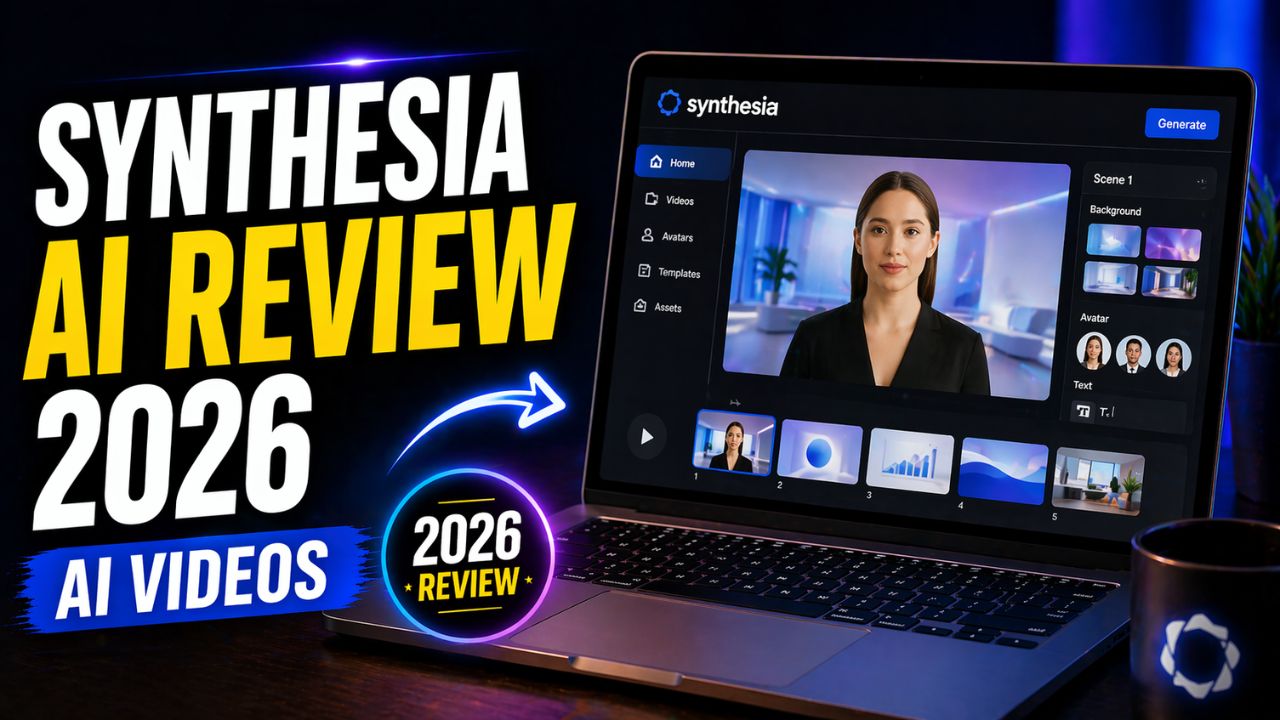
Some people enjoy being on camera. Most beginners do not.
That is one of the hidden reasons video content feels so hard. It is not only the editing. It is the camera setup, lighting, microphone, background, confidence, retakes, and the awkward feeling of recording yourself when you are still learning.
For bloggers, creators, freelancers, and small business owners, this creates a real problem. Video can help with YouTube, training, product demos, courses, social media, and sales pages. But recording every video manually takes time and energy.
Synthesia tries to solve that specific problem.
Instead of recording yourself, you write a script, choose an AI avatar, select a voice or language, and generate a presenter-style video. No camera. No microphone. No studio.
That sounds powerful, but it also raises a fair question: is Synthesia actually useful in 2026, or does it still feel too robotic for serious content?
In this Synthesia AI review 2026, we will look at what Synthesia does, how it works, its avatar video features, pricing, pros and cons, best use cases, alternatives, money-making ideas, and whether it is worth using for bloggers, creators, and businesses.
Synthesia AI Review 2026: What Is Synthesia?
Synthesia is an AI video creation platform that lets users create presenter-style videos from text scripts using AI avatars.
In simple words, you type what you want the presenter to say, choose an AI avatar, customize the video, and generate a talking video without recording yourself.
This makes Synthesia different from many AI video tools.
Pictory is better known for turning blog posts and scripts into stock-footage-style videos. Runway ML is stronger for creative AI video generation and visual editing. Synthesia focuses mainly on avatar presenter videos, training content, business explainers, course lessons, onboarding videos, and multilingual video production.
A basic Synthesia workflow looks like this:
Write script -> choose avatar -> choose voice or language -> customize scene -> generate video -> review and share.
That workflow is useful for people who want professional-looking presenter videos but do not want to appear on camera.
Why Synthesia AI Matters in 2026
Synthesia matters because video demand keeps growing, but the recording process still slows people down.
Businesses need training videos. Course creators need lessons. Bloggers need YouTube explainers. Affiliate marketers need product demos. Freelancers need service deliverables. Teams need onboarding and internal communication.
Recording each of those videos manually can become expensive and repetitive.
Synthesia is useful because it makes presenter-style video creation repeatable. If you need one personal story, filming yourself may be better. If you need 30 training videos, 20 product explainers, or the same message in multiple languages, an AI avatar workflow can save a lot of time.
That is why this Synthesia AI review 2026 does not judge Synthesia like a cinematic video editor. It is better judged as an AI avatar video system.
If you want blog-to-video repurposing, read this Pictory AI review. If you want creative AI video generation, this Runway ML review is the better comparison.
How Synthesia AI Works
Synthesia is easier than traditional video recording for many structured video projects.
The basic process looks like this:
- Write or paste your script.
- Choose an AI avatar.
- Select a voice and language.
- Choose a template or layout.
- Add visuals, text, screen elements, or branding.
- Generate the video.
- Review, edit, download, or share the result.
You do not need a camera, microphone, lighting setup, or advanced video editing software to start.
However, Synthesia still needs a strong script. If your script is boring, the video will feel boring. If your message is unclear, the avatar cannot fix it. The tool makes production easier, but the content still needs human planning and editing.
8 Powerful Synthesia AI Features
The most important part of this Synthesia AI review 2026 is understanding what the tool actually helps you do.
1. AI Avatars
AI avatars are the core feature of Synthesia.
These are virtual presenters that speak your script on screen. Synthesia’s pricing page currently lists access to large avatar libraries on paid plans, with more avatars available on higher plans.
This is useful because you can create presenter-style videos without hiring an actor or recording yourself.
For training videos, tutorials, explainers, internal updates, and faceless YouTube content, this can save time.
The limitation is that AI avatars may still feel less personal than real humans in emotional, story-driven, or high-trust videos. For simple educational and business content, they can work well. For personal brand storytelling, a real person may still feel more authentic.
2. Text-to-Video Creation
Synthesia’s main workflow is text-to-video.
You write a script, and Synthesia turns it into a video with an avatar speaking the content.
This is useful for beginners because writing is often easier than recording. If you can explain something clearly in writing, you can turn it into a video.
For bloggers, this is especially practical. A blog section can become a short explainer video, training clip, product summary, or course lesson.
3. Voice and Language Options
Synthesia supports voice and language workflows for creating videos for different audiences.
Its pricing page currently mentions 1-click translations into 80+ languages on Enterprise. Synthesia’s personal avatar documentation also explains voice and language support for personal avatars depending on plan and availability.
This makes Synthesia useful for businesses, educators, and teams that need multilingual content.
For example, a company can create one training video and adapt it for different regions. A creator can prepare content for global audiences without recording each version manually.
4. Templates
Synthesia includes templates that help users create polished layouts faster.
Templates are useful because beginners often struggle with video design. Instead of starting from a blank scene, you can choose a structure and customize it.
This works well for training videos, product explainers, presentations, onboarding videos, and business updates.
The limitation is that template-based videos can look similar if you do not customize them. Change colors, titles, visuals, and scene structure so your video does not feel copied.
5. Personal Avatars
Synthesia also offers personal avatar options on paid plans.
According to Synthesia’s documentation, personal avatars can be created from a photo or video workflow depending on the feature, and the process includes consent steps. Synthesia states that it obtains consent before generating an AI avatar and gives avatar owners control over usage, including deletion options.
This is important because avatar tools involve identity and likeness.
For businesses, personal avatars can be powerful. A founder, trainer, or company spokesperson can create repeated videos without recording every time.
For beginners, this may not be necessary at first. Start with stock avatars before thinking about personal avatar workflows.
6. AI Dubbing and Translation
Synthesia includes AI dubbing and translation-related features depending on the plan.
This is useful when you already have video content and want to adapt it for another audience.
For creators with global ambitions, dubbing and translation can become valuable. For example, one English training video could become versions for other language audiences.
For AI Sage Labs readers in the US, UK, Canada, India, and other English-speaking or multilingual markets, this global angle may become more useful as your content library grows.
7. Brand Kits and Team Features
Synthesia is strongly positioned for business use, so it includes team and branding features on higher plans.
Synthesia’s documentation explains that brand kits help apply company logos, colors, fonts, and avatars so videos stay consistent. Its pricing page also highlights team collaboration and enterprise security features for larger organizations.
This is one reason Synthesia is popular for companies, training teams, and agencies. It is not only a creator tool. It is also built for repeatable business video production.
8. Interactive Videos and API Access
Synthesia’s pricing page currently lists API access and interactive videos on the Creator plan and above.
This matters for agencies, SaaS companies, and advanced teams that want video creation to connect with a larger system.
Most beginners do not need API access on day one. But for advanced users, it can support scalable video workflows, product education, client delivery, and internal training systems.
Synthesia AI Pros and Cons
No Synthesia AI review 2026 is complete without the tradeoffs. Synthesia is useful, but it is not the perfect tool for every video type.
| Pros | Cons |
|---|---|
| No camera, microphone, or recording setup needed | Avatar videos may not feel as personal as real human videos |
| Beginner-friendly text-to-video workflow | Paid plans are needed for serious use |
| Strong for training, explainers, and business videos | Not ideal for cinematic or highly creative video editing |
| Useful language and dubbing options | Results depend heavily on script quality |
| Templates help speed up production | Videos can look generic if templates are not customized |
The biggest benefit is speed and simplicity. The biggest limitation is that AI avatar videos still need strong scripting and careful use to feel trustworthy.
Synthesia AI Pricing in 2026
Synthesia pricing can change, so always check the official pricing page before buying.
At the time of writing, Synthesia’s official pricing page lists a free Basic plan and paid plans such as Starter, Creator, and Enterprise. The page also explains that credits are a shared currency across AI usage-based features.
The current plan structure includes:
- Basic: Free plan for getting started, with limited monthly credits and usage.
- Starter: Paid plan for users who want downloads, more avatar access, AI Video Assistant, AI Dubbing, and Synthesia logo removal.
- Creator: Higher paid plan with more credits, personal avatars, API access, multiple avatars per scene, interactive videos, and stronger support.
- Enterprise: Custom plan for teams that need larger video production, translations, collaboration, brand kits, security, onboarding, and enterprise support.
For beginners, the best approach is simple:
- Try the free Basic plan if it is available in your region.
- Create one short test video.
- Check whether the avatar style fits your audience.
- Upgrade only if you need downloads, watermark removal, more avatars, or more video output.
- Consider Creator or Enterprise only when video becomes part of a serious workflow.
For this Synthesia AI review 2026, I would not recommend paying for a higher plan just because the features look attractive. Upgrade when you know exactly how many videos you want to create and what business result those videos support.
Try Synthesia for Avatar Videos
If you want presenter-style videos without recording yourself, test Synthesia with one short script before building a full video workflow.
Is Synthesia AI Beginner-Friendly?
Yes, Synthesia is beginner-friendly compared with traditional video recording and editing.
You do not need to understand cameras, lighting, microphones, timeline editing, or advanced video software. If you can write a clear script, you can create a basic Synthesia video.
That is a big advantage for bloggers and creators who feel nervous on camera.
However, beginner-friendly does not mean effortless. You still need to write a good video script, choose the right avatar, keep the video visually clean, and avoid making the content feel robotic.
The tool is easy to operate. The content still needs human judgment.
Synthesia vs Other AI Video Tools
A practical Synthesia AI review 2026 should compare Synthesia with the other video tools bloggers already see online.
Synthesia vs Pictory
Synthesia is better for AI avatar videos, training videos, and presenter-style explainers.
Pictory is better for turning blog posts and scripts into stock-footage-style videos.
Synthesia vs InVideo AI
InVideo AI is better for beginner-friendly video creation, social videos, and script-to-video workflows with templates.
Synthesia is better when you specifically want an avatar presenter speaking your script.
For a broader beginner video workflow, read this InVideo AI review.
Synthesia vs Runway ML
Runway ML is better for generative video, creative visuals, image-to-video, and advanced AI video editing.
Synthesia is better for structured talking-avatar videos, training content, and business presentations.
Synthesia vs HeyGen
HeyGen is another strong AI avatar video tool. Some creators prefer it for certain avatar styles, social video workflows, or creator-focused avatar content.
Synthesia is especially strong for business, training, enterprise, and polished presentation-style videos.
Best Use Cases for Synthesia AI
Synthesia works best when the video is script-driven and presenter-style.
Business Training Videos
Synthesia is a strong fit for employee training, onboarding, compliance videos, internal explainers, and process documentation.
Businesses can create repeatable video lessons without booking presenters and production teams every time.
YouTube and Faceless Content
Creators can use Synthesia for faceless YouTube videos, explainer channels, educational clips, and niche tutorials.
However, YouTube content still needs strong scripting, pacing, visual variety, and originality. An avatar reading a weak script will not automatically perform well.
Course Creation
Online course creators can use Synthesia to produce lesson videos without filming themselves.
This is especially useful for tutorials, software explainers, language versions, and training modules.
Marketing and Product Explainers
Marketers can use Synthesia to create product explainers, landing page videos, onboarding videos, and short sales presentations.
Avatar videos can work well when the goal is to explain a concept clearly.
Multilingual Content
For teams targeting global audiences, Synthesia’s language and translation features can help scale content into multiple regions more easily.
This is one of its strongest business use cases.
How Bloggers Can Use Synthesia AI
Bloggers can use Synthesia to turn written content into simple presenter-style videos.
For example, a blogger can turn a tutorial, product review, list post, or explainer article into a short video script. Then Synthesia can turn that script into a video with an avatar presenter.
This can help bloggers create:
- YouTube explainers
- Short educational videos
- Course lessons
- Affiliate product demos
- Social media clips
- Email course videos
The best workflow is not to paste a full blog post into Synthesia. Rewrite the post into a short video script first.
A good video script should be simple, direct, and conversational. Short sentences work better than long paragraphs.
Build Your AI Video Content Hub
If you want to publish AI tool reviews, tutorials, and video explainers, your blog should be the home base where your content can rank and convert over time.
How to Make Money With Synthesia AI
Synthesia does not automatically make money for you. But it can support several real online business models.
YouTube Automation
Creators can use Synthesia for faceless YouTube channels, explainer videos, and educational content.
This works best when you choose a focused niche, write original scripts, add useful visuals, and avoid low-effort mass-produced videos.
Freelance Video Services
Freelancers can offer AI avatar video services for businesses, coaches, course creators, and marketers.
Services may include script writing, video creation, training videos, onboarding videos, product explainers, and multilingual versions.
Course Creation
If you sell online courses, Synthesia can help create lesson videos without recording yourself every time.
This can speed up course production, especially for structured lessons and software tutorials.
Agency Model
Agencies can package Synthesia videos as part of content marketing, training, onboarding, or product education services.
This works best when the agency adds strategy, scripting, design, and editing instead of only generating basic avatar videos.
Affiliate Marketing
Affiliate marketers can use Synthesia to create product explainers, comparison videos, and video summaries for blog posts.
For example, a review article can become a short video that explains who the product is best for and why.
Need AI Avatar Video Help?
If you need scripts, avatar video setup, editing, or course-style videos, you can hire AI video creators and editors instead of learning everything yourself.
Who Should Use Synthesia AI?
Synthesia is best for people who need presenter-style videos without recording themselves.
It is a good fit for:
- Businesses creating training videos
- Course creators making lessons
- Bloggers repurposing content into video
- Affiliate marketers creating product explainers
- Freelancers offering video services
- Teams creating multilingual content
- Introverts who do not want to appear on camera
If your content is educational, scripted, and presentation-based, Synthesia can be a strong tool.
Who Should Skip Synthesia AI?
Synthesia is not the best fit for every video creator.
You may want to skip it if:
- You need cinematic AI video generation
- You want advanced visual effects
- You need highly emotional storytelling
- You only create casual social videos
- You want the cheapest possible video tool
- You dislike avatar-style content
For cinematic AI visuals, Runway may be a better fit. For blog-to-video automation, Pictory or InVideo AI may feel easier. For avatar presentations, Synthesia is one of the strongest options.
Is Synthesia AI Legit?
Yes, Synthesia is a legitimate AI video platform.
Its official website and documentation include details about avatars, personal avatars, voices, plans, credits, brand kits, and business features. It is widely used for business video creation, training, presentations, and avatar-based content production.
However, being legit does not mean it is perfect for every creator.
AI avatar videos still have limits. They may not replace real human presence for personal storytelling, emotional content, or high-trust creator videos. The quality also depends heavily on your script and design choices.
The honest view is simple: Synthesia is legit and useful, but it works best for structured presenter-style videos, not every type of video content.
Recommended Resource Before the Verdict
Want an Avatar Video Script Kit?
If you want to use Synthesia without sounding robotic, start with a simple script kit for explainers, training videos, affiliate product demos and short YouTube lessons.
Access the AI Avatar Video Script Kit
Recommended Book for AI Video Creators
If you want to understand how AI tools are changing creative work, a useful book to explore is Co-Intelligence: Living and Working with AI by Ethan Mollick.
It is a good fit for creators who want to use AI as a practical work partner, not just a shortcut for generating more content.
This mindset matters with tools like Synthesia because the best results come from combining AI speed with human scripting, editing, and judgment.
Recommended Reading
If you are using AI for content creation, this book can help you think more clearly about where AI helps and where human review still matters.
Synthesia AI Review 2026 Verdict: Is It Worth It?
After researching this Synthesia AI review 2026, my honest verdict is that Synthesia is worth it for the right user.
It is not the cheapest AI video tool. It is not the best choice for cinematic video generation. It is not perfect if you want highly emotional or personal content.
But for avatar videos, training content, explainers, course lessons, business presentations, and multilingual video workflows, Synthesia is a strong option.
It is especially useful for people who do not want to appear on camera but still want professional presenter-style videos.
For bloggers and affiliate marketers, Synthesia can help turn written content into video assets. For businesses, it can scale training and internal communication. For freelancers, it can become a service opportunity.
If your goal is simple blog-to-video content, compare it with Pictory or InVideo AI. If your goal is avatar-led presenter videos, Synthesia is worth exploring.
Start Creating AI Avatar Videos
If you want professional presenter-style videos without camera stress, test Synthesia with one short script and review how natural the output feels for your audience.
Frequently Asked Questions
Is Synthesia AI free?
Synthesia currently lists a free Basic plan on its pricing page, but serious use usually requires a paid plan. Check the official pricing page before starting because plan details can change.
Do I need a camera to use Synthesia?
No. Synthesia lets you create avatar videos from text, so you do not need a camera, microphone, or traditional recording setup for basic videos.
Can I create YouTube videos with Synthesia?
Yes, you can create YouTube-style explainer videos, tutorials, faceless content, and educational videos with Synthesia. The best results still require strong scripts and original ideas.
Is Synthesia beginner-friendly?
Yes. Synthesia is beginner-friendly compared with recording and editing videos manually. However, you still need to learn basic script writing and video structure.
Can I make money using Synthesia AI?
Yes, Synthesia can support YouTube content, course creation, freelance video services, agency work, and affiliate marketing. Income depends on your niche, offer, traffic, skill, and consistency.
Is Synthesia better than Pictory?
It depends on your use case. Synthesia is better for AI avatar presenter videos. Pictory is usually better for turning blog posts and scripts into simple stock-footage videos.
Is Synthesia better than Runway ML?
Synthesia is better for avatar videos and presenter-style content. Runway ML is better for generative video, creative visuals, and advanced AI video editing.
Can Synthesia replace real video recording?
Synthesia can replace real video recording for training, explainers, presentations, and some faceless content. It may not replace real human video for emotional storytelling, personal branding, or high-trust creator content.
Conclusion
This Synthesia AI review 2026 shows that AI avatar video tools are becoming a serious part of content creation.
Synthesia is not perfect, and it is not the cheapest option. But for people who want to create professional presenter-style videos without recording themselves, it is one of the strongest tools available.
It is best for business training, course lessons, explainers, multilingual content, faceless YouTube videos, and scripted marketing videos.
The smartest way to use Synthesia is not to rely on avatars alone. Start with a strong script, keep the message simple, customize the visuals, review the final output, and use it as part of a larger content system.
If you are a blogger, creator, freelancer, or business owner who wants to create videos without camera stress, Synthesia is worth exploring in 2026.
How We Checked This Review
Before updating this review, we checked Synthesia’s official website, pricing page, personal avatar documentation, brand kit documentation, and current plan feature details. This helps keep the article practical and safer for readers comparing AI avatar video tools.
- Synthesia official website
- Synthesia pricing
- Synthesia Docs: Personal Avatars
- Synthesia Docs: Brand Kits
Affiliate Disclosure
As an Amazon Associate, I earn from qualifying purchases. Some links in this article are affiliate links, which means I may earn a commission at no extra cost to you if you buy through them. I only recommend tools, books, and services that may help beginners, creators, and online business owners create better content or grow their work more effectively.