
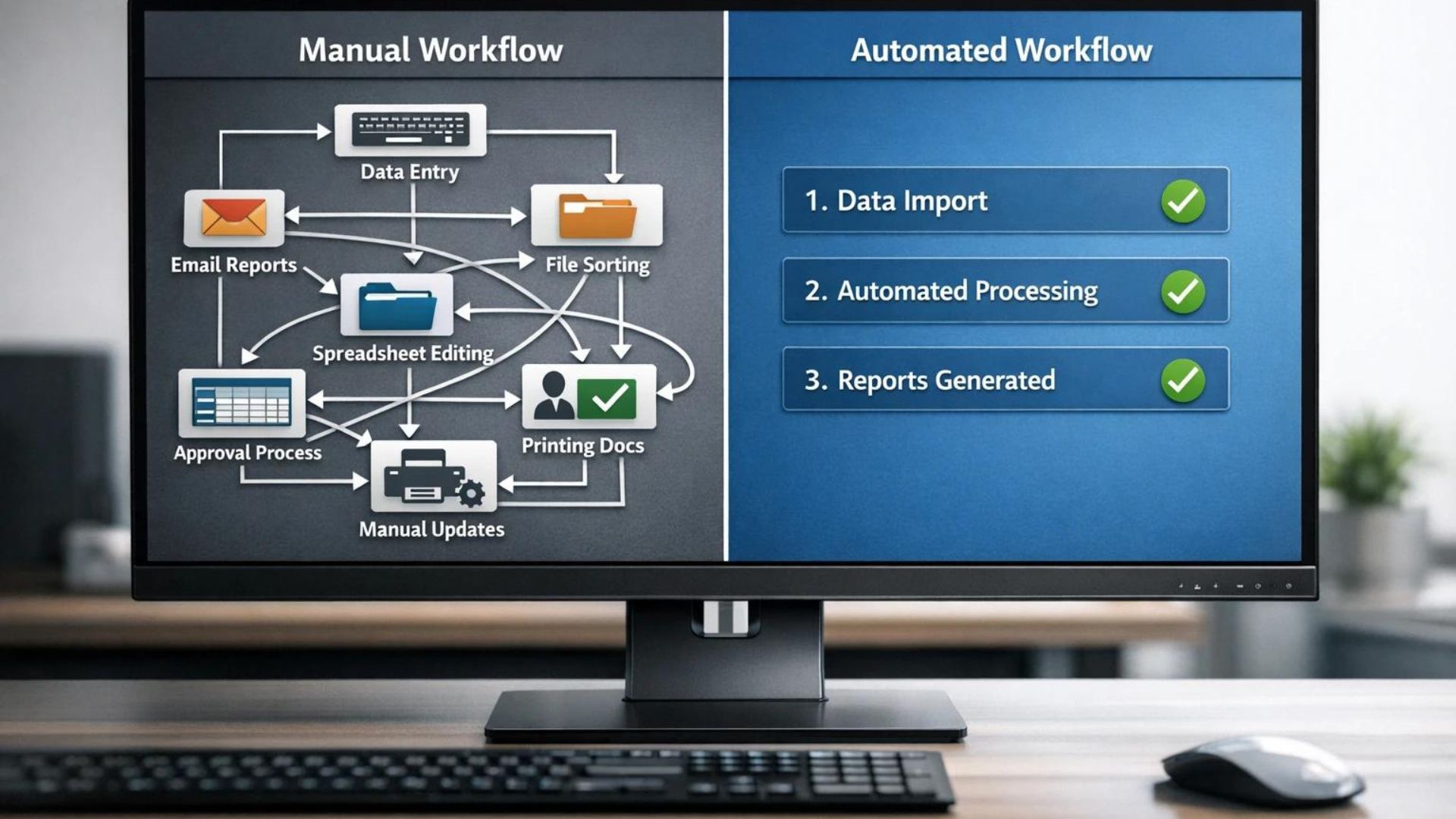
Blogging gets heavy when every small task still depends on you.
You write the article. Then you format it. Then you add images. Then you publish it. Then you share it on social media. Then you send an email. Then you track performance. Then you update the post later.
And then you do it all again.
At first, that workflow feels manageable. But as your blog grows, the small tasks start stacking up. What used to take one hour can easily turn into a full day of admin work.
That is exactly where AI automation tools become useful.
Instead of doing every repetitive task manually, you can create workflows that run in the background. Your post link can be saved automatically. Your email draft can be prepared automatically. Your lead information can move into a spreadsheet automatically. Your content calendar can update automatically.
This is not a future idea. Bloggers, creators, marketers, freelancers, and small businesses are already using automation to save time and stay consistent.
In this guide, we will explain what are AI automation tools, how they work, why they matter, the best tools to know, how bloggers can use them, and how automation can support online income.
What Are AI Automation Tools?
AI automation tools are software platforms that use artificial intelligence, app integrations, triggers, actions, and workflows to automate repetitive tasks across different apps and systems.
In simple words, they help apps work together without you manually moving information from one place to another.
For example, instead of copying your new blog post link, opening social media, writing a caption, adding the link, updating a spreadsheet, and creating a reminder, an automation tool can do several of those steps for you.
That is the simple answer to what are AI automation tools: they are digital workflow helpers that connect apps and automate tasks.
Some automation tools are mostly rule-based. Others now include AI features that can summarize, write, classify, route, decide, or generate content inside a workflow.
This is why AI automation is becoming more powerful than older automation.
Traditional automation follows fixed rules. AI automation can sometimes understand context and create smarter outputs.
Why AI Automation Tools Matter in 2026
Automation matters in 2026 because online work has become more complex.
A blogger is not only a writer anymore. A blogger may also be a publisher, marketer, email manager, SEO editor, affiliate manager, designer, social media planner, and analytics tracker.
That is too much to do manually forever.
Understanding automation gives you a better way to think about your blog. Instead of doing every task by hand, you start building systems.
They Save Time
Repetitive tasks are the easiest tasks to automate.
Saving leads to a spreadsheet, sending notification emails, creating social media tasks, formatting data, or moving files between apps can often be automated.
This gives you more time for the work that actually needs your brain: strategy, writing, editing, product research, and decision-making.
They Improve Consistency
Consistency is one of the biggest factors in blogging success.
Automation helps you repeat important tasks even when you are busy. A workflow can remind you to promote a post, update your tracker, or prepare captions without depending on memory.
They Help You Scale
Manual work limits growth.
If every small task depends on you, your blog can only grow as fast as your available time. Automation lets you handle more content, leads, updates, and promotion without adding more manual effort to every step.
They Reduce Burnout
Many bloggers quit because the process becomes overwhelming.
Automation does not remove all the work, but it can remove repeated admin tasks that drain energy.
They Support Income Growth
More consistency can lead to more content, more traffic, more email subscribers, better follow-up, and more affiliate opportunities.
Automation is not magic income. But it can support the systems that help income grow.
If you already know the basics and want tool picks, read this guide on the best AI automation tools for bloggers. If you want a direct tool comparison, this Zapier vs Make.com comparison is a useful next step.
How AI Automation Tools Work
To understand how these tools work, you need to understand three simple parts: triggers, actions, and workflows.
Trigger
A trigger is the event that starts the automation.
Examples include:
- A new blog post is published.
- A new email subscriber joins your list.
- A form is submitted.
- A new row is added to Google Sheets.
- A payment is received.
Action
An action is what happens after the trigger.
Examples include:
- Send an email.
- Create a task.
- Post to social media.
- Add data to a spreadsheet.
- Generate a summary with AI.
- Send a notification.
Workflow
A workflow is the full automation sequence.
Example workflow:
New WordPress post published -> AI writes a short social caption -> link is saved to Google Sheets -> task is created to make Pinterest pins -> email reminder is sent.
This is what are AI automation tools in action. They turn repeated steps into connected systems.
Main Types of AI Automation Tools
Not all automation tools do the same thing. Some are for connecting apps. Some are for marketing. Some are for content. Some are for business operations.
Workflow Automation Tools
Workflow automation tools connect different apps and automate processes between them.
Examples include Zapier, Make, Pabbly Connect, and n8n.
These are the most important tools for beginners to understand because they can connect WordPress, Gmail, Google Sheets, social platforms, email tools, forms, CRMs, and many other apps.
Content Automation Tools
Content automation tools help with content planning, drafting, repurposing, publishing, or scheduling.
For example, you might use AI to turn a blog post into social captions, a newsletter draft, or a short video script.
Marketing Automation Tools
Marketing automation tools help with email sequences, lead capture, funnels, customer journeys, and follow-up.
These tools are useful when your blog starts collecting subscribers or promoting affiliate offers.
Business Automation Tools
Business automation tools help with CRM updates, customer support, invoices, reporting, internal tasks, and data management.
For freelancers and small businesses, these automations can save time and reduce mistakes.
Best AI Automation Tools for Beginners
Once you understand what are AI automation tools, the next question is which tool to start with.
Zapier
Zapier is one of the most beginner-friendly automation platforms.
It connects many apps and lets users create automated workflows called Zaps. Zapier also has AI features, including Zapier Copilot, which Zapier describes as an AI-powered assistant that helps users discover automation use cases and build or maintain automation assets.
Zapier is best for beginners because the interface is simple and the app ecosystem is large.
Best for: beginners, bloggers, simple business workflows, and people who want easy setup.
Make
Make is a visual automation platform that is popular with users who want more control.
Make describes itself as a visual AI automation platform where users can build and manage automations and AI agents visually, in code, or with a prompt. Make also promotes AI agents that work across 3,000+ apps.
Make is more visual than Zapier and can be very powerful for multi-step workflows.
Best for: visual builders, advanced workflows, marketers, and users who want more flexibility.
Pabbly Connect
Pabbly Connect is another workflow automation platform that connects apps and automates tasks.
Pabbly’s official site highlights features such as scheduling, delay, router, API modules, email parser, webhooks, and AI Assistant.
It is often considered a budget-friendly alternative for users who want automation without paying higher prices for every workflow.
Best for: budget-conscious users and bloggers who want practical app automation.
n8n
n8n is a flexible workflow automation platform with native AI capabilities.
Its GitHub page describes it as a workflow automation platform for technical teams, with visual building, custom code, self-hosting, cloud options, 400+ integrations, and native AI capabilities.
n8n is powerful, but it is more technical than Zapier for beginners.
It is especially useful for users who want more control, self-hosting, custom logic, and developer-friendly workflows.
Best for: technical users, self-hosting, custom automation, and advanced AI workflows.
Make.com
Cursor AI
Perplexity
AI Automation Tools Comparison
Here is a simple beginner-friendly comparison.
| Tool | Best For | Main Strength | Main Limitation |
|---|---|---|---|
| Zapier | Beginners | Easy setup and many app integrations | Can become costly for heavy use |
| Make | Advanced visual workflows | Flexible visual builder and AI workflow options | Learning curve is higher than Zapier |
| Pabbly Connect | Budget users | Useful automation features at a lower-cost positioning | May not feel as polished as larger platforms |
| n8n | Technical users | Open, flexible, self-hostable workflows | More technical setup and maintenance |
For most beginners, Zapier is the easiest place to start. For more control, Make is a strong next step. For budget users, Pabbly Connect is worth comparing. For technical users, n8n is powerful.
How Bloggers Can Use AI Automation Tools
Bloggers can use automation in simple and practical ways.
You do not need to build a complicated system on day one. Start with small workflows that remove repeated tasks.
Blog Post Promotion
When a new post is published, an automation can create a social media task, save the URL to a spreadsheet, or prepare a caption draft.
Email Workflow
When someone joins your email list, automation can send a welcome email, tag the subscriber, and add them to a sequence.
Content Calendar Updates
When you add a new topic idea to a spreadsheet, automation can create a task in your project management tool.
Affiliate Link Tracking
You can use automation to keep a record of published posts, affiliate links, update dates, and CTA placements.
Repurposing Content
AI can help turn one blog post into captions, newsletter drafts, video scripts, or LinkedIn posts.
If you are serious about blogging, your automation system should support your website. A fast WordPress blog gives your content a home where it can rank, convert, and grow over time.
Start an Automation-Ready Blog
If you want your automations to support real traffic and income, build your content system on a reliable WordPress foundation.
Simple AI Automation Workflow for Bloggers
If you are new, start with this workflow:
- Publish a blog post in WordPress.
- Automation saves the title and URL to Google Sheets.
- AI creates three social caption ideas.
- A task is created to make a Pinterest pin.
- An email reminder is sent to promote the post.
This workflow is simple, but it saves time.
More importantly, it builds a habit. Every post gets tracked and promoted. That consistency matters.
Later, you can add more steps, such as newsletter drafts, affiliate tracking, internal link reminders, or performance checks.
How to Make Money With AI Automation Tools
Once you understand what are AI automation tools, you can use them to support several income paths.
Blogging
Automation helps bloggers stay consistent. More consistent publishing and promotion can lead to more traffic, more email subscribers, and more affiliate opportunities.
Affiliate Marketing
You can promote automation tools such as Zapier, Make, Pabbly Connect, or other workflow platforms if they fit your audience and affiliate program strategy.
You can also use automation to track published affiliate posts, update CTAs, and manage content refresh reminders.
Freelancing
Many businesses want automation but do not know how to set it up.
You can offer services such as Zapier setup, Make workflows, Google Sheets automation, email automation, CRM workflows, and WordPress automation.
Automation Services Business
If you become good at building workflows, you can package automation services for bloggers, creators, coaches, agencies, and small businesses.
Services may include lead capture automation, content publishing systems, client onboarding, reporting workflows, and social media task systems.
Need Automation Setup Help?
If you do not want to build automations yourself, hiring an expert can save time and prevent setup mistakes.
Common AI Automation Mistakes Beginners Make
Overcomplicating Workflows
Start simple. A three-step automation that works is better than a ten-step workflow that breaks every week.
Using Too Many Tools
Do not connect every app immediately. Choose one automation platform and one simple workflow first.
Not Testing Automations
Always test your workflow before relying on it. Check whether the right data goes to the right place.
Automating Bad Processes
If your manual process is messy, automation can make the mess faster. Clean the workflow first, then automate it.
Ignoring Privacy and Permissions
Automation tools may connect to email, documents, customer data, forms, and business apps. Be careful with permissions and sensitive information.
Expecting Instant Results
Automation saves time over repeated use. It may not feel dramatic on day one, but it becomes powerful when the same workflow runs every week.
Best Way to Start With AI Automation
If you are a beginner, do not try to automate your whole blog in one day.
Start with one repeated task.
The easiest place to begin is with something low-risk. Do not start by automating payments, client communication, or important publishing decisions. Start with reminders, tracking, drafts, and internal tasks. These workflows save time without creating big problems if something needs adjustment.
For example, a beginner blogger can start by automatically saving every new post title, URL, category, and publish date into a Google Sheet. That simple tracker becomes useful later when you want to update old posts, monitor affiliate links, or plan internal links.
Good first workflows include:
- Save new blog post URLs to a spreadsheet.
- Create a task when a new post is published.
- Send a welcome email to new subscribers.
- Create a social media caption draft from a blog title.
- Send yourself a reminder to update old posts.
After that workflow works reliably, add one more step.
This is the best way to learn automation without getting overwhelmed.
Once you trust the workflow, you can add AI steps. For example, after a new blog post is published, AI can draft three social captions or summarize the article for your newsletter. You still review the result, but the blank-page work is already done.
Recommended Resource Before the Verdict
Want a Beginner Automation Checklist?
If automation feels confusing, start with a simple checklist for triggers, actions, app connections, testing, privacy, and first workflows for bloggers.
CTA idea: Access the AI Automation Beginner Checklist
Note: When you create your own Google Doc, PDF, Digistore24, JVZoo, or Gumroad product for this checklist, turn the CTA text above into a real sponsored affiliate or product link.
Recommended Book for Learning AI Workflows
If you want to understand how AI fits into modern work, a useful book to explore is Co-Intelligence: Living and Working with AI by Ethan Mollick.
It is not only about automation tools, but it can help you think about AI as a practical work partner. That mindset is useful when building workflows because the goal is not to replace thinking. The goal is to remove repetitive work so you can focus on higher-value decisions.
Recommended Reading
If you want to understand how AI can support real work, this book is a useful starting point.
What Are AI Automation Tools Verdict: Are They Worth It?
After breaking down what are AI automation tools, the honest verdict is simple: yes, they are worth learning if you want to grow a blog or online business in 2026.
They are not magic. They will not make a weak blog successful overnight. They will not replace strategy, writing, editing, SEO, or trust.
But they can remove repetitive tasks, improve consistency, reduce burnout, and help you scale your workflow over time.
For beginners, Zapier is the easiest place to start. Make is better when you want more visual control. Pabbly Connect is worth comparing for budget workflows. n8n is powerful if you are more technical.
The best approach is to start small, build one useful automation, test it, and improve it. That is how modern bloggers turn automation from a confusing idea into a practical system.
Start With One Simple Workflow
Pick one repeated task, automate it, and test it before adding more steps. That is the easiest way to learn without breaking your workflow.
Frequently Asked Questions
What is the best AI automation tool?
For beginners, Zapier is usually the easiest tool to start with. Make is strong for visual workflows, Pabbly Connect is worth comparing for budget users, and n8n is powerful for technical users.
Can beginners use AI automation tools?
Yes. Many AI automation tools are no-code or low-code. Beginners should start with one simple workflow instead of trying to automate everything at once.
Are AI automation tools expensive?
Some automation tools have free plans or affordable starting plans, while costs increase with more tasks, workflows, or advanced features. Always check current pricing before choosing a tool.
Do I need coding skills for AI automation?
No, not for basic workflows. Tools like Zapier and Make are designed so non-technical users can connect apps. Coding helps with advanced workflows, but it is not required to start.
How much time can automation save?
Automation can save several hours per week if you use it for repeated tasks such as post tracking, social media tasks, email follow-up, and data entry.
Can I make money with AI automation tools?
Yes. AI automation tools can support blogging, affiliate marketing, freelancing, and automation services. Income depends on your skills, offer, audience, and consistency.
What is a trigger in automation?
A trigger is the event that starts a workflow. For example, a new blog post being published can trigger a workflow that saves the post link and creates a promotion task.
What is a workflow in automation?
A workflow is a sequence of steps that runs automatically. It usually includes a trigger and one or more actions across connected apps.
Conclusion
This guide explained what are AI automation tools and why they matter for bloggers in 2026.
They are not just tools. They are systems that help you save time, stay consistent, reduce repetitive work, and scale your blog without burning out.
If you are new, start with one workflow. Do not overcomplicate it. Automate one repeated task, test it, and improve it.
Once you understand the basics, AI automation can become one of the most useful parts of your blogging system.
Modern bloggers are not winning by doing everything manually. They are winning by building smarter systems.
How We Checked This Guide
Before updating this guide, we checked official pages from Zapier, Make, Pabbly Connect, and n8n. This helps keep the article practical and safer for beginners learning automation.
Affiliate Disclosure
As an Amazon Associate, I earn from qualifying purchases. Some links in this article are affiliate links, which means I may earn a commission at no extra cost to you if you buy through them. I only recommend tools, books, and services that may help beginners, creators, and online business owners create better content or grow their work more effectively.
7 thoughts on “What Are AI Automation Tools? 2026 Beginner Guide”