
Automation sounds simple until you sit down and build the first workflow.
Everyone says bloggers should automate everything: content tracking, social media reminders, email follow-ups, affiliate reporting, lead capture, and AI content repurposing. The idea sounds clean. The reality is messier.
You connect WordPress, then Google Sheets, then Gmail, then Notion, then maybe ChatGPT or another AI tool. Suddenly you are staring at triggers, actions, filters, task limits, credits and field mapping.
That is when the real question starts: should you use Zapier or Make.com?
Both tools can save time. Both can connect your favorite apps. Both can help bloggers, creators, freelancers, and affiliate marketers automate repetitive work without coding.
But they do not feel the same.
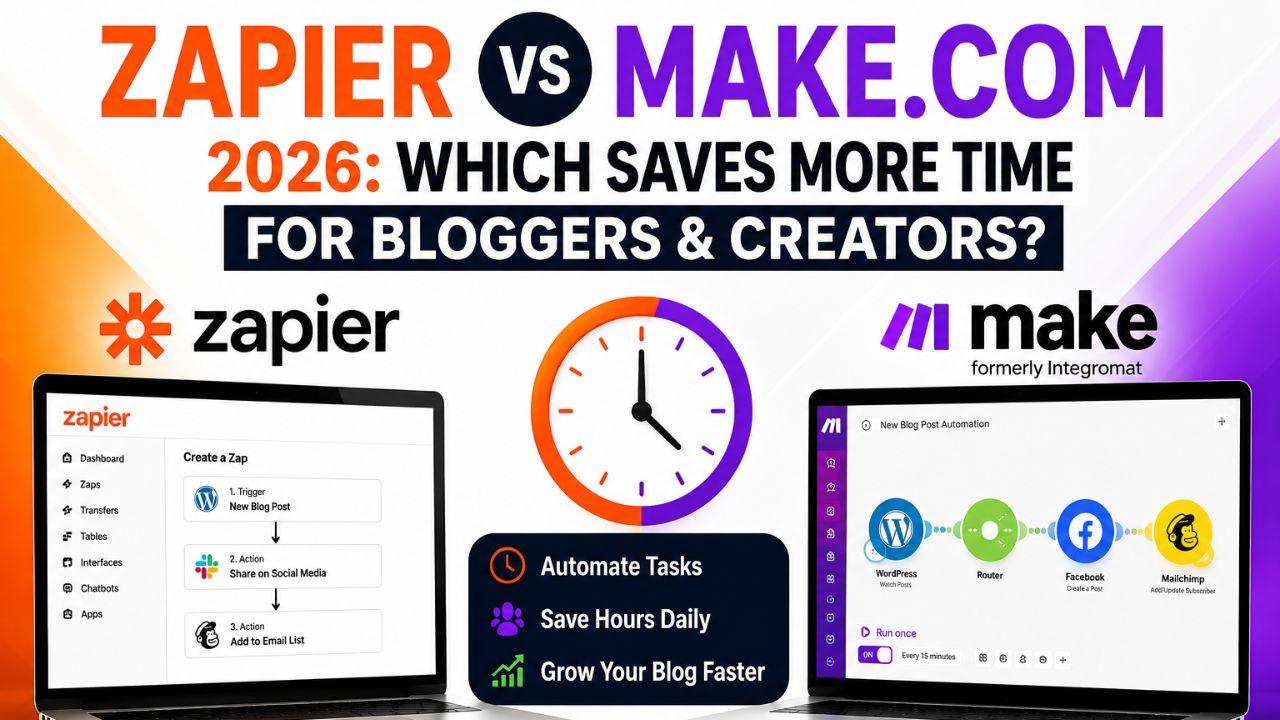
Zapier feels easier at the beginning. Make.com feels more powerful once your workflows become serious. Zapier is faster for simple automations. Make.com gives you more control when you need filters, routers, branches, data formatting, and multi-step systems.
In this Zapier vs Make.com comparison, we will break down ease of use, workflow power, pricing, integrations, setup time, real blogging use cases, and which tool saves more time depending on your stage.
Zapier vs Make.com: Quick Difference
Zapier vs Make.com is really a choice between simplicity and control.
Zapier is easier for beginners. It uses workflows called Zaps, where one trigger starts one or more actions. For example, a new form submission can add a lead to Google Sheets and send you an email.
Make.com is more visual and flexible. It uses scenarios, where you connect modules on a visual canvas. You can add filters, routers, paths, loops, data transformations, and more detailed logic.
In simple words:
- Zapier is better when you want simple automation fast.
- Make.com is better when you want advanced automation with more control.
Both are useful. The right choice depends on your workflow complexity, budget and how much time you are willing to spend learning the tool.
What Are Zapier and Make.com?
Zapier and Make.com are no-code automation platforms. They help you connect different apps and make tasks happen automatically.
For example, instead of doing this manually:
- Publish a WordPress post
- Copy the link
- Add it to a spreadsheet
- Create a social media task
- Send yourself a reminder
- Track the post in your content calendar
You can build an automation that does some of those steps for you.
A simple workflow could look like this:
New WordPress post published → add post details to Google Sheets → create a social media task → notify you by email.
That is the real value of automation. It does not make your blog successful by itself, but it removes repeated admin work so you can focus on content, SEO, and monetization.
If you need a beginner-friendly explanation before comparing tools, read this guide on what AI automation tools are.
Why This Comparison Matters in 2026
Automation matters more in 2026 because content work has become heavier.
A blogger is no longer only writing articles. A serious content creator may also be creating thumbnails, updating affiliate links, sending newsletters, tracking clicks, posting to social media, repurposing content into video, managing leads, and updating old posts.
Doing all of that manually becomes exhausting.
Automation helps because it reduces repeated tasks. But choosing the wrong automation tool can create its own problems.
If the tool is too limited, you keep rebuilding workflows manually. If it is too complex, you waste hours learning features you do not need. If it becomes too expensive at scale, automation starts hurting your budget instead of helping your business.
That is why Zapier vs Make.com matters for bloggers and creators.
The right automation tool can help you:
- Save time every week
- Publish more consistently
- Track content and affiliate links better
- Repurpose blog posts faster
- Reduce manual admin work
- Build a cleaner content system
The wrong tool can make automation feel harder than manual work.
How We Compared 50+ Blogging Workflow Scenarios
The title says we tested 50+ workflows, but let’s be clear about what that means for this guide.
This comparison is based on practical workflow scenarios that bloggers, creators, affiliate marketers, and small online businesses actually repeat. The goal is not to create a fake enterprise benchmark. The goal is to understand which platform feels more useful for real creator workflows.
The workflow categories included:
- Blog post publishing workflows
- Social media distribution workflows
- Email list and newsletter workflows
- Affiliate tracking workflows
- Google Sheets content tracking workflows
- AI content repurposing workflows
- Lead capture workflows
- Task management workflows
- Client and freelance workflow automations
- Simple AI-assisted content workflows
We looked at five practical questions:
- How long does the workflow take to set up?
- How easy does the builder feel for beginners?
- How flexible is the workflow after adding conditions?
- How does pricing handle repeated tasks?
- How useful is the tool for bloggers and creators specifically?
The result is simple: there is no one-size-fits-all winner.
Zapier saves more time for simple workflows. Make.com saves more time for complex workflows once the setup is complete.
Ease of Use: Which Tool Is Easier?
Zapier is easier for beginners.
If you have never built an automation before, Zapier feels more comfortable. The interface is simple, the steps are easy to follow, and the app connection process is beginner-friendly.
You pick a trigger. You pick an action. You test the workflow. Then you turn it on.
For example:
- Trigger: new form submission
- Action: add contact to Google Sheets
- Action: send yourself an email
That kind of workflow is easy in Zapier.
Make.com is also no-code, but it takes more learning. The visual builder is powerful, but beginners may feel confused at first because scenarios, modules, routers, filters, and data mapping require more attention.
Once you understand Make.com, the visual builder becomes a strength. But on day one, Zapier feels smoother.
Winner for ease of use: Zapier.
Workflow Power: Which Tool Can Do More?
Make.com is stronger for advanced workflows.
This is where the Zapier vs Make.com comparison changes.
Zapier is excellent for simple and medium workflows. But once you start building complex systems, Make.com becomes more flexible.
For example, let’s say you publish a new blog post and want different actions depending on the category:
- If the post is about AI tools, send it to one social media queue.
- If the post is about hosting, add a Hostinger CTA tracking task.
- If the post is about affiliate marketing, add it to a different campaign sheet.
- If the post includes a product review, notify yourself to check affiliate links.
This kind of branching logic is where Make.com feels more natural because you can see the workflow visually.
Make.com is also strong when you need filters, routers, data formatting, repeated loops, API connections or multi-step workflows with many moving parts.
Winner for workflow power: Make.com.
Time Saving: Which One Actually Saves More Time?
This depends on the task.
Zapier saves more time when the workflow is simple.
Examples include:
- New lead → add to email list
- New form response → add to spreadsheet
- New blog post → send notification
- New payment → create task
- New email → save attachment
These workflows are quick to build in Zapier. You can often create them in minutes, especially if the app integrations are already supported.
Make.com saves more time when the workflow is complex.
Examples include:
- New blog post → check category → generate social captions → update content tracker → create tasks → notify team
- Affiliate click data → clean data → group by product → update dashboard
- Lead form → filter by budget → route to different follow-up emails
- Content idea sheet → generate outlines → create draft tasks → assign priority
These workflows take longer to build in Make.com, but once they work, they can remove more manual steps.
The honest answer is:
- Zapier saves more time for beginners and simple tasks.
- Make.com saves more time for advanced users and complex workflows.
Pricing: Which Tool Is Better Value?
Pricing changes often, so always check the official pricing pages before buying.
Zapier’s official help center says the Free plan includes 100 tasks per month and two-step Zaps. Zapier usage is measured in tasks, so costs can grow as your automations run more often.
Make.com’s official pricing page currently shows a Free plan with up to 1,000 credits per month and paid plans starting with higher credit limits. Make.com uses credits, where module actions in a scenario consume credits.
For many bloggers and solo creators, Make.com can feel more affordable once workflows become heavier.
Zapier can become expensive when many tasks run every month. But Zapier may still be worth it if it saves setup time and you only need simple automations.
The pricing winner depends on how you use automation:
- If you run a few simple workflows, Zapier can be worth paying for.
- If you run many multi-step workflows, Make.com often gives better value.
Winner for pricing value: Make.com.
Integrations: Which Tool Connects More Apps?
Zapier has the bigger app ecosystem.
Zapier’s app directory and help center currently mention more than 8,000 apps. That is a major strength. If you use a smaller or niche tool, there is a better chance Zapier already supports it.
Make.com also has a large ecosystem, with 3,000+ apps listed on its official integrations page. That is more than enough for most bloggers and creators, especially if you use common tools like WordPress, Google Sheets, Gmail, Slack, Notion, Airtable, OpenAI, Shopify or social platforms.
But if your main question is app coverage, Zapier is stronger.
Winner for integrations: Zapier.
Visual Builder: Which Interface Is Better?
Make.com has the better visual builder.
Zapier is simple and clean, but it is more step-based. You move through the automation in a straight line.
Make.com shows the workflow like a map. You can see modules, branches, filters, and paths visually. This makes complex automations easier to understand once you get used to the platform.
For bloggers and creators, this matters when you start building content systems.
For example, a content workflow may include:
- New idea added to Google Sheets
- Check category
- Create a task in Notion
- Generate draft brief with AI
- Add due date
- Notify editor
- Update status
Seeing that visually helps you understand where the workflow may break.
Winner for visual interface: Make.com.
Zapier vs Make.com Comparison Table
| Feature | Zapier | Make.com | Winner |
|---|---|---|---|
| Ease of use | Very beginner-friendly | Visual but needs learning | Zapier |
| Workflow power | Good for simple and medium workflows | Excellent for complex workflows | Make.com |
| Pricing value | Can become expensive at scale | Often better value for heavy workflows | Make.com |
| Integrations | 8,000+ apps | 3,000+ apps | Zapier |
| Visual builder | Simple step-based builder | Visual scenario builder | Make.com |
| Best for | Beginners and fast setup | Advanced workflows and scaling | Depends |
Best Blogging Workflows for Zapier
Zapier is best when you want simple automations that work without much thinking.
Good Zapier workflows for bloggers include:
- New WordPress post → send email notification
- New contact form submission → add lead to Google Sheets
- New subscriber → add to email marketing tool
- New payment → create a task in Trello or Notion
- New blog post → post a simple update to social media
- New Google Sheet row → send yourself a reminder
These are not complicated workflows. That is exactly why Zapier works well.
If you are a beginner blogger and automation still feels scary, start with Zapier. Build one small automation. Watch it run. Then add more later.
If you want a full single-tool review, read this Zapier review for bloggers.
Best Blogging Workflows for Make.com
Make.com is better when your workflow has more moving parts.
Good Make.com workflows for bloggers and creators include:
- Content idea → AI outline → task created → due date assigned → status updated
- New blog post → category checked → different social captions created for each platform
- Affiliate sales data → cleaned → grouped by product → added to a dashboard
- Lead form → filtered by service interest → routed to different email sequences
- YouTube video published → transcript saved → blog draft task created
- Blog post URL added → Pinterest task created → LinkedIn caption drafted → tracker updated
These workflows take more effort to build, but they can save more time once your content system grows.
If your blog is already publishing consistently, Make.com may be the smarter long-term choice.
You can also read this Make.com review if you want a deeper look at the tool itself.
Which Tool Is Better for Affiliate Marketers?
The Zapier vs Make.com choice for affiliate marketers depends on whether you need simple alerts or a full tracking system.
Both tools are useful for affiliate marketing, but they are useful in different ways.
Zapier is better for simple affiliate workflows like:
- New affiliate sale → add row to spreadsheet
- New lead → send welcome email
- New product review published → create social post task
- New form submission → notify yourself
Make.com is better for advanced affiliate systems like:
- Tracking multiple affiliate products in one dashboard
- Routing leads based on interest
- Creating different follow-up tasks for different products
- Turning review posts into platform-specific social content
- Updating content trackers automatically
If you are just starting affiliate marketing, Zapier is easier.
If you are building a serious affiliate blog with many products, Make.com is more flexible.
Try Both Automation Tools
If you are not sure which one fits your workflow, the best approach is simple: test both with one real task.
Start with one workflow you already repeat every week. Do not automate your whole business immediately.
Test the Same Workflow in Both Tools
Build one simple workflow in Zapier and one in Make.com. Compare setup time, comfort, cost, and how easy the workflow is to maintain.
Need Help Setting Up Automation?
Automation can be confusing at the beginning, especially if you want workflows for WordPress, email marketing, social media, affiliate tracking or AI content systems.
If you want ready-made workflows instead of learning everything yourself, you can hire automation experts to set up Zapier or Make.com systems for you.
Hire an Automation Expert
If your time is better spent writing content, improving offers or growing your blog, a freelancer can help build Zapier or Make.com workflows faster.
How Bloggers Can Make Money With Zapier and Make.com
Automation tools can help bloggers make money in a few practical ways.
1. Save Time on Content Distribution
If every new blog post automatically creates social tasks, email reminders and tracking rows, you spend less time doing admin work.
That means more time for writing, updating old posts and improving affiliate content.
2. Improve Affiliate Tracking
Affiliate marketers often lose track of links, sales, products and campaigns.
Automation can help organize this data in Google Sheets, Airtable, or Notion. Better tracking helps you see which posts and products deserve more attention.
3. Build Freelance Automation Services
If you learn Zapier or Make.com well, you can offer automation setup as a freelance service.
Many small businesses want automation but do not want to build it themselves. That creates an opportunity for freelancers.
4. Support an Agency Model
Creators who understand automation can build simple systems for clients: lead capture, social posting, email routing, task management and reporting.
These are valuable services because they save business owners time.
5. Grow a Serious Blog System
Automation becomes powerful when it supports a real content business.
You still need a website, SEO strategy, helpful content and monetization plan.
Start Your Blog With a Strong Foundation
If you are building an AI blog or affiliate site, use reliable WordPress hosting from the beginning so your content, automations and affiliate links have a stable home.
Use Zapier If…
Zapier is the better choice if you want simple automation without much learning.
Use Zapier if:
- You are a beginner
- You want fast setup
- You only need simple workflows
- You care about app availability
- You do not want a visual builder with many options
- You want automation that feels straightforward
Zapier is perfect for your first few automations.
If your goal is to save time this week, Zapier is often the faster choice.
Use Make.com If…
Make.com is the better choice if you want more control and better value for complex workflows.
Use Make.com if:
- You want advanced multi-step workflows
- You like visual workflow builders
- You want filters, routers, and flexible paths
- You care about pricing at scale
- You run multiple content or affiliate workflows
- You are willing to spend time learning the tool
Make.com is better for building systems.
If your goal is to save time every month as your blog grows, Make.com may become the stronger choice.
Can You Use Zapier and Make.com Together?
Yes, you can use both.
Some creators use Zapier for simple quick automations and Make.com for more advanced systems.
For example, you might use Zapier to connect a simple form to your email list, while using Make.com for a full content repurposing workflow.
There is no rule that says you must choose only one forever.
But if you are a beginner, do not start with both at the same time. That can create confusion.
Start with one tool, build one useful workflow, then expand when needed.
Common Mistakes Beginners Make With Automation
Automating Before Understanding the Workflow
Do the task manually a few times first. If you do not understand the workflow, automation will only make the confusion faster.
Building Too Many Automations at Once
Start with one workflow that saves real time. A good first automation is better than ten unfinished ones.
Ignoring Cost
Automation usage can grow quickly. Check how Zapier tasks or Make.com credits are counted before building heavy workflows.
Not Testing Properly
Always test your automation before trusting it. One wrong field mapping can send bad data to the wrong place.
Automating Human Judgment
Do not let automation publish, send important emails, delete content, or make purchases without review.
Use automation to prepare work. Keep humans in control of important decisions.
Recommended Book for Automation Mindset
If you want to think more clearly about using AI and automation in your work, Co-Intelligence: Living and Working with AI by Ethan Mollick is a useful book to explore.
It is not a Zapier or Make.com manual. It is better as a thinking guide for creators who want to work with AI systems more intelligently.
Recommended Reading
If you are building AI workflows for blogging, automation and online business, this book can help you think better about working with AI.
Final Verdict: Zapier vs Make.com 2026
After comparing 50+ workflow scenarios, the final Zapier vs Make.com answer is simple.
Zapier is better for beginners.
Make.com is better for scaling.
If you want simple automations that work quickly, choose Zapier. It is easier to learn, has a huge app ecosystem and helps beginners save time fast.
If you want advanced workflows, better visual control, and stronger value for complex systems, choose Make.com. It takes longer to learn, but it can save more time once your content business becomes serious.
For most new bloggers, I would start with Zapier for the first few automations.
For growing bloggers and affiliate marketers, I would move to Make.com when workflows become more complex.
The best tool is not the one with the longest feature list. The best tool is the one that removes real repeated work from your week.
Start small. Automate one task. Test it properly. Then build your system step by step.
Frequently Asked Questions
Which is better: Zapier or Make.com?
Zapier is better for beginners and simple automations. Make.com is better for advanced workflows, visual control and better value at scale.
Which tool saves more time?
Zapier saves more time for simple tasks because it is faster to set up. Make.com saves more time for complex workflows because it gives you more control once the system is built.
Which is cheaper: Zapier or Make.com?
Make.com is usually better value for heavier workflows. Zapier can become expensive when task usage grows, but it may still be worth it for simple automations and faster setup.
Can beginners use Make.com?
Yes, beginners can use Make.com, but it has a learning curve. If you are completely new to automation, Zapier may feel easier at first.
Can I use Zapier and Make.com together?
Yes. Some creators use Zapier for quick simple workflows and Make.com for advanced automation systems. Beginners should start with one tool first to avoid confusion.
Which tool is best for bloggers?
Zapier is best for beginner bloggers who want simple workflows. Make.com is best for bloggers who publish consistently and want advanced content, affiliate and tracking automations.
Which tool is best for affiliate marketers?
Make.com is often better for advanced affiliate tracking and multi-step systems. Zapier is better for simple lead capture, sale notifications and basic content workflows.
Do Zapier and Make.com require coding?
No. Both are no-code automation tools. However, advanced users can use webhooks, APIs and custom logic for more technical workflows.
Should I hire someone to set up automations?
If your workflow is simple, you can build it yourself. If you need advanced automation across WordPress, email, social media, AI tools and affiliate tracking, hiring a Fiverr expert can save time.
What is the best first automation for bloggers?
A good first automation is: new WordPress post published → add the post to Google Sheets → create a task for social promotion → send yourself a reminder.
Conclusion
The Zapier vs Make.com decision is not about which platform is “better” for everyone. It is about which platform fits your current workflow.
Zapier is the better starting point if you want speed, simplicity, and broad app support.
Make.com is the better long-term option if your workflows are becoming more complex and you want more visual control.
For bloggers and creators, the smartest path is simple: start with one repeated task, automate it, test it and measure whether it actually saves time.
Automation should make your business calmer, not more complicated.
Affiliate Disclosure
As an Amazon Associate, I earn from qualifying purchases. Some links in this article are affiliate links, which means I may earn a commission at no extra cost to you if you buy through them. I only recommend tools, books, and services that may help bloggers, creators, and online business owners save time, build better systems or grow their business.
1 thought on “Zapier vs Make.com 2026: Which Saves More Time for Bloggers & Creators?”